I've been trying this but I think it either won't work the way we are trying to use it, or maybe we are doing something wrong. The problem is that I'm trying to set my sub-graphs output to match the parent's output but let the rest of the nodes in the graph use the input nodes size.
So, for example, the setup: This graph used as a node where the graph it is in is set with an output of 2048x2048. The input to this node receives something less than that, like say 256x512. This node needs to output 2048 x 2048 to match the graph, but internally it needs to use the 256 x 512 for a lot of other nodes inputs.
Here is a simple graph demonstrating the problem:
Sub-Graph used as a node in another graph:
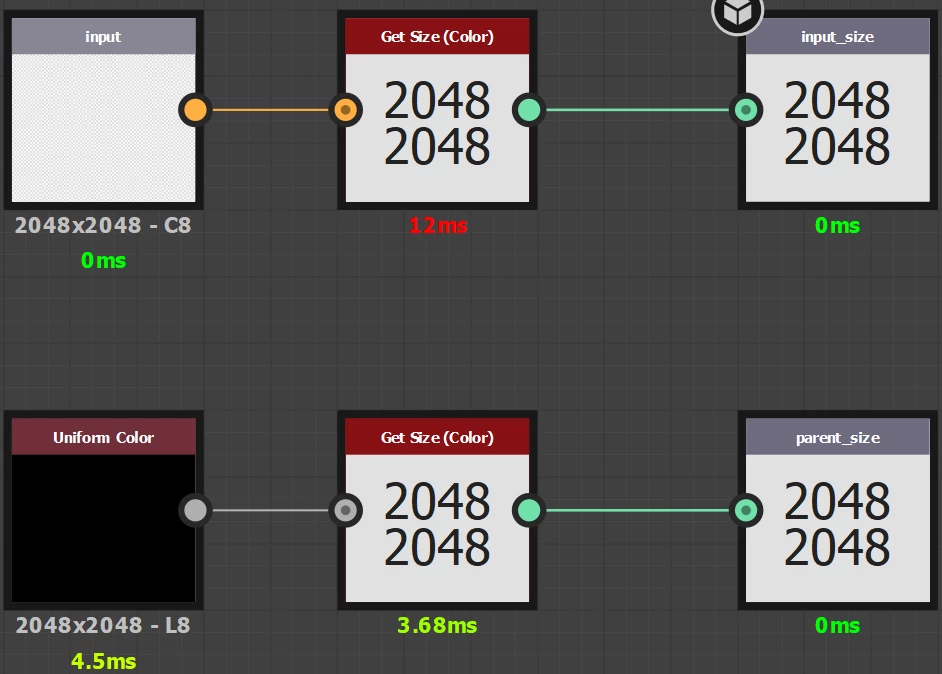
The input - Get Size - Output is doing the Get Size on any input nodes.
The Uniform Color - Get Size - Output is doing what you suggested.
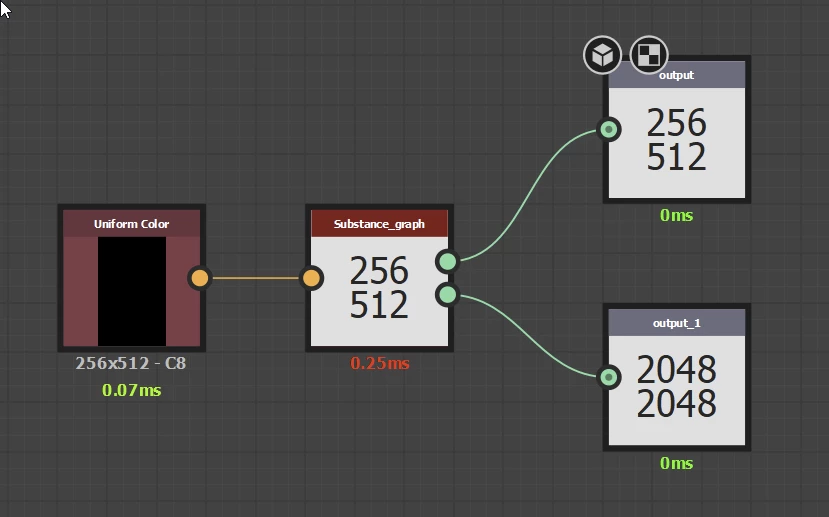
Here it is used within another graph:
The uniform color node represents some specific sized nodes and is the input into the sub graph above. The first green output is the top part of the previous screen shot, and the bottom output is the one from the bottom.
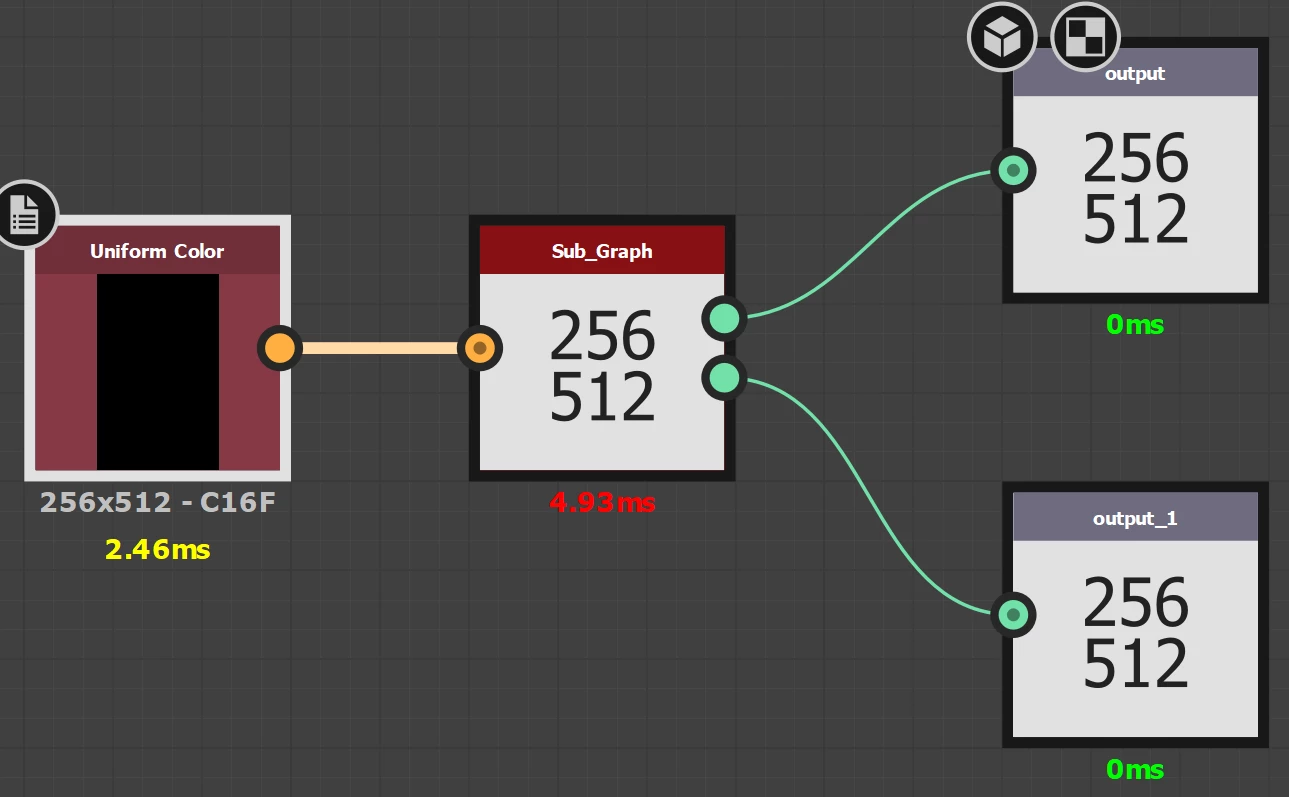
My expectation (or what I am trying to do) is make it such that the top should be the 256x512 and the bottom should be the 2048x2048 that this graph is set at.
The "Sub_Graph" node is just default dragged/dropped into the graph, but if I manually change it's output size parameter to Relative to Parent:
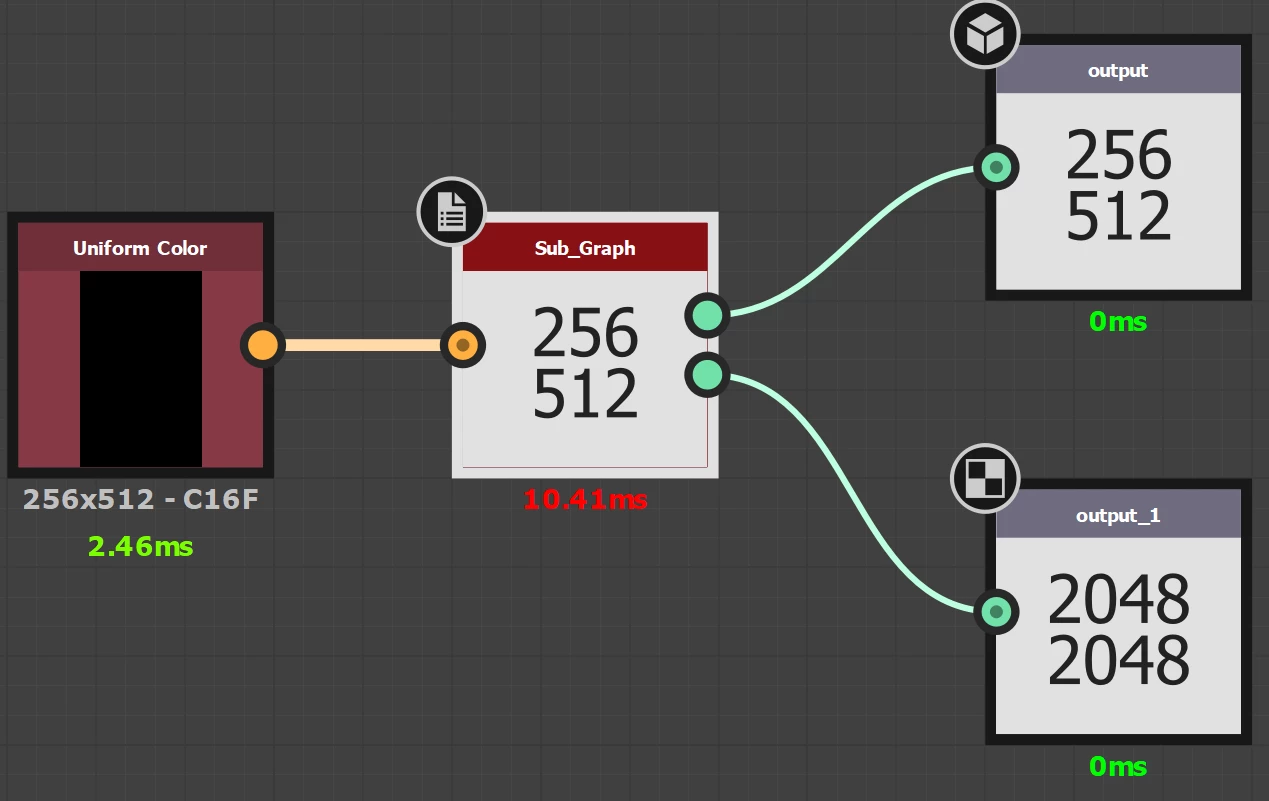
What I'm hoping to do here, is avoid making the mistake of forgetting to change the "Sub_Graph" node's base paramters Output Size.
I'm thinking it isn't possible?
Hi
I think this will do what you want
Make two input nodes and make the second (input_1 on my screenshot) the primary input. Add a parameter (input_2) and set it to False. Set visibility of input to to visible if input["input_2] == true That will hide the second input. You can also set that parameter to hide itself with the same expression.
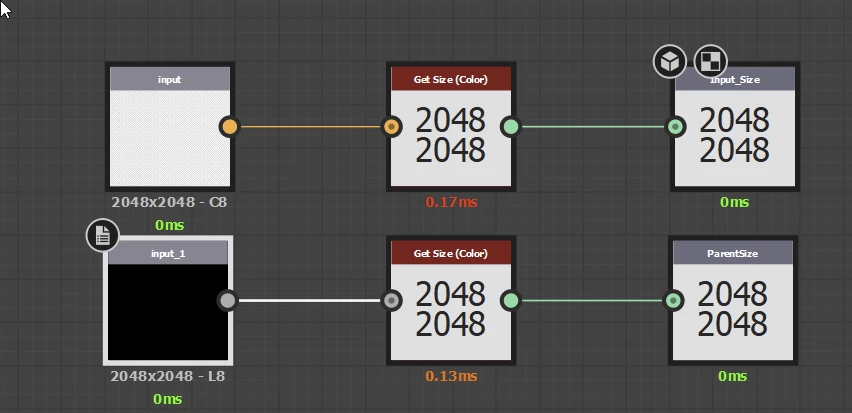
When used as a subgraph it gives this. The hidden (but primary) input is picking up the parent size :
Dave
Edit to add - I don't know why Get Size (Greyscale) is labelled Get Size (Color) it looks like a typo in the node programming
Dave




 AdChoices