



Question
sbsrender gpu produces different result
Hello. So I am running the sbsrender command in command-line. First we only used the cpu and it produced a nice result but then we wanted to speed it up and use the gpu engine instead. And it was faster but the problem is that it gave a stepped result.
cpu:
gpu: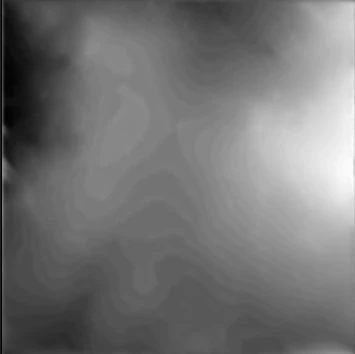
It still looks like it does what it is supposed to do but it adds on these stepps as well.
I have oppend this graph up and switched to both cpu engine and gpu engine and I can't reproduce this gpu result. It only happens when I am using the command line renderer.
here is the command:
sbsrender.exe render --no-report --input .../dem_height_upscaler_cliffs_slopebased.sbsar --input-graph dem_upscale --output-path .../GPUTest/ --output-name original_dem_{outputNodeName} --set-entry dem@...\original_dem.png --set-value dem_amplitude@5110.12 --set-value padding@11 --set-value strength@0.5 --set-value fillamount@0.0 --set-output-format dem@png --engine d3d11pc
 AdChoices