



Seams in custom dynamic brush material
Hi
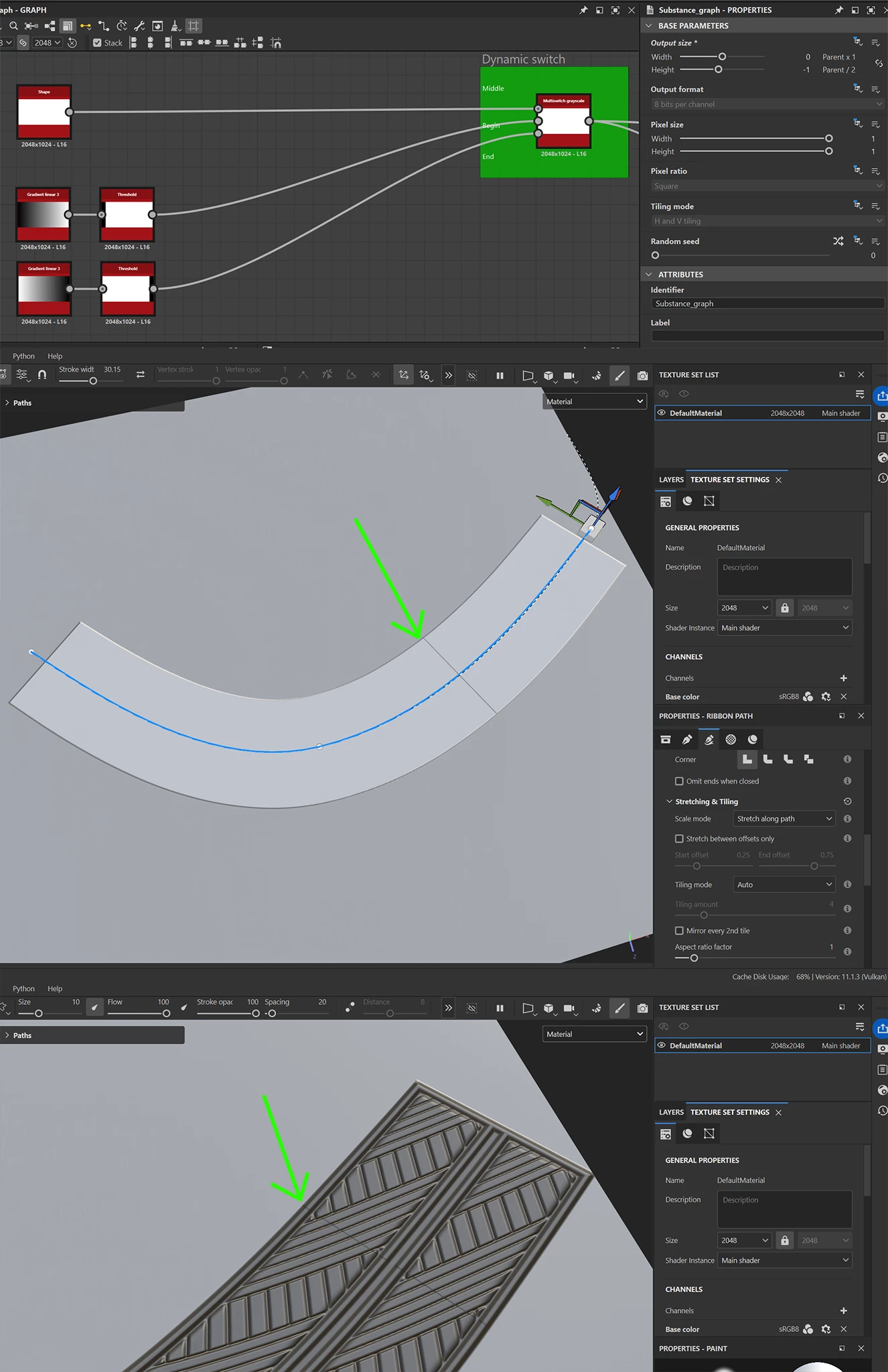
I’m creating some dynamic ribbon materials, but I’m running into an issue where a visible seam appears where the end piece meets the middle section when the material is used in Painter.
Specifically, there is a line of differently colored pixels in the normal map at the point where the pieces connect. I’m not sure what is causing it, but it consistently shows up when the material is used.
To rule out problems with my node setup, I started from the “Leather Strap Ribbon” template and modified it from there.
At first, I thought the issue might be related to my use of 2D Transform nodes with tiling disabled, but even with a very basic setup (as shown in the top image), the seam still appears.
One thing I’ve noticed is that the problem always occurs at the “End” section, never at the beginning.
Anyone have an idea what I might be causing this?
 AdChoices