


laiy10580071
Inspiring
January 13, 2022
Question

Splat shape along a curve(i.e. draw a brush stroke)

  • January 13, 2022
  • 1 reply
  • 236 views

I'd like to make a pattern that looks like a brush stroke (just like in Photoshop). Like this:
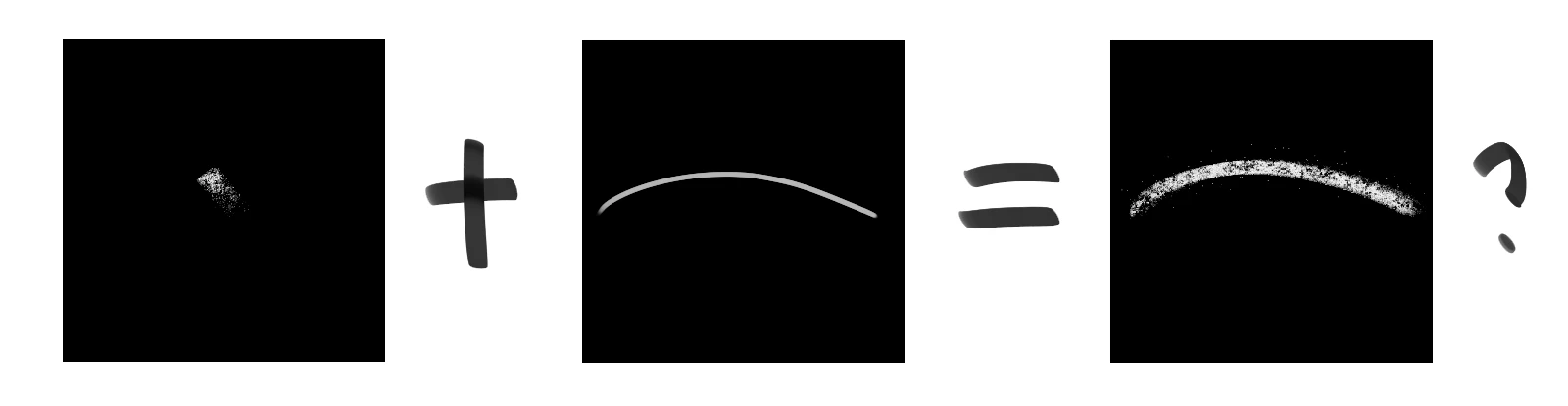
Given a brush tip and a curve pattern, generating the brush stroke.


Of course I can just paint this in Photoshop, but I'd like to make it procedurally, so I think Substance Designer may be the right choice. I know there is Shape Splatter, but it splats the shapes all over the places. How could I make the brush stroke like above?

This topic has been closed for replies.

1 reply

davescm
Community Expert
Community Expert
January 13, 2022

You could try a shape splatter but add shape scale and height scale controlled by the curve (use the multiplier sliders).

In addition use a bevel and normal blend to feed the vector map input and use that vector map to control rotation (thanks to @Luca Giarrizzo for that last tip which he showed in another thread recently)


Dave