Inspiring
November 7, 2023
Answered

stopping shape splatter from tiling..

  • November 7, 2023
  • 1 reply
  • 490 views

Hi


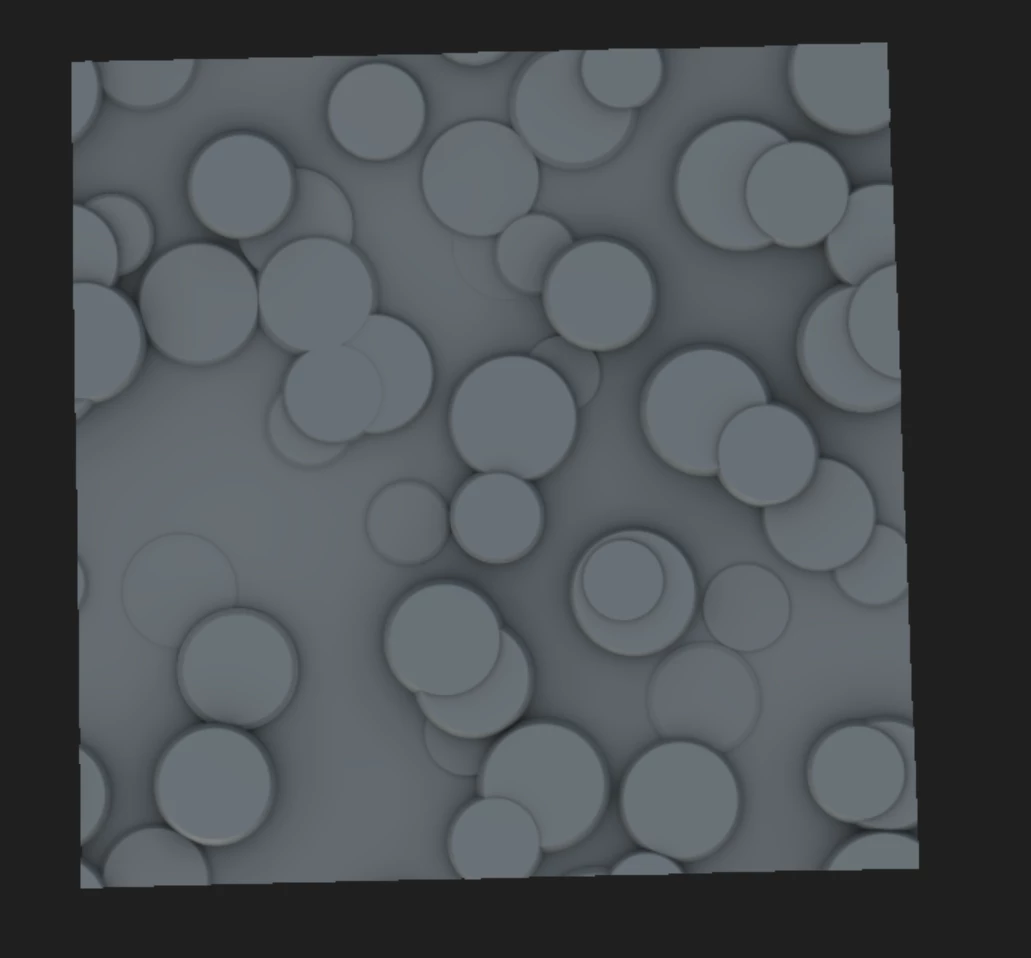
Im very much a designer novice whos chucking themselves in the deepend.  Im trying to create this pattern (attached), but dont want it to tile (have any circles that are cut off on the edges). 


Im using the Shape splatter node to create this which has proven pretty simple, and i was hoping someone might have  pointer maybe? 


many thanks

Nick
 

This topic has been closed for replies.
Correct answer davescm

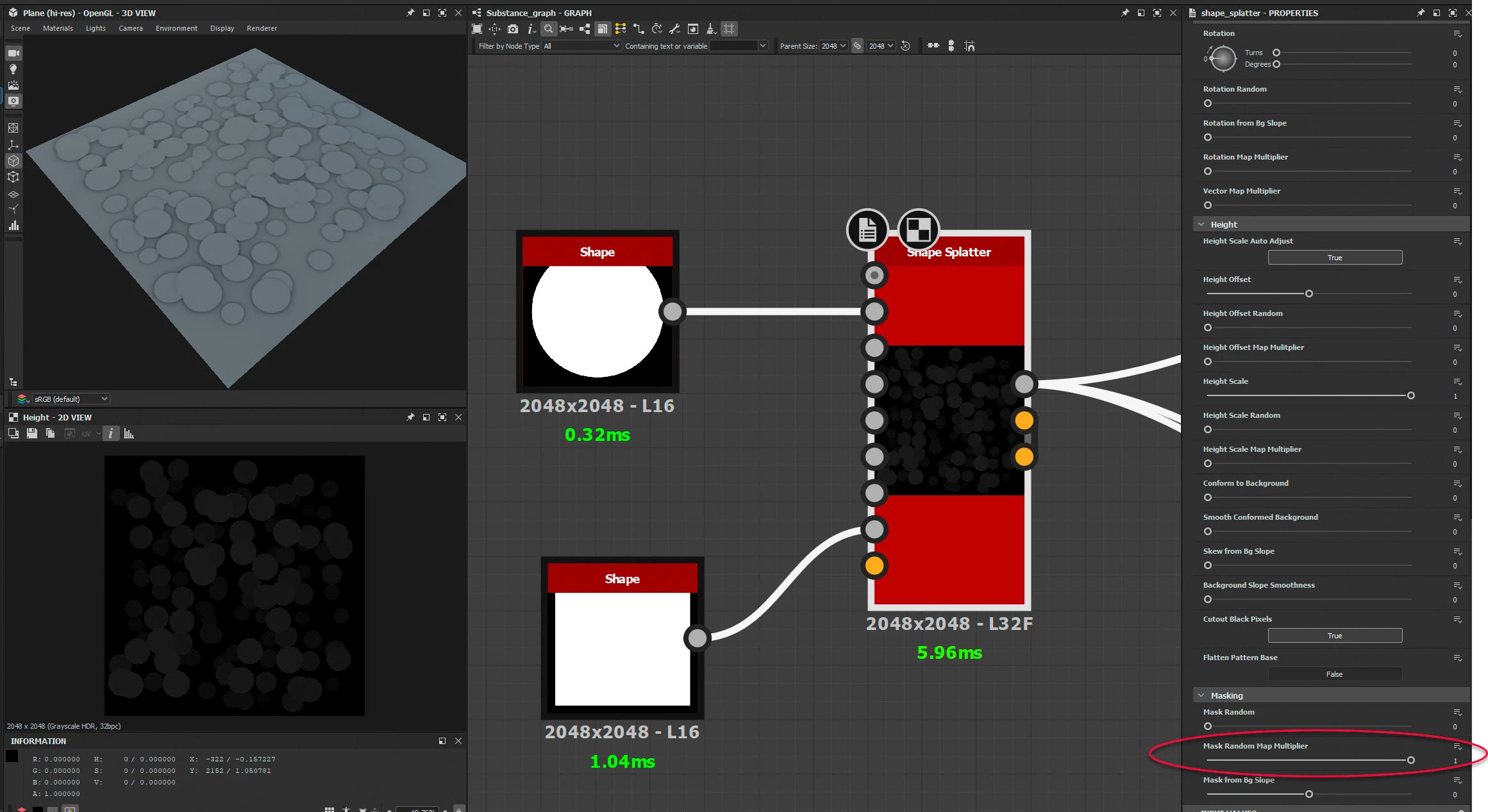
One way is to add a square shape input to the mask random input and then in shape splatter turn the 'Mask Random Map Multiplier' to 1. Adjust the edge with the square shape.


Dave

1 reply

davescm
Community Expert
davescmCommunity ExpertCorrect answer
Community Expert
November 7, 2023

One way is to add a square shape input to the mask random input and then in shape splatter turn the 'Mask Random Map Multiplier' to 1. Adjust the edge with the square shape.


Dave

Inspiring
November 8, 2023

thanks so much! - i was close (was trying to use the background slope 🙂 )

Inspiring
November 8, 2023

You could fill some of the gaps with smaller shapes based a second shape splatter node using a similar but narrower square mask multiplied with a mask from the first node output.


amazing - thanks!