Participant
February 17, 2023
Answered

Substance designer 3d viewport settings

  • February 17, 2023
  • 1 reply
  • 892 views

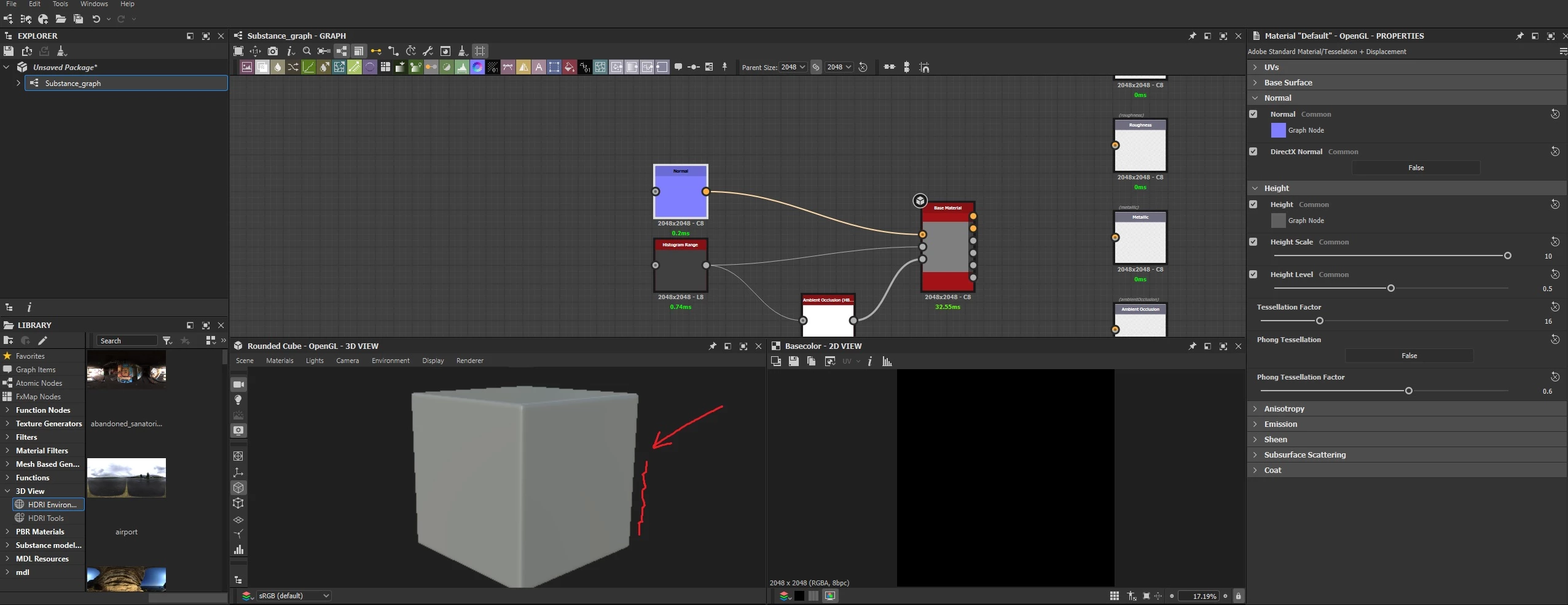
Can I somehow improve the quality of the 3D viewport and get rid of the jagged outline
This topic has been closed for replies.
Correct answer Cyril Dellenbach

Hi again @Andy28145712yomt,


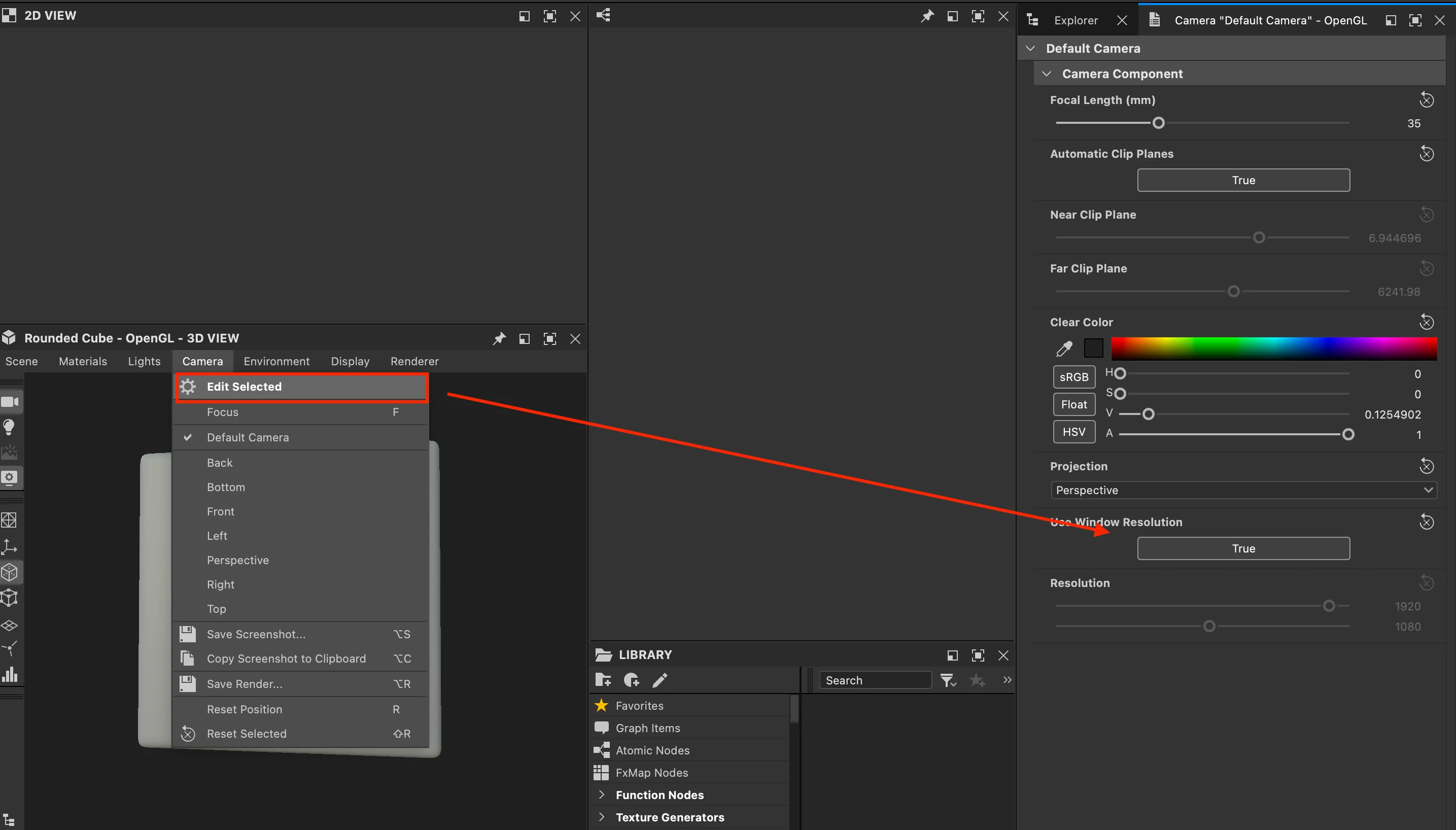
If you're still not satisfied with the quality of your 3D view, you may go under Camera > Edit Selected > Use Window Resolution, switch it to False and set up the Resolution you need.


Best regards,

1 reply

Cyril Dellenbach
Community Manager
Community Manager
February 17, 2023

Hi @Andy28145712yomt,


Thanks for your message.


 This issue can happen depending on the display. Hopefully, you simply have to go to your preferences and under 3D view > Misc > Viewport scaling switch the option to None.


Have a nice day.

Cyril Dellenbach (Micro) | QA Support Artist | Adobe
Participant
February 18, 2023

Hello

Thanks for the reply
It helped a little bit

Cyril Dellenbach
Community Manager
Cyril DellenbachCommunity ManagerCorrect answer
Community Manager
February 20, 2023

Hi again @Andy28145712yomt,


If you're still not satisfied with the quality of your 3D view, you may go under Camera > Edit Selected > Use Window Resolution, switch it to False and set up the Resolution you need.


Best regards,

Cyril Dellenbach (Micro) | QA Support Artist | Adobe