


Participant
December 27, 2021
Answered

Substance Designer always installs in German alltough English is set as the default language

  • December 27, 2021
  • 1 reply
  • 1144 views

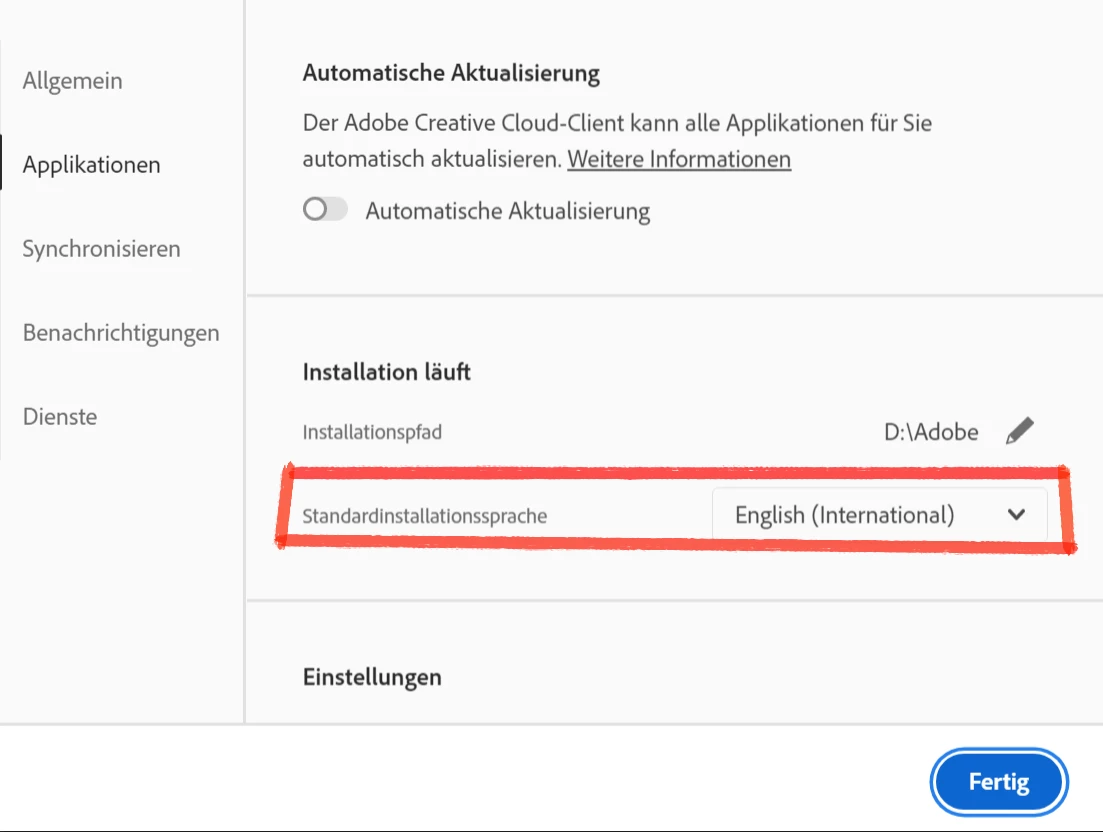
Hello, Alltough I set the Application language to english (International) Substance Designer always installs in german tried it four times now.
I work on a german PC but everything is named different in german so its impossible for me to work efficiently with the german language inside Designer. How can this be fixed? Every other application installs in english (Photoshop and InDesign). Switching the language to English (US) doesn't help either.
Also setting the Primery Language in my Adobe Acount to english didnt help.

Thanks,
Marvin

This topic has been closed for replies.
Correct answer davescm

Unlike the CC apps which take their language on installation from the CC desktop setting, Substance Designer's language can be set in Preferences > General > Language. It will require a restart after choosing the language.


Dave

1 reply

davescm
Community Expert
davescmCommunity ExpertCorrect answer
Community Expert
December 28, 2021

Unlike the CC apps which take their language on installation from the CC desktop setting, Substance Designer's language can be set in Preferences > General > Language. It will require a restart after choosing the language.


Dave

Participant
December 28, 2021

Goodness, I feel stupid. Thank you, that fixed it!

davescm
Community Expert
Community Expert
December 28, 2021

You're welcome - it's not obvious if you are used to the method used by the CC apps.

Dave