
Participant
November 9, 2023
Question

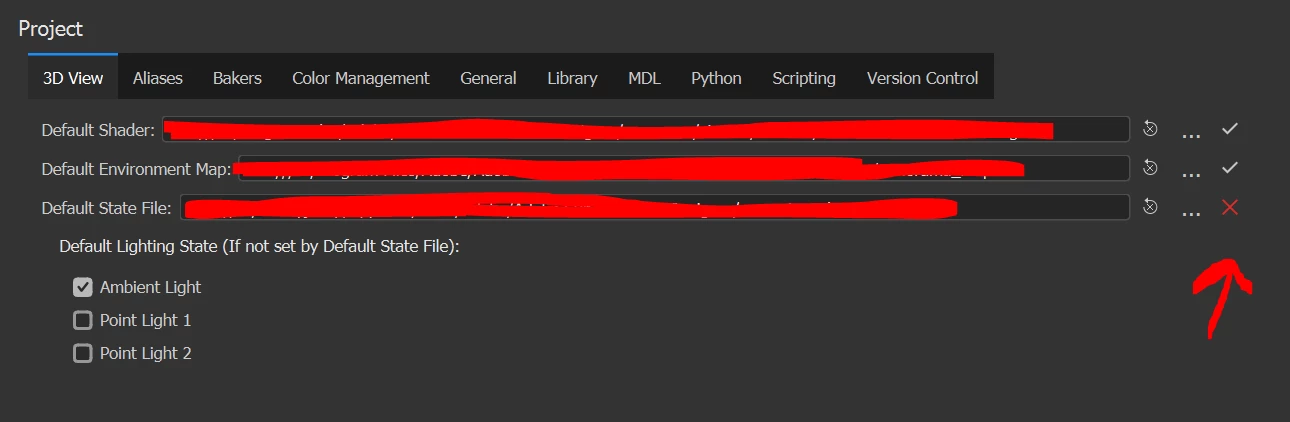
Substance Designer Default State File doesnt not exist on my PC
  • November 9, 2023
  • 1 reply
  • 290 views

I have uninstalled, restored, reloaded, installed pervious versions, everything. I cannot for the life of me get this file to repopulated on my PC. Without it I cannot adjust or move the lighting in my 3D View and my real-time rendering looks flat and ugly. This is not only an issue on my work PC, it will not generate this file on my personally PC either.

1 reply

Participant
November 9, 2023

I have figured this out. In the 3D View you click on Scene > Save Current state. But I still have no control over my lighting in the 3D View via the Ambient light and 2 spot lights. I can turn their state from FALSE to TRUE and alter their colors, but this does not effect the 3D View lighting at all.

Cyril Dellenbach
Community Manager
Community Manager
November 10, 2023

Hello Joseph,


As Dave mentioned, these lights aren't commonly used and aren't even implemented with ASM shader. Make sure to use a different shader if you need to add Ambient/Point light.


Best regards,


Cyril Dellenbach (Micro) | QA Support Artist | Adobe