


Participant
September 18, 2021
Answered

Substance designer inputs not showing up

  • September 18, 2021
  • 2 replies
  • 1458 views

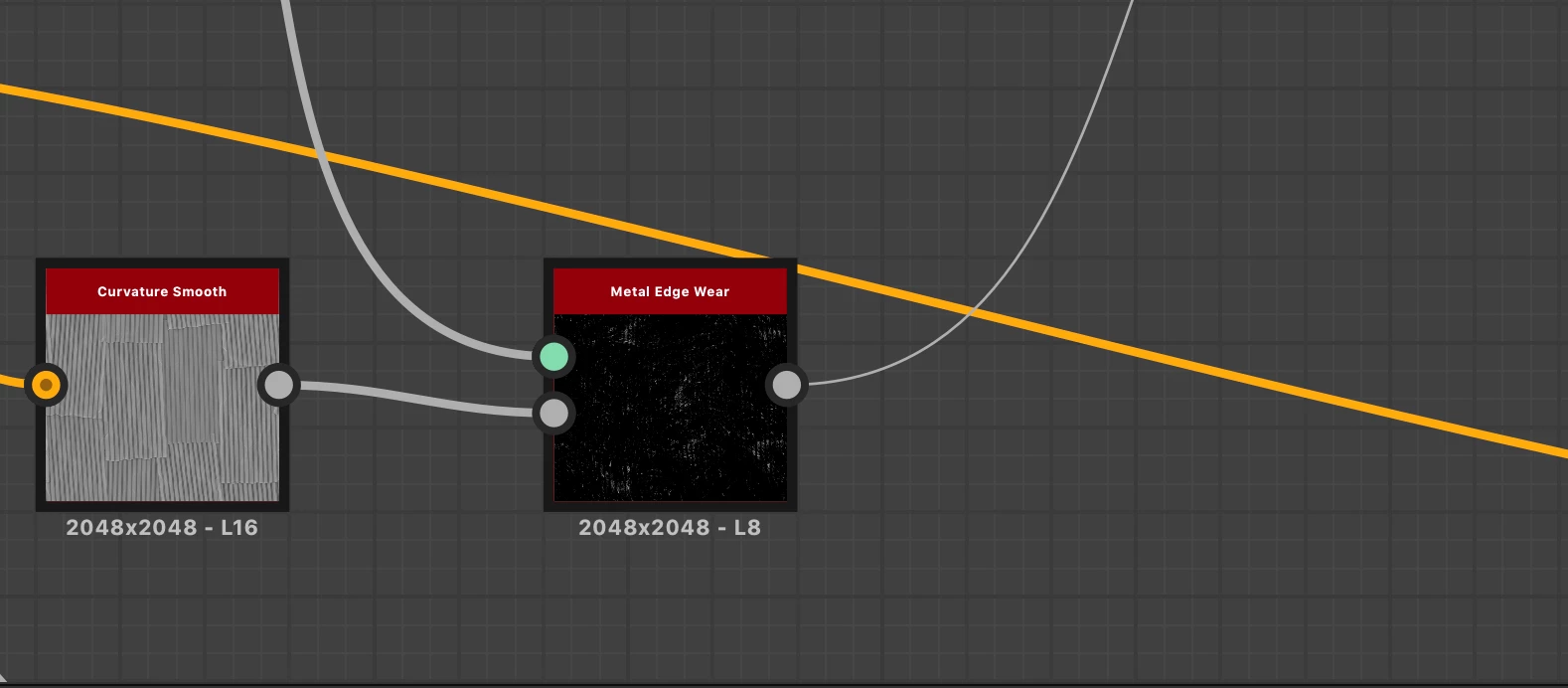
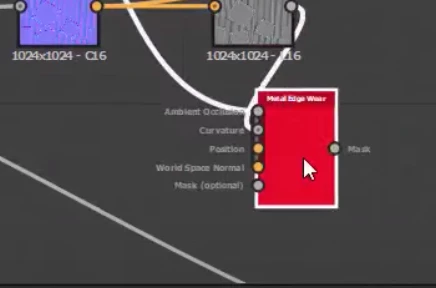
Substance Desginer-nodes issue. I am using a metal edge wear node which should have 5 inputs (ambient occlusion, curvature, world space, position, and mask) but it is showing mesh data and mask for some reason, how do i make the others show up?

This topic has been closed for replies.
Correct answer davescm

The node is showing in collapsed view. To see all the inputs, right click the node and choose Expand


Dave

2 replies

Luca Giarrizzo
Community Manager
Community Manager
September 20, 2021

Hello @Peter F.5CA6,


To add onto @davescm's accurate assessment of your issue, it is possible you have unintentionally switched to a different Link creation mode. These modes are mapped to the 1, 2 and 3 keys of the numeric row of the keyboard, and are thus quite easy to hit by accident while typing.


Best regards.


Luca Giarrizzo | Quality Engineer - Substance 3D Designer | Adobe
davescm
Community Expert
davescmCommunity ExpertCorrect answer
Community Expert
September 18, 2021

The node is showing in collapsed view. To see all the inputs, right click the node and choose Expand


Dave