piotro14533619
Participating Frequently
November 26, 2024
Question

Transition between two layers - brush strokes

  • November 26, 2024
  • 1 reply
  • 317 views

Hey guys,


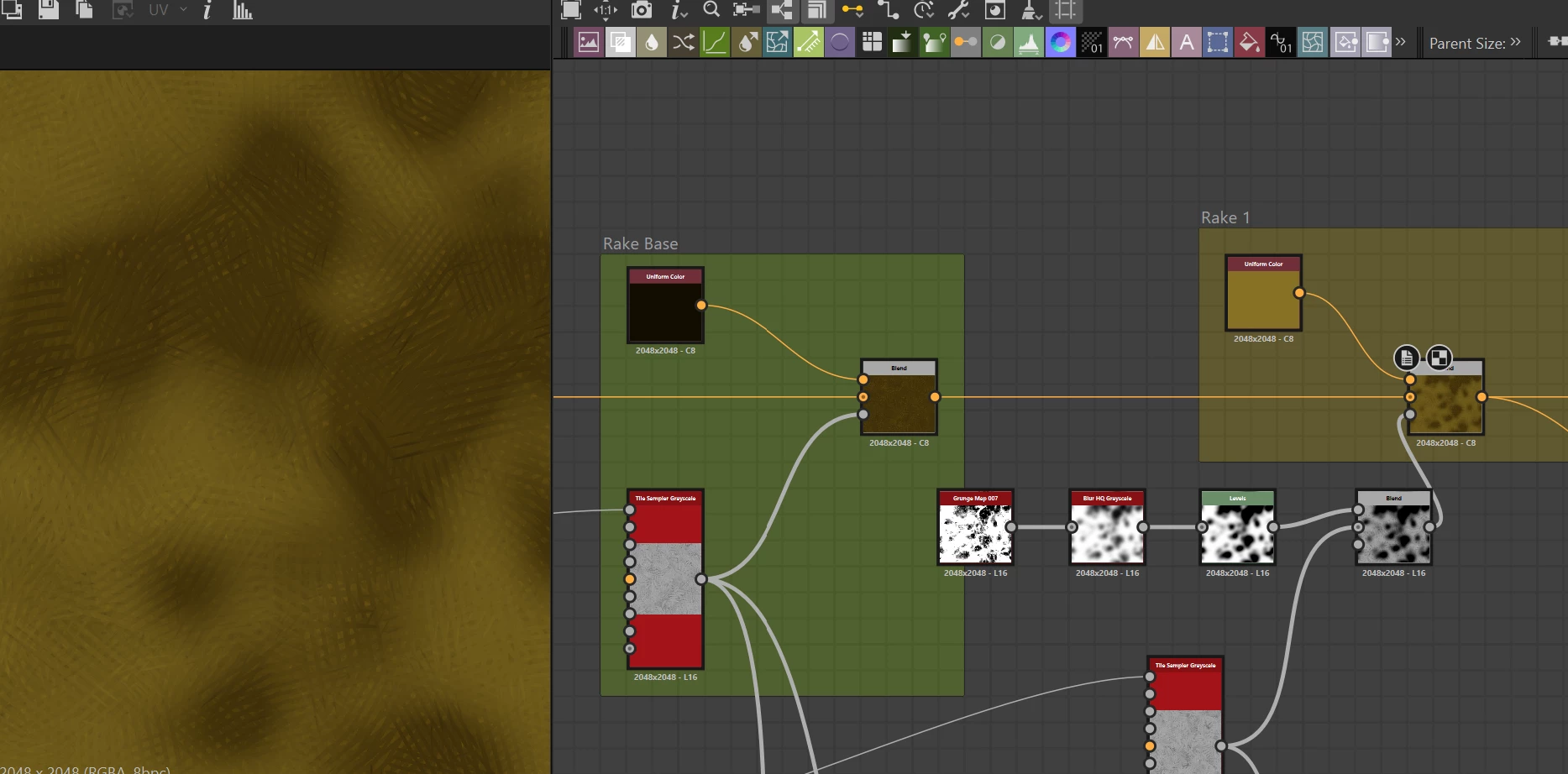
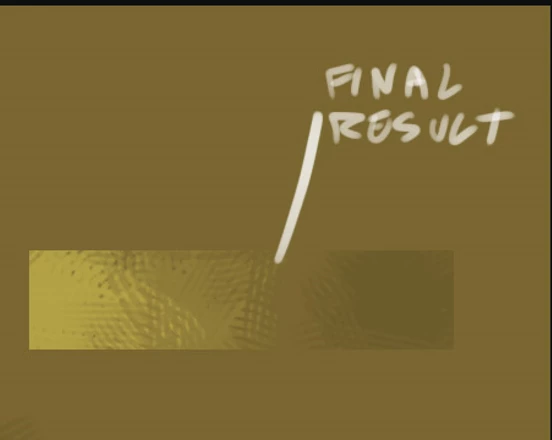
I'm preparing smart material that will generate rake brushes, but I'm stucked in one place. What I have so far is the setup visible in the attached image, but what I want is to have transition from one color to the other like you can see on the 2nd image. So the darker color has an inpact on the transition edges (darker color covering slightly the brither one).

I have 2 diffrent rake brushes generators created using Time Sampler nodes. The mask between those two visible here is just an example, nothing final.

Have you got any ideas how to solve this issue?


Cheers
 

This topic has been closed for replies.

1 reply

Cyril Dellenbach
Community Manager
Community Manager
November 27, 2024

Hi @piotro14533619,


Thank you for the question.


If I've understood the issue properly, I'd personally first create my color map, and plug it into a Tile Sampler Color, in the Color Map input.


Let me know if this helps.


Cyril Dellenbach (Micro) | QA Support Artist | Adobe
piotro14533619
Participating Frequently
November 27, 2024

thank you Cyril for this!! I will check this!! Im just wondering, how the gradint map could be exposed as a parameter, because I would like to expose such a parameters like colors to be able to choose them in SP.

Community Expert
November 28, 2024

Hey piotro,

Unfortunately you can't expose the gradient of a gradient map but you can use my string to color pattern node, it creates a gradient based on hex-color-codes, which can be exposed and are more or less independent of the amount of color you like, the only difference to the gradient map node is, that you can't change the position of the color keys, they get evenly spread according to the amount of colors.

https://www.artstation.com/artwork/XnZX0n


Stay healthy and creative Marco