


Participant
August 19, 2024
Question

Unable to change and see thickness of spline bridge

  • August 19, 2024
  • 1 reply
  • 598 views

trying out the spline bridge list. wanted to add taper thickness to the splines. Not sure why its not workng for me in the preview. I just see uniform thickness. using latest version 14
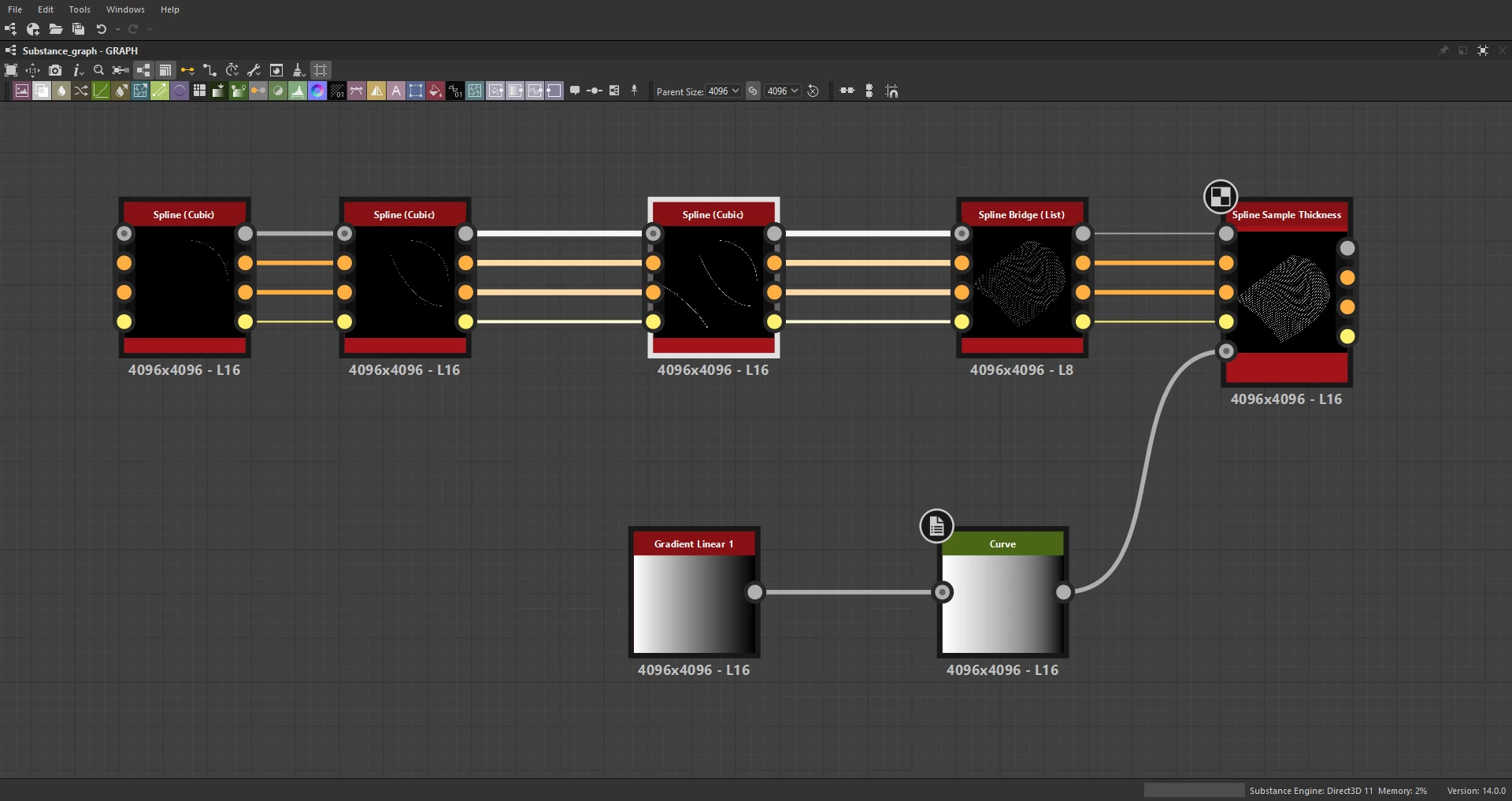

 

Any ideas why this is happening?

1 reply

Luca Giarrizzo
Community Manager
Community Manager
August 28, 2024

Hello,


The 'Preview' output of Spline nodes does not render the splines' thickness by default, but there is a 'Show Thickness Envelope' option in then 'Preview' parameter group.


To properly render thickness, you may use the Scatter on Spline node with a high number of patterns, or the Spline Mapper node which is generally more costly.


That said, maybe Spline Render should support rendering thickness natively. (and not as an envelope)


Best regards.

Luca Giarrizzo | Quality Engineer - Substance 3D Designer | Adobe
davescm
Community Expert
Community Expert
August 28, 2024

Either Spline Render should have the option to render thickness or it should be made explicit in the documentation that it does not. Without that explicit statement, it is natural to assume that the render node should give a raster version of the spline including it's thickness properties.


Dave

Luca Giarrizzo
Community Manager
Community Manager
August 28, 2024

Agreed! 👍


Luca Giarrizzo | Quality Engineer - Substance 3D Designer | Adobe