Inspiring
February 14, 2023
Answered

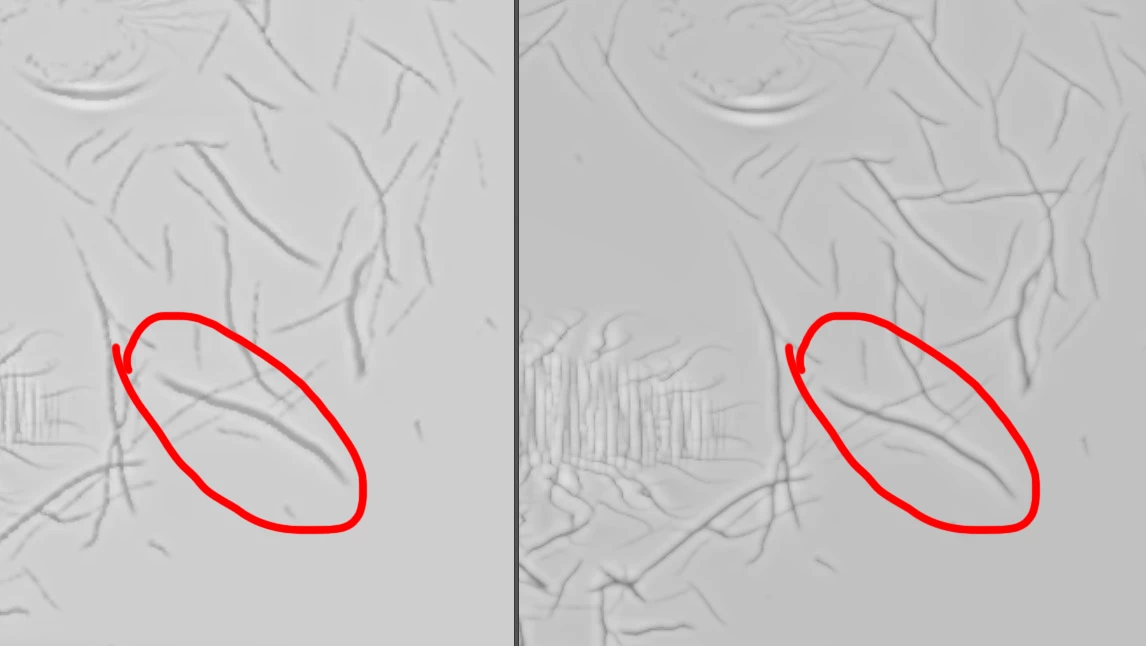
Using the Blender add on gives weird results

  • February 14, 2023
  • 1 reply
  • 502 views

Hello

I made a substance graph in Designer and published it. Loaded into Blender 3.1.2. The result after generating/rendering the graph in Blender is not like the output in Substance Designer. Looks like a bit depth issue, with clipped values or compression errors. Everything is on 16bit. Anybody?

This topic has been closed for replies.
Correct answer Cyril Dellenbach

Hello Peter,


The difference may come from several things. First, I would check the output size is the same between Substance 3D Designer and Blender. I would also check that the maps are on the same bit level (as you already did), but most of all, Blender is using the CPU to render the SBSAR which is maybe not the case for Substance 3D Designer.


To check and switch which engine is working on Substance Designer:

Tools > Switch engine… (or the F9 key).


SSE2 will be the CPU and Direct3D the GPU. There might be a slight difference between the CPU render and the GPU render. If this difference looks like the issue in blender, you can simply adapt the graph with the SSE2 engine on.


If the problem persists, it probably comes from the integration in blender.


Keep me up to date and have a nice day,

1 reply

Cyril Dellenbach
Community Manager
Cyril DellenbachCommunity ManagerCorrect answer
Community Manager
February 15, 2023

Hello Peter,


The difference may come from several things. First, I would check the output size is the same between Substance 3D Designer and Blender. I would also check that the maps are on the same bit level (as you already did), but most of all, Blender is using the CPU to render the SBSAR which is maybe not the case for Substance 3D Designer.


To check and switch which engine is working on Substance Designer:

Tools > Switch engine… (or the F9 key).


SSE2 will be the CPU and Direct3D the GPU. There might be a slight difference between the CPU render and the GPU render. If this difference looks like the issue in blender, you can simply adapt the graph with the SSE2 engine on.


If the problem persists, it probably comes from the integration in blender.


Keep me up to date and have a nice day,

Cyril Dellenbach (Micro) | QA Support Artist | Adobe
peter98A7Author
Inspiring
February 18, 2023

Thanks for replying! I tested it and it is what you said it is. Is there a moment in time Blender will use Directx / gpu for generating graphs?
Thanks again.