This topic is closed to new replies. Start a new post to keep the conversation going.

1 reply

Cyril Dellenbach
Community Manager
Community Manager
December 13, 2023

Hi @chatof31774620pswe,


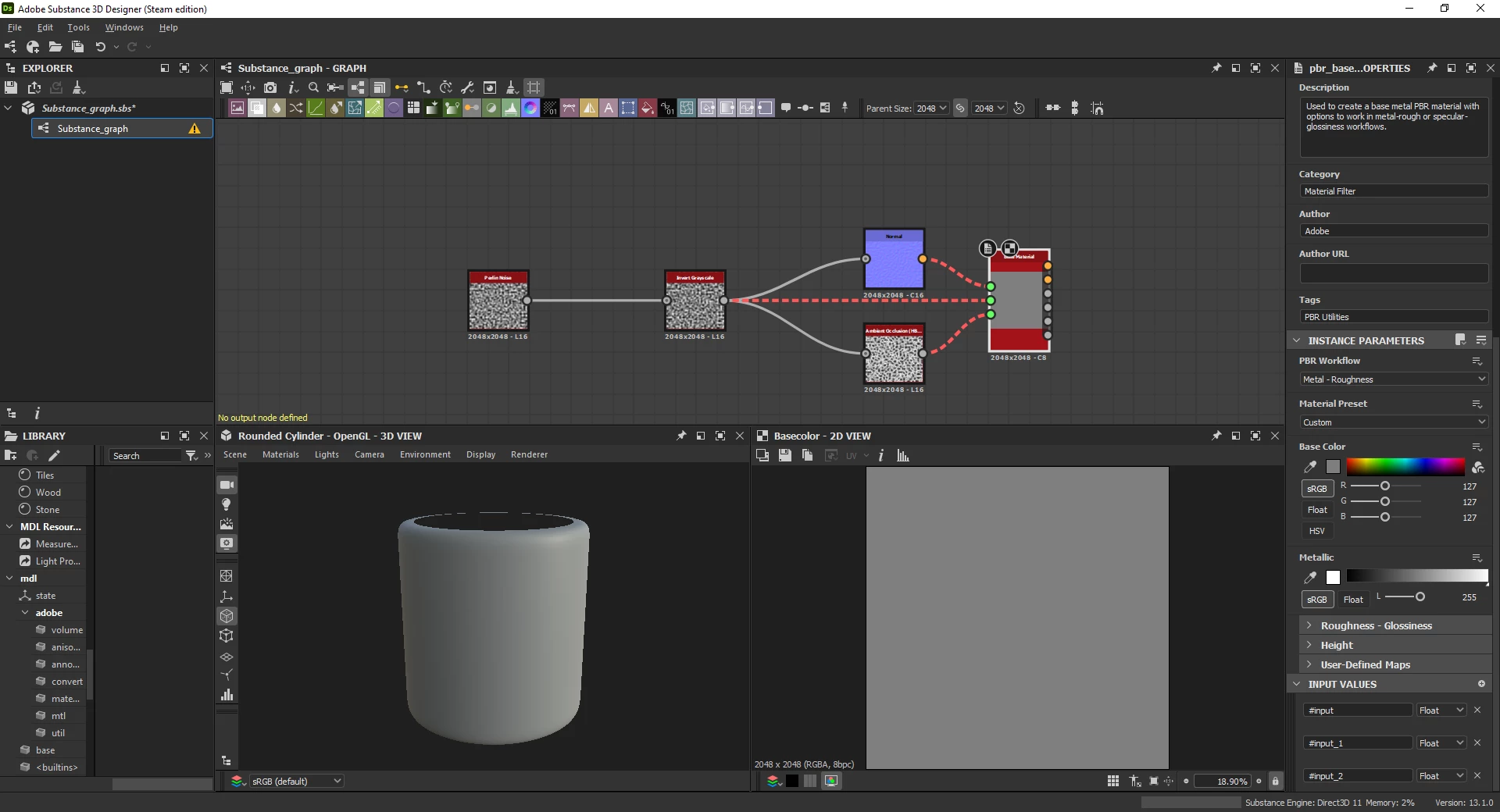
You can RMB on the Base Material node and View in 3D view. Just so you know, your graph need Outputs in order to export bitmaps or .SBSAR material. An Output is a node defining what is the final result for a channel (e.g. Base Color, Normal, Roughness, etc.).

Therefore, instead of using the Base Material node, I advise you to use outputs, and simply RMB anywhere in the graph > View Outputs in 3D view. Alternatively, you can quickly create the proper outputs out of the Base Material node;

RMB on the node > Create > Output Nodes


When creating a new graph, you can also use an already existing template (e.g. Metallic Roughness), which will automatically sets up multiple outputs ready to be used.


Regards,

Translate
Cyril Dellenbach (Micro) | Product Manager | Substance Painter