



Question
Why is the material of the model itself not read in the 3D view?
Hi, I'm new to Substance Designer. In my 3D model, there are four objects, each with a designated material. After exporting as FBX and importing into Substance Designer, the materials of the model itself do not appear in the material section of the 3D view. I would like to ask if anyone knows where the issue might be. Thank you!
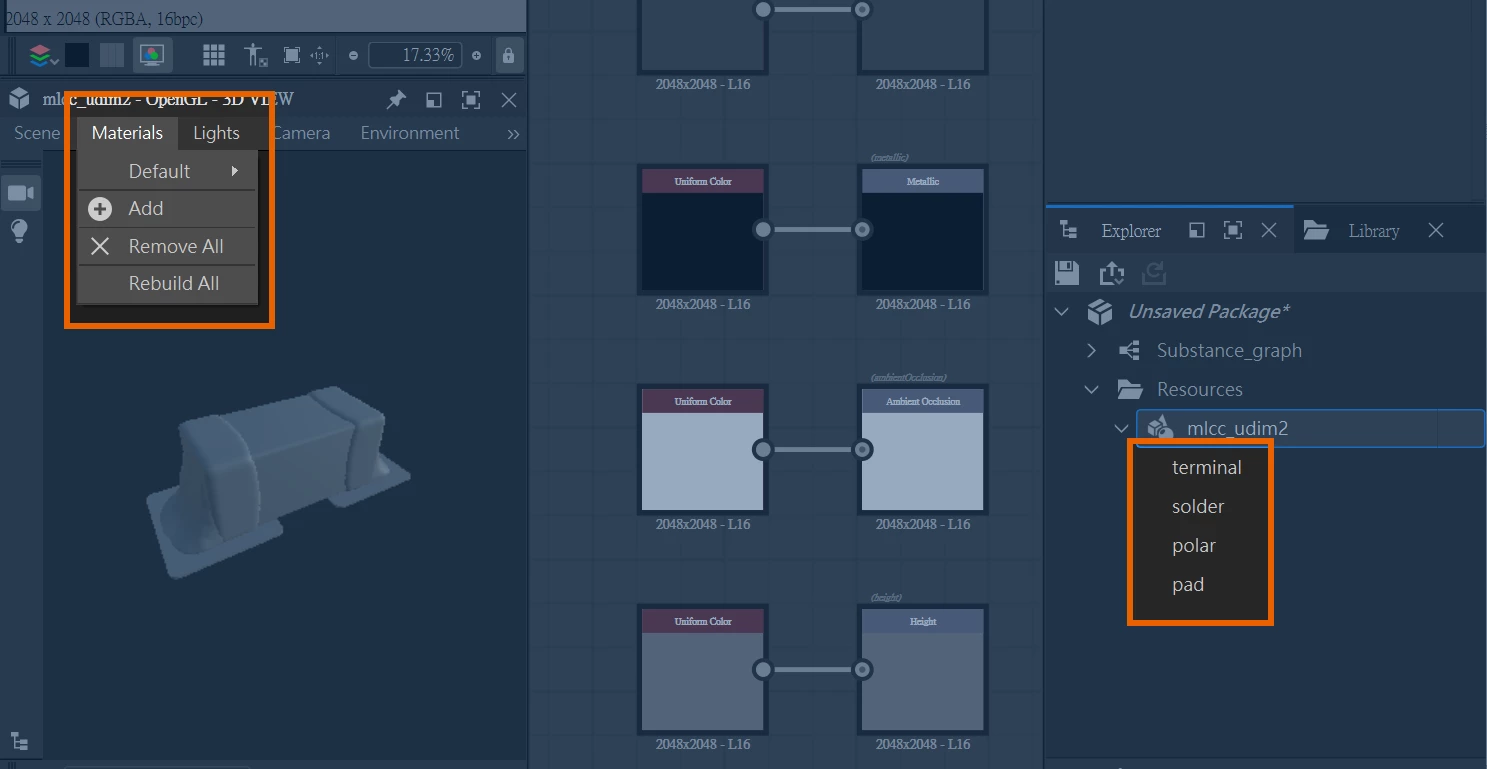 Under normal circumstances, it should be as shown in the YouTube video linked below, where the materials of the model are successfully loaded into the material section of the 3D view: https://youtu.be/oAW5FQl7j2A?si=TFXnRIhxKxD28giL&t=226
 AdChoices