
Participant
November 3, 2016
Answered

CC 2017 Media Encoder Won't open

  • November 3, 2016
  • 16 replies
  • 35036 views

Media encoder won't open, it says "Adobe Media Encoder has encountered an unexpected error and cannot continue"

Please I need to resolve this issue ASAP! thanks! 

I already uninstalled and re-installed, I am working with a MacPro and Mac OSierra
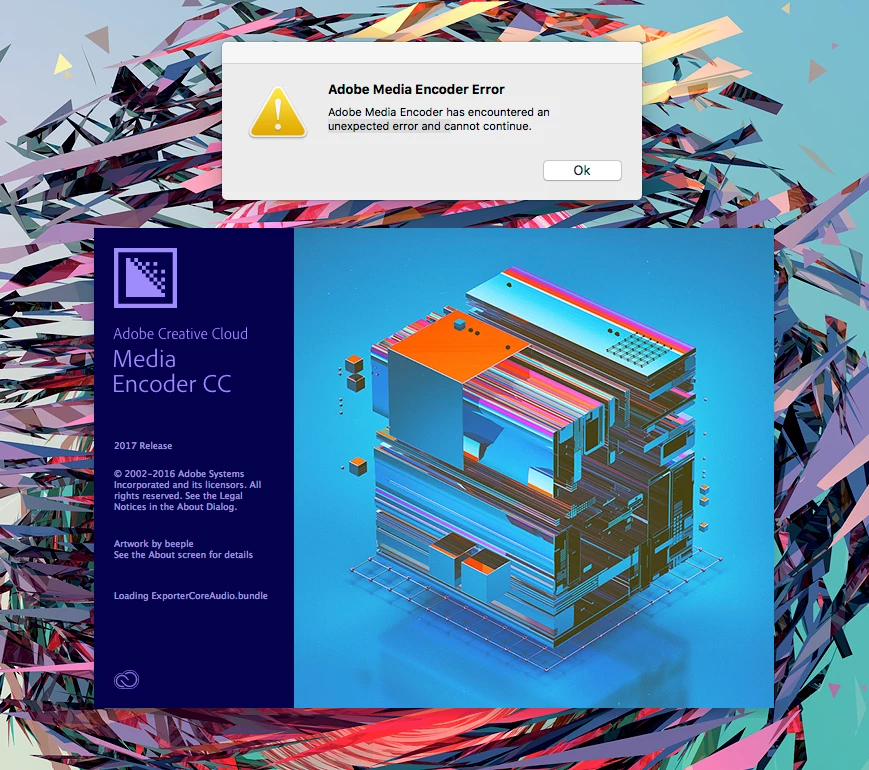
    This topic has been closed for replies.
    Correct answer colint88464326

    Hi there

    I had the EXACT SAME THING but seem to have solved it.  I moved the Presets and Logs folders to a safe place (from Documents > Adobe > AME > 11.0)

    I then uninstalled AME, re-installed, then moved the Presets and Logs folders back to the above path.  Simple.

    Hope it works for you.

    Cheers

    16 replies

    Participant
    February 23, 2018

    Yeah AME won't open for me. Worked just fine yesterday. Did nothing different and today... no dice.  I updated AME (cc v12) and updated my OS High Sierra 10.13.3

    So when I try to open it I get this message

    Need help!  Have video that I have to encode.

    Cliff

    garrettgibbons
    Known Participant
    April 10, 2018

    I'll chime in that I've also tried all fixes listed above and I still have the same error. I'll update if I find anything that works.

    Here's what I've tried:

    • move app logs and presets out of Adobe folder
    • move entire Adobe folder out of Documents
    • hold shift on startup to clear preferences
    • multiple uninstall/reinstall attempts for the app
    • Adobe Creative Cloud Cleaner to clean and remove all of Creative Cloud
    • reinstall Creative Cloud

    The error still persists!

    Jsmoke
    Participant
    April 12, 2018

    I am having the same EXACT problems.  Started happening today after updating AME.  I tried every fix on your list as well and nothing.  Please let me know if figure out a solution.

    Participating Frequently
    December 26, 2017

    2018 same problem - None of the suggested fixes work. Adobe Please address and fix.

    Participant
    September 27, 2017

    thank you so much

    best

    Participant
    August 25, 2017

    Had to uninstall, reinstall and restart in addition to killing preferences. Eventually came good for me, cheers.

    Participant
    May 18, 2017

    none of this helped trial period is over i removed to from my system and will not be purchasing this product

    Participant
    May 9, 2017

    i'm testing ta trial version  it won't even launch and i refuse to use something that will not work

    christophercameroncreativ
    Participant
    March 29, 2017

    I actually couldnt be bothered looking for the preset and log folders, and just held shift when I clicked to open, and its running fine now, no issues outside losing a queue of 16 videos due to export

    Participant
    January 8, 2017

    I had roughly the same problem but a little worst....I had no error message, it simply didn't work: double click on the icon and nothing happened. But with the answer of colint88464326 it worked!!

    thank you

    Participant
    December 13, 2016

    I had to uninstall and reinstall my creative cloud desktop app and now it won't even install Media Encoder...  I hit install and it jumps from 1% to 99% and returns to the "apps you can install" section of the drop down menu.

    Any ideas as to why that won't work?  It's all CC 2017 and I'm running OS Sierra

    jamesmwlvnv
    Participant
    December 12, 2016

    I had the same issue. I uninstalled AME and tried reinstalling. Adobe cloud says it installed but it it does not show up and when I look at the list it shows it as not installed. I tried installing again and same thing, it says it installed it but nothing. I rebooted and tried again, still the same thing.

    Any ideas?

    thanks

    JMW

    jamesmwlvnv
    Participant
    December 12, 2016

    Got it figured out. I forgot mac's do not know how remove software, I had to use the Adobe remove tool, then install. it is working now.

    Use the Creative Cloud Cleaner Tool to solve installation problems

    JMW