


Participant
May 7, 2020 12:22 PM UTC
Question

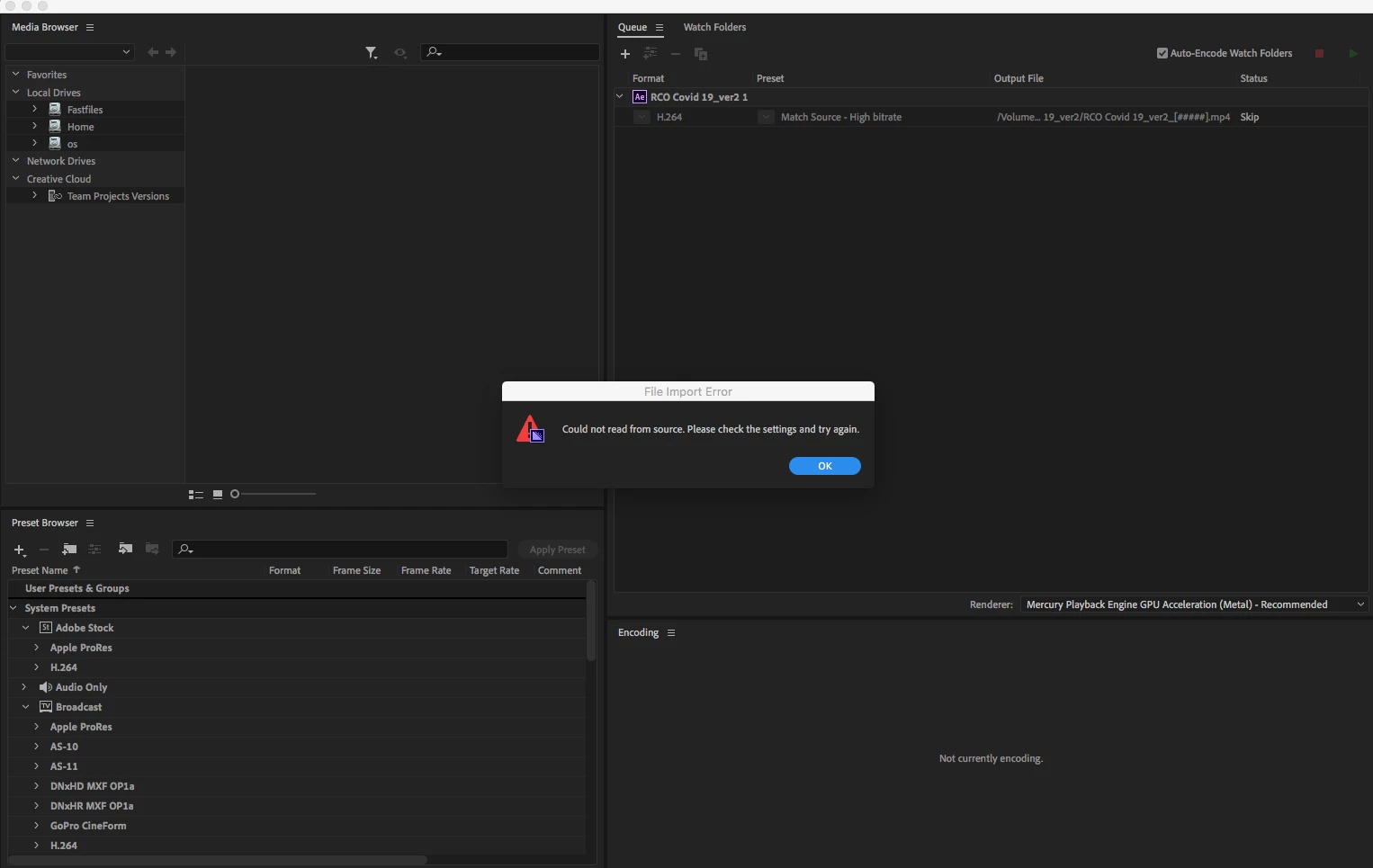
Media encoder 2020 error (Could not read from source. Please check the settings and try again)

Good day, 

Im getting this error when i send my project from AE to media encoder via the AME Queue kink in AE.

So basically it opens Media Encored and loads the file in there. But as soon as you try to click the preset or start the render it gives me this error. It searches for a while then just pops this error. (Could not read from source. Please check the settings and try again)


Please see attached picture
 

This topic is closed to new replies. Start a new post to keep the conversation going.

3 replies

rayk76223196
Inspiring
Feb 2, 2022 10:37 AM UTC

Well, after hours of pulling my hair out over this non logical issue (as the source file was there), I decided to disable AVG (Virus protection). Media Encoder never had a problem after that! I don't understand why, perhaps it thinks Adobe products are viruses? Who knows...


Give it a try and see how you get on!

Translate
gupta shivangi
Legend
May 8, 2020 10:15 PM UTC

Hi there,

Thanks for reaching out. We'll need to check more details to identify what could be causing the issue with the dynamic link not working between AE and AME.

In addition to the questions asked by @Jeff, I'd like to know:

  • What happens when you import the .aep project file directly inside AME?
  • Are you able to export the project from After Effects directly?

Also, please take a look at this article: FAQ: Dynamic link between After Effects and Adobe Media Encoder doesn't work. Next steps?

Let us know if it helps.


Thanks,

Shivangi

Translate
Jeff Bugbee
Community Expert
Community Expert
May 8, 2020 1:40 AM UTC

This error occurs also when you click the preset? Where is your media located? It looks like it's having trouble connecting to your source footage.

Translate