
Beta iStream
Participant
December 11, 2018
Question

Media Encoder (CC2019 Problem) - hangs/freezes during encoding

  • December 11, 2018
  • 26 replies
  • 82930 views

I have a problem with the encoder after upgrading to version 2019. The same problem occurs on two workstations. At random moments, the program stops working for no particular reason. This is a very big problem for me because I can not go back to the 2018 version at this stage of the post-production and I have to encode over 250 films. The only solution that work for me right now is direct export from Premier Pro. But how can you imagine the employment of someone who is sitting and every 30 minutes is encoding another movie is not the best solution.

What I did:
- reinstall all Adobe apps
- clean cash
- update graphic card drivers
- on one of the stations, I even reinstalled the entire windows
- I tried to encode without CUDA
- I did update to 13.0.1
- I did update to 13.0.2

... nothing works. Since I've experienced the problem, Adobe has already sent two updates, but none of them solved my problem. There is only one machine in the entire office that has no problems with 2019 Encoder and it's a laptop (Lenovo IdeaPad with Intel Core i7 6700HQ and GeForce GTX 950M).

Workstation parameters:
Intel Core i7 7700K

B250-HD3P-CF (Motherboard)

16GB RAM (ViperX)
GeForce GTX 1050Ti

Additional information

all postproduction takes place on network drives available in the local network


Printscreens

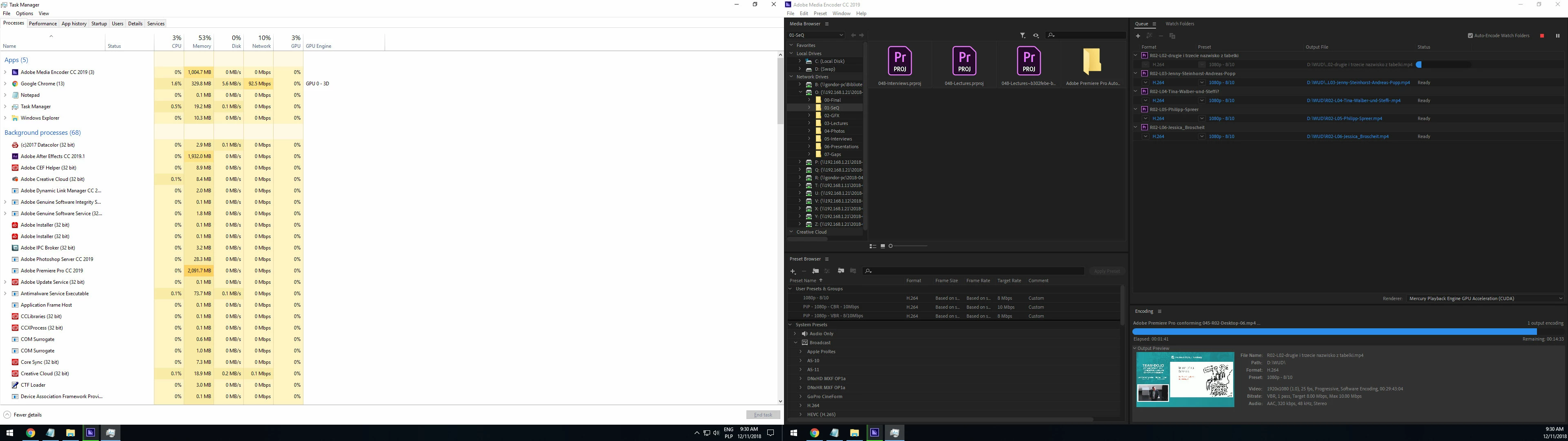
1. sometimes hangs during conforming (printscreen was made after 15 minutes in this state - the application did not report any error or crash)
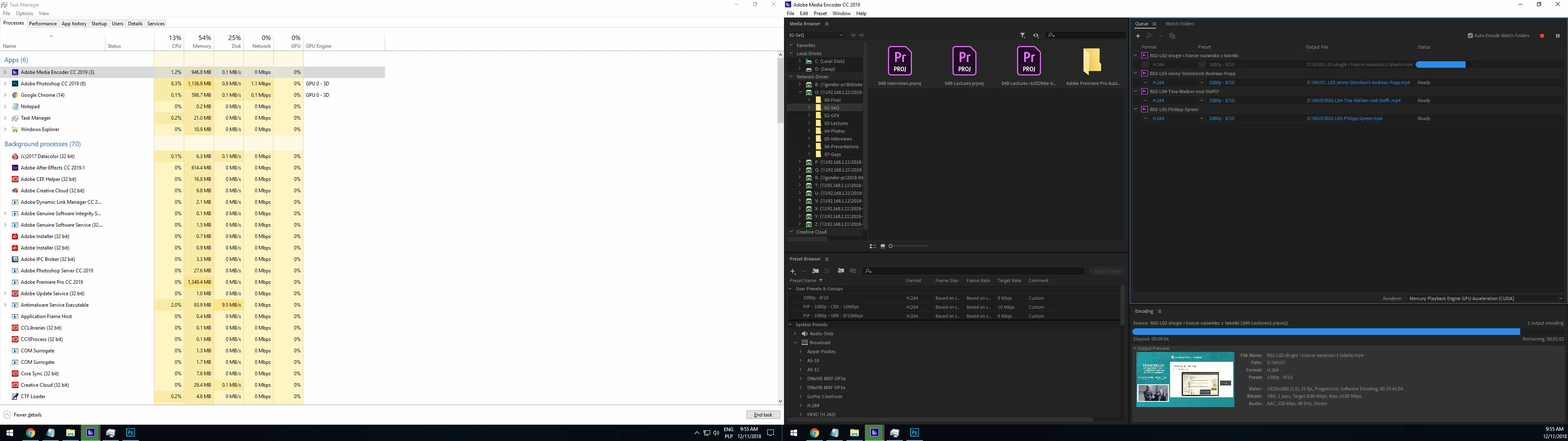
2. but in most cases it looks like this ( the application did not report any error or crash)
Help?

This topic has been closed for replies.

26 replies

Participating Frequently
April 11, 2019

The combination of April 2019 Adobe updates (Premiere and Media Encoder 13.1) and the Nvidia Creator-Ready drivers seems to have solved the problem for me.

Inspiring
April 12, 2019

Hi!

Same issue here! impossible to export my editing !!!

Last CC2019 Premiere and Media Encoder + 425.31 Nvidia Drivers

Participant
April 12, 2019

Same Issues here:

13.1.0 Premiere, 13.1.0 Media Encoder.

4235.21 NVIDIA Quadro M220 Drivers,

25.20.100.64.72 Intel Iris Pro P580 Drivers.     

Quad Core Xeon 2.90 Ghz (E3-1545M v5)

CUDA -----> Fail around 37%

OpenCL ---> No preview, complete lock up. Cannot even exit program gracefully (must taskkill).

Participant
April 9, 2019

Try turning off/disabling all motion blur settings.

Using this sometimes affects the audio and also causes encoder to freeze

Not using motion blur stopped my encoder freezing and audio issues  

MediaGraphics
Known Participant
April 11, 2019

Pete,

What audio issues? I'm getting random audio hiccups on renders from AE, with motion blur on. Video is fine, just audio issues.

Participant
April 11, 2019

Hi ...

I also get the same 'Audio hiccups' on renders from AE (video is fine).

Sometimes these hiccups tended to occur when i had enabled motion blur on the layer right where the 'position' keyframes were located

Turning off Motion Blur for the layer seemed to help fix the audio issue.

I also try have layers extend a second or 2 past any audio layers - seems to help with hiccups at the end of the render

Hope that helps

Pete

Participant
April 8, 2019

Hello guys,

I am new to this subject, but I graduated from Computer Engineering and I did some test. I had both problems of crashing and freezing, most of the time it was freezing.

Even though I had CUDA acceleration the GPU processors were never being used, only CPU, so I disconsidered an nVidia problem, for now.

So I monitored the CPU and I noticed that on high end quality render setups the CPU temperature increases drastically to alarming levels of 98C plus (208F). This causes the CPU to drastically reduce its speed in order not to burn and this was causing the freezing. It was not a freeze but a super super slow rendering time.

My suggestion is to download a temperature monitoring app (I used Core Temp) and try to see if the freeze will happen around the time the temperatures of the cores go above 93C-95C (200F). If it happens try a lower quality render and monitor the temperature. If render goes well and temperatures do not surpasse 200F you already know this could be a problem for the Freezing.

I have a i7-9700k with RTX2060 and 32Gb RAM and two SSD drivers one for the application and the other for the rendered file.

robrobrobrob
Inspiring
April 8, 2019

Have the same issue, went back to 13.0 and life is back to normal thank god!

Insane that this has gone on for so long but... only noticed the issue today, think i was slack with updating till yesterday though.

JohnyEzz
Participant
March 11, 2019

GUYS, I had to talk with the worst customer service ever, so you don't have to. The mighty ADOBE SUPPORT

So basically after 5 or so hours on my PC, adobe support told me to not use cc 2019 and use cc 2018. YAY! F**kers

They know about this issue and all they said to this: "So you tell me not to use cc 2019 and start 50 projects from the start on cc 2018? Are you serious?"

was: "We're sorry for that Inconvenience caused to you."

I hope to find better software for my work then Adobe's sooner then later. The WORST company ever.
This will continue....

(all they did was the same things normal non-stupid user could do by himself. Unistall all apps, change preferences, update user access.)

Participating Frequently
March 11, 2019

Unbelievable. Before we all leave and move to more stable software, is it possible to go back just to Media Encoder 2018 while the main Premiere CC app remains to the 2019 version?

Participating Frequently
March 7, 2019

Ugh I am having the same issue - but I'll tell you something that just worked (but didn't work last night when I tried it). I paused my video when it was sitting at the 00:00:00 mark (for ages..) for about 30 seconds/a minute - and when I hit "play" it finished. Just to at least give you one single shred of hope, sometimes you can make it out of this alive! But as mentioned, I tried this last night and it did not work because I just toggled on and off with the pause a few times, didn't let it sit and rest. So it may only work sometimes. Best of luck out there.

Participating Frequently
March 7, 2019

This is ridiculous. I don't know if this is a Nvidia problem, Adobe's fault or both. Bought a brand new GTX 1660 Ti, hoping to improve Premiere CC performance through CUDA acceleration, now it's completely useless until this problem get fixed. And it's known since december 2018, come on!

JohnyEzz
Participant
March 7, 2019

I have this exact same problem. Not a single PC in the entire production is able to queue project in AME from AFF or Premiere.

I'd love too have work like adobe developers. I could get paid for something that simply doesnt work and blame it on customers drivers, updates etc.

dajupe
Participating Frequently
March 7, 2019

I updated my driver for graphics card and the problem stopped happening. Asus 950ti strix

Sent from my Windows 10 device

Participating Frequently
March 6, 2019

Same ********!!

AzzieScott
Known Participant
March 3, 2019

Im having the same issue. I just recently updated PPCC and I have had several crashes when trying to export from PP. Im using a iMac Pro 3 GHz Intel Xeon W 128 gig ram with Radeon Pro Vega 64