
Beta iStream
Participant
December 11, 2018
Question

Media Encoder (CC2019 Problem) - hangs/freezes during encoding

  • December 11, 2018
  • 26 replies
  • 82930 views

I have a problem with the encoder after upgrading to version 2019. The same problem occurs on two workstations. At random moments, the program stops working for no particular reason. This is a very big problem for me because I can not go back to the 2018 version at this stage of the post-production and I have to encode over 250 films. The only solution that work for me right now is direct export from Premier Pro. But how can you imagine the employment of someone who is sitting and every 30 minutes is encoding another movie is not the best solution.

What I did:
- reinstall all Adobe apps
- clean cash
- update graphic card drivers
- on one of the stations, I even reinstalled the entire windows
- I tried to encode without CUDA
- I did update to 13.0.1
- I did update to 13.0.2

... nothing works. Since I've experienced the problem, Adobe has already sent two updates, but none of them solved my problem. There is only one machine in the entire office that has no problems with 2019 Encoder and it's a laptop (Lenovo IdeaPad with Intel Core i7 6700HQ and GeForce GTX 950M).

Workstation parameters:
Intel Core i7 7700K

B250-HD3P-CF (Motherboard)

16GB RAM (ViperX)
GeForce GTX 1050Ti

Additional information

all postproduction takes place on network drives available in the local network


Printscreens

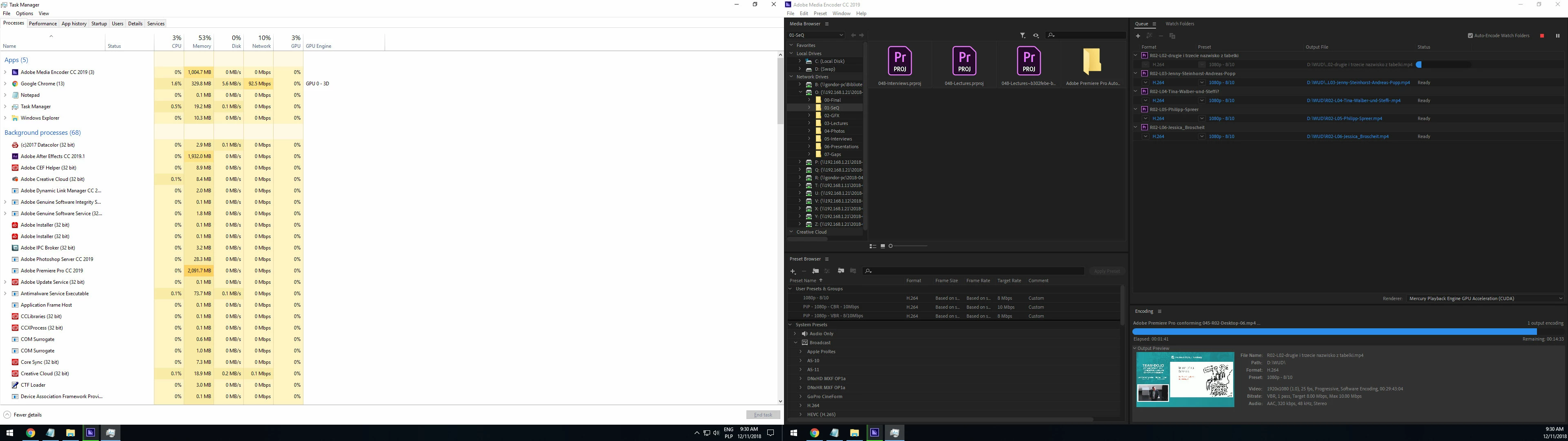
1. sometimes hangs during conforming (printscreen was made after 15 minutes in this state - the application did not report any error or crash)
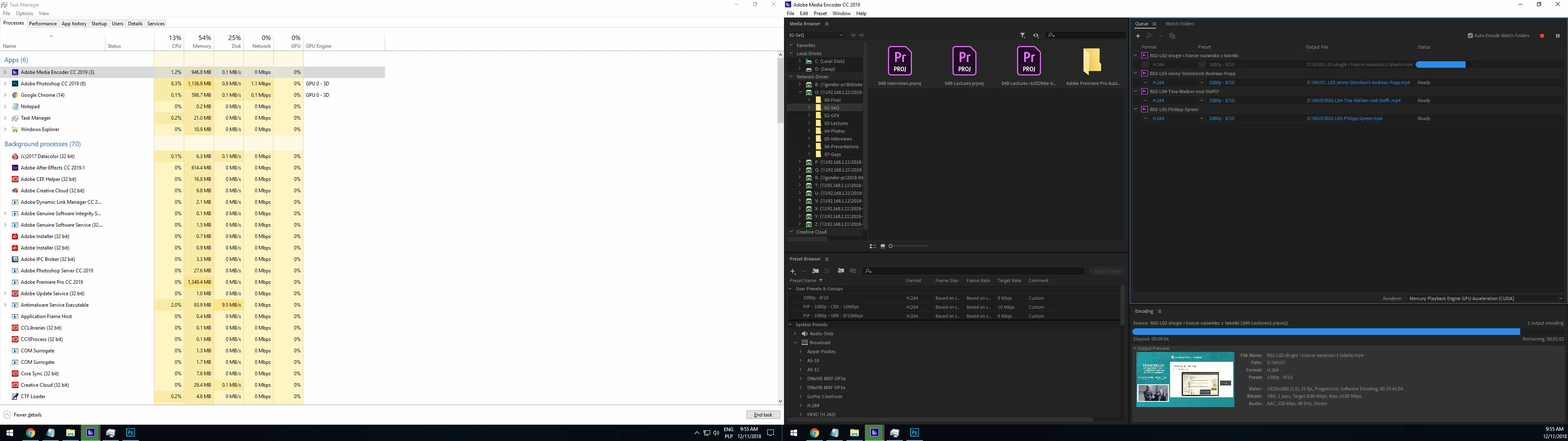
2. but in most cases it looks like this ( the application did not report any error or crash)
Help?

This topic has been closed for replies.

26 replies

Participant
March 1, 2019

Same issue on a brand new Dell Alienware R5 machine with dual 2080's, i9-7980XE.  ME will randomly hang and freeze the whole machine.  All other CC apps work as they should.  My case may be hardware related, but doubtful reading these posts.

Participant
February 28, 2019

Any luck on this issue being solved?having the same issue with random crashing beginning of render both in AE and encoder on a laptop,

dajupe
Participating Frequently
February 12, 2019

Having same problem with Media Encoder 2019. Crashes about 5 seconds into encoding.

Participant
January 11, 2019

Not sure if this is relevant to anyone but me, I was having issues with Media Encoder freezing randomly as well.  After trying several things I noticed that it was only freezing when the screen had been turned off by the OS so I tried disabling the screen shutting down when I have to render something and haven't had a freeze since. It is a bit annoying to change the setting every time, but at this point if it lets me actually use Media Encoder I'll do it.

CPU: i9-9900k

Graphicscard: GTX 1080ti (driver up to date - 417.35)

RAM: 32 GB

OS: Windows 10 Pro (up to date) 

Adobe Products are all up to date.

Anti-Virus-System: Just Windows Essentials (Up to date)

corporateshutter
Participant
January 22, 2019

This is exactly the problem. I was just trying to diagnose this issue, while doing a 3 hour encode, nearly 2 hours into it. The screen went blank as it tried to turn off, and I moved the mouse to interrupt it. The encode process is frozen now. I am so pissed right now. The encode has failed twice because of this, and I'm running the drivers that just came out last week. If Adobe cannot fix this, I am canceling my subscription. Premiere is 95% of the reason I'm using CC, and if it doesn't work I have no reason to keep forking over money. Every year there's a new problem... but the sad part is this isn't a new issue. My Google search returned posts from people complaining about the same thing going back as far as 2013... 6 YEARS AGO!

hareton_fan1
Participant
January 5, 2019

Just adding to the problem. No, this is not just a 2019 issue. I've been using the Media Encoder for a long time and this happens to me almost every time. I might get through exporting a few videos in the queue, but all of a sudden it stops at the end of a render. It says it's at 0:00:00, but never actually declares itself done. This is never an issue when I just manually export them one by one on Premiere. I'm gonna have to assume this is purely a Media Encoder issue that has not been fixed with the new update.

Adobe Employee
December 11, 2018

So, did this problem start after updating to 13.0.0 (version2019), and no issue with 12.1.2(version2018)?

I see you are trying to export into H.264.  Does this problem happen with other formats as well?

Could you try changing Media Cache Files and Media Cache Database (Edit menu > Preferences > Media) to somewhere on a local drive with plenty of free space and see if it helps?

Also, could you see if changing the option "Import sequences natively"  (Edit menu > Preferences > General) makes any difference?  Please note that this option change takes place next time you import a project.  Please import a project after changing this option.

gammai98888057
Participant
December 12, 2018

The problem is with 2019 version only. I have no problem with 2018. I managed to undo several projects to the 2018 version and now new projects are only made in version 2018. But unfortunately, a few projects were too advanced to make a rollback to 2018.

I tried to encode to other formats, but nothing has changed.

All the Media Cache and Media Cache Database are held local on SSD. Only raw footages are on the server. Also, encodings are going to local disk - physically separate disk from the Media Cache Disk.

I'm right now encoding the Queue with "Import sequences natively" unselected before importing and I run it with GPU encoding support. During the encoding after 10-15 minutes, I had a crash report and encoding stops ... but after I send report the encoding resume.

But yesterday I made a new discovery. When I tried to encode movies without CUDA support I just changed in the encoder option from "CUDA" to "Software only", after checking task manager I noticed that I have 100% use of GPU. But the process that was using GPU was not Encoder itself but Premier Pro running through the encoder in the background. So I went to PremierPro project file and switch in "Project Settings" video render playback to "Software". All videos have been rendered correctly without freezing the application ... so I think CUDA is the main problem in my case. (remark: without GPU support, render files last 4.7 times longer so I can not consider it a success)

So why encoding worked on a laptop? ... outdated drivers that did not allow the GPU support to start in the first place. That's why it was the only working machine in the company (with 2019 software). After the update of drivers ... the same problem with encoding.

So I started to wonder what is a common factor for all these machines. We had different processors (Intel and AMD), disks (HDD and SSD), motherboards but since the problem is with CUDA main culprit must be Graphics Card and guess what ... all Nvidia.

And then I got a revelation because I remember that a similar problem was once in 2017 after version 2018 has been announced (Premiere Pro CC 2018 constantly crashing ). The Premier Pro was crashing all the time and the problem was a BUG IN NVIDIA DRIVERS SUPPORT.

Today he will try to get an ATI card and re-run tests.

Adobe Employee
December 12, 2018

Regarding the latest driver you mentioned, I just want to make sure it's from nVidia, not from another source, like Windows Update or the computer vendor website.

For your nVidia GPU, the latest driver is version 417.35

https://www.geforce.com/drivers/results/141171

When you are installing the driver, you may want to try the custom install option and use the "Perform a clean installation" option.