Participant
April 6, 2023
Answered

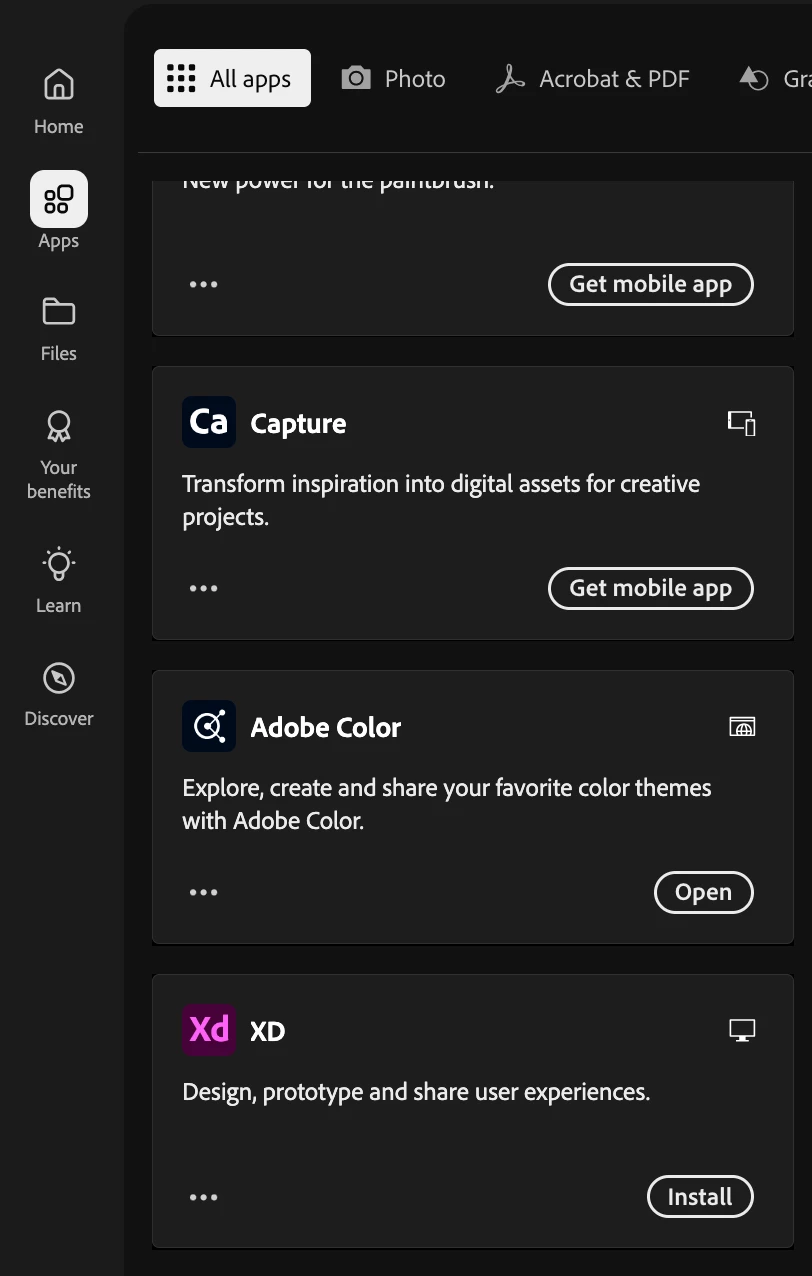
Cannot find a download link or the app in CC for Adobe XD

  • April 6, 2023
  • 107 replies
  • 219672 views

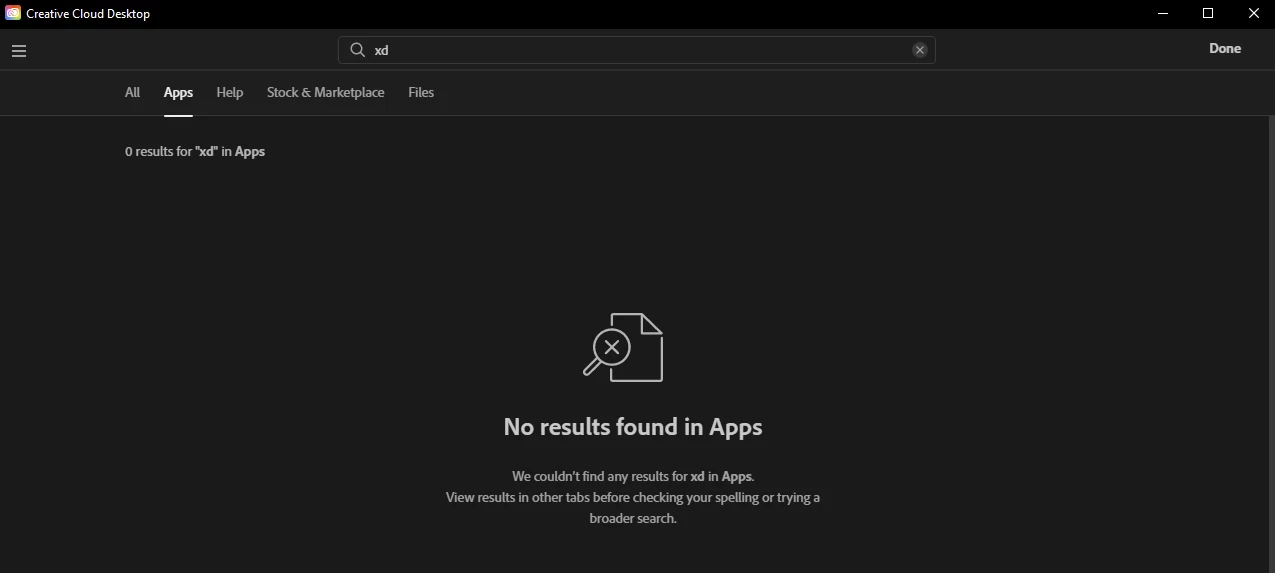
Hi there, anyone else having issues just locating the app download button? I'm trying to transition from Sketch to this and I've been trying for hours at this point with no luck. I even downloaded the Windows Desktop app for CC, and am unable to find it there. Thanks for any help.



    Correct answer creative explorer

    @Adept_Sunbeam5E44 unfortunately, you need to have purchased the whole CC subscription to get it. Even though you may have upgraded your plan (not knowing if this is all of the apps), you do need to wait for the waiting period. I know sounds insane, but, I do know it takes at least 24 hours (worse case scenario, 48 hours) for XD to shop up in your applications. https://www.adobe.com/apps/all/all-platforms

    Scroll all the way down until you see Xd, but youhave to wait at least 24 hours to show up. 


    107 replies

    Participant
    April 14, 2023

    Hi, 
    I have the same problem. My company has bought a full CC package for me due to Adobe XD, and now I can't use it. I need it to my work urgently. It would be nice if you could help somehow, @Rishabh_Tiwari . Thanks!

    Participant
    April 14, 2023

    Same problem here... i activated a CC All Apps for a new collague, but he can't find xD, that was the primary app for his work... it's a very serious issue, we are losing working hours for this problem...

    Participant
    April 14, 2023

    Hello,


    It seems that I have also been hit with this bug. The company that I work for provides all of us with the "all apps" plan but XD is not available anywhere for me. Even the direct link that someone else posted in this thread does not work (it just reloads the main apps screen). Our design team is transitioning to Figma but we still need to work in XD for the next 6-8 months to finish up old projects and also assist with the migration.


    Please help 😕😕

    Participant
    April 14, 2023

    When I visit the "My account" page, it shows me that I have XD as part of the apps that are included in my plan, but then when I follow through by clicking on the "access your apps and services" button, the app is nowhere to be seen 😞


    Participant
    May 26, 2025

    Same here in 2025

    Participant
    April 13, 2023

    Hi, Same problem here under my account it says Adobe XD is in your plan. But in the CC desktop it doesn't show up for download. Can this be sorted? Thanks,

    Participant
    April 17, 2023

    It appeared over the weekend! Jihaa!

    Participant
    April 13, 2023

    Also having issues finding XD to begin with. Here it says under "Included in my plan" (In Swedish) Not very reassuring...


    Participant
    April 13, 2023

    I've been searching for days on where to install Adobe XD because I recently factory reset my computer and I'm unable to install it from anywhere. I checked the marketplace on Creative Cloud Desktop app but nothing, the website to download it doesn't show up either. I used to use Adobe XD a ton before I factory reset my computer, so why am I having trouble now?


    Rishabh_Tiwari
    Community Manager
    Community Manager
    April 13, 2023

    Hi @Fidencio293839574xjd ,


    The team is actively working on the User IDs who are unable to see XD after having the CC all-app plan. We will keep you posted with the update on the bug. To the existing customers, please continue to report if you have All Apps plan. 


    Note: We are tracking this issue here: https://community.adobe.com/t5/adobe-xd-discussions/cannot-find-a-download-link-or-the-app-in-cc-for-adobe-xd/td-p/13708209 


    Thanks

    Rishabh

    Participant
    April 13, 2023

    Facing a similar issue here. 

    I just installed Adobe creative cloud using my company's all-access ID. But I can't find Adobe XD in my apps or the UI/UX tab on the sidebar navigation. Please help, need it urgently. 

    Participant
    April 12, 2023

    Hi, I also have a full bundle package but XD is not displaying for download?


    I've recently got a new Macbook and need to finish off my XD projects, please can this be sorted for me?


    Thanks

    Participant
    April 11, 2023

    Hi, I'm having the same problem. It's in my plan but it's not coming up at all.

    Participant
    April 11, 2023

    XD프로그램이 필요한 상황인데 보이지 않습니다 도와주세요

    Rishabh_Tiwari
    Community Manager
    Community Manager
    April 11, 2023

    Hi @default29329978tztwah ,


    We're so sorry to hear about the trouble. Please share your Adobe ID through DM by clicking on my name. 


    Thanks

    Rishabh

    Participant
    April 11, 2023


    My adobe id


    {Personal details removed by MOD}

    ASoB57
    Participating Frequently
    April 11, 2023

    Since Friday I've been trying to get a link to the adobeXD software I have bundled! to this day I have not received a reply! In addition, Adobe, by a stupid decision, turned off the support chat on its site! Is this some new standard for treating your ADOBE!?!? Who is responsible for such stupid decisions!? I am curious if you will give me back money for delays in projects resulting from your slowness of Adobe! You have my ID, activate AdobeXD in my CC!

    {Renamed By MOD}

    Rishabh_Tiwari
    Community Manager
    Community Manager
    April 11, 2023

    Hi @ASoB57 ,


    We're so sorry for the trouble. If you do have the All Apps membership and are still unable to see Adobe XD in the Creative Cloud Desktop app, please DM me your Adobe ID by clicking on my name. 


    Thanks

    Rishabh

    ASoB57
    Participating Frequently
    April 11, 2023

    🤣🤣🤣 Hey Rishabh are you kidding me? Are you sending this information as a remedy to a problem for Adobe users? Is my request too difficult to fulfill? I HAVE TO FINISH A PROJECT IN ADOBE XD! I need version 56.0.12.6 (this is the version I created last projects). Adobe chat is not working! No contact with technical support. Rishabh show that you can solve my problem.