b___su
Participant
March 27, 2020
解決済み

[Design]-Symbols edges are cut out (as if masked)

  • March 27, 2020
  • 返信数 1.
  • 748 ビュー


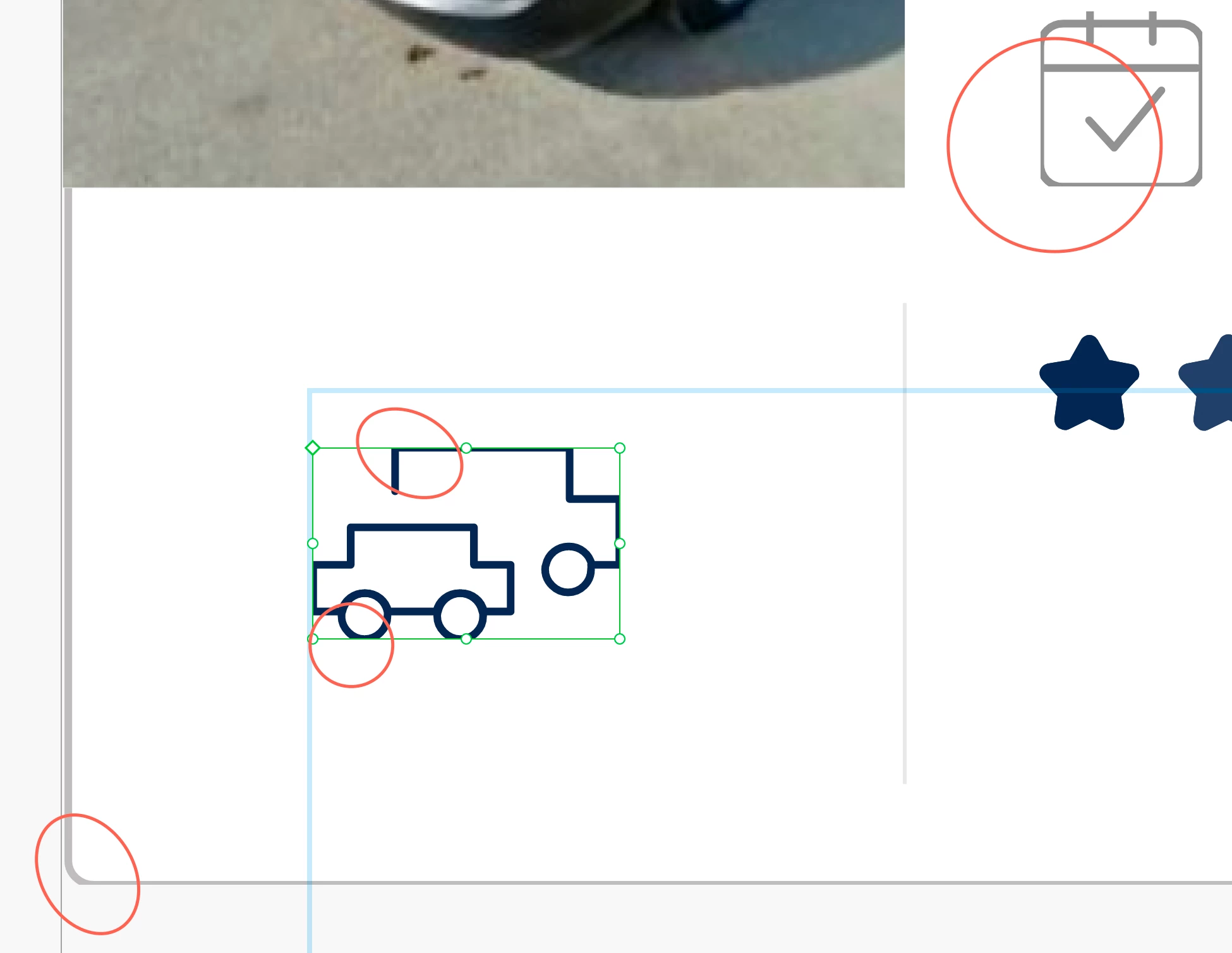
I dont understand why the edges of my symbols are all cut, the strokes are cut out!

Anyone knows why it shows up like this and how to fix it? Thanks so much!!


(It is a document I made from 1-2 years ago so idk maybe it's an updated thing?)


このトピックへの返信は締め切られました。
解決に役立った回答 b___su

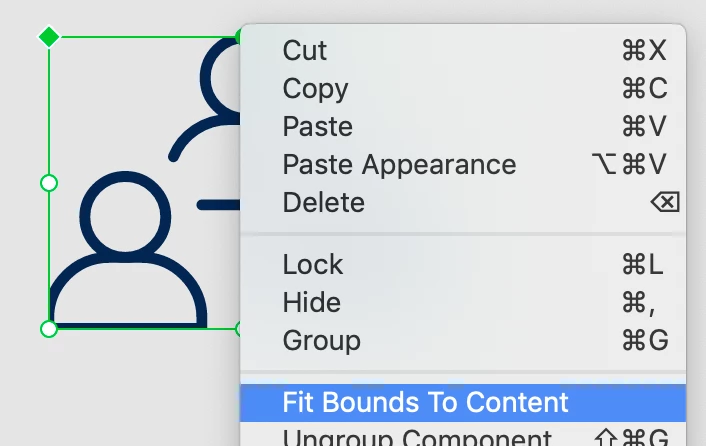
Hi Peter! I just found how to get it out of the box 😅
After selecting [Edit master component] I right clicked again to [Fits bound to contents]

I don't know why I need to do this, maybe you have more experience with this?


Thanks again! 🙏


返信数 1

Peter Villevoye
Community Expert
Community Expert
March 27, 2020

That's very strange, indeed...

I felt three different possible causes popping up in my brain !

My first impression was that it might have to do with some pixel-aligned rendition, but a closer look made me think the heartlines of shapes are being used as the bounding box for a component (which is not right, but might be a diagnose). However, the element on the top right made me think there's something else happening...

Would you mind sharing the file with me ?

b___su
b___su作成者
Participant
March 27, 2020

Hi Peter, thank you for taking a look at it!

Yes you can download the file here (I wasnt able to figure out how to attach the file in this thread)

Thanks! 🙂

b___su
b___su作成者解決!
Participant
March 27, 2020

Hi Peter! I just found how to get it out of the box 😅
After selecting [Edit master component] I right clicked again to [Fits bound to contents]

I don't know why I need to do this, maybe you have more experience with this?


Thanks again! 🙏