We would like to follow up on your issue. Could you please share the requested logs so our team can continue investigating the issue?
Awaiting your response.
Thanks,
Harshika
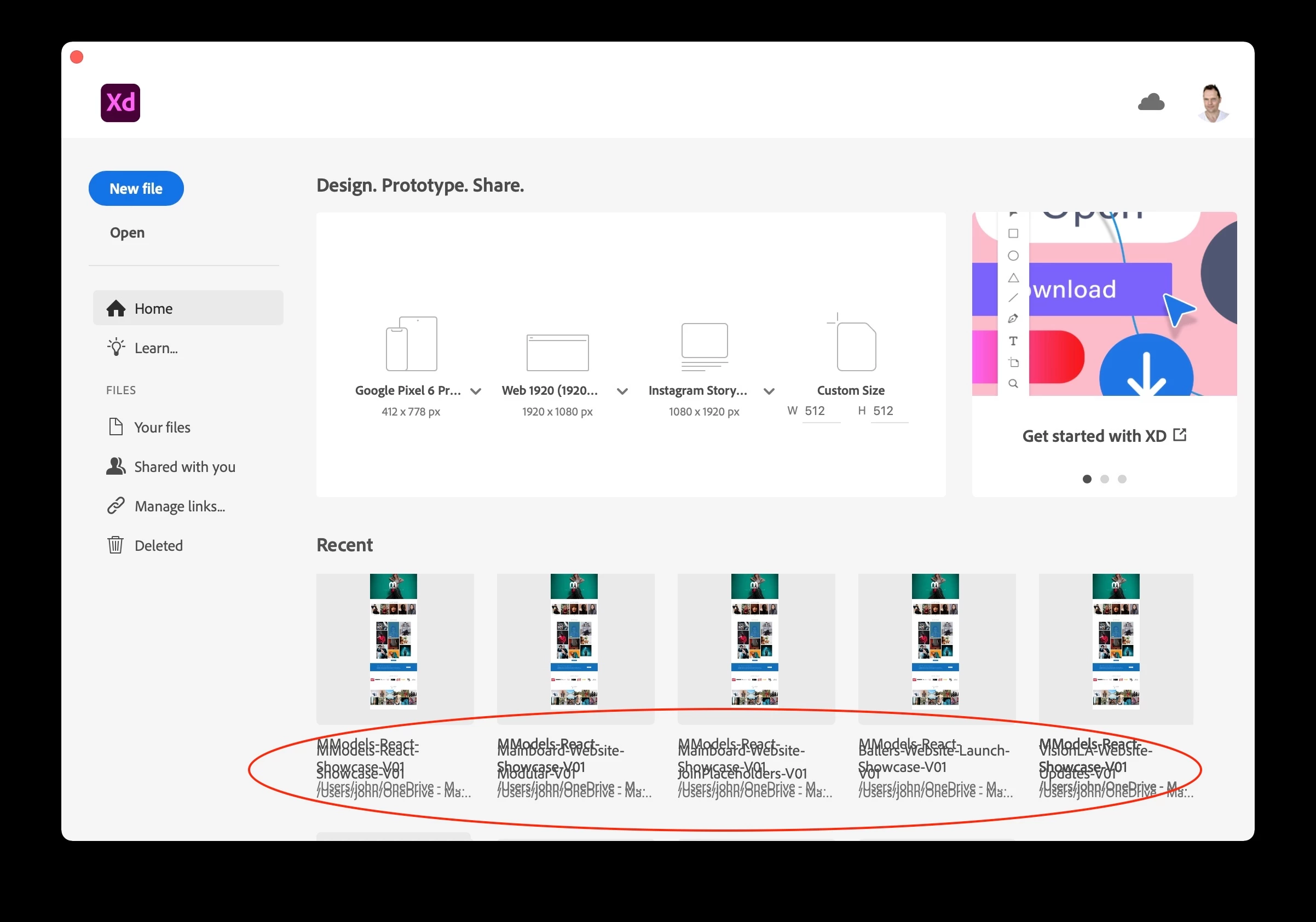
I have been able to get rid of this overlapping bug in the New Document Dialog window. I ensured both XD and Creative Cloud was quit and also restarted the machine. Once they were up and running, it seems the bug is now gone. I'll keep monitoring it.
We're sorry to hear about the trouble. I tested this on the latest version of XD(v51.0.12) and macOS Monterey and it's working fine so could you please ensure that XD is up to date and in case it's already up to date, have you tried re-installing XD?
My Macbook cannot install Monterey so, I'm on Big Sur 11.6.7. Maybe that is the issue. Did you test it on this version of Big Sur? This is a new issue, and hasn't happened before. I'm of course up to date with the latest version of XD.
Thank you for sharing the info. In the meanwhile, we are testing the issue on the BigSur machine, could you please generate logs so that we can share them with our engineering team to investigate for any errors. We got to know a few customers reported this on windows as well, so our team is analyzing logs that will help them find the root cause.

 AdChoices