


Participant
February 15, 2021
Answered

How to turn off cookie on embed xd file

  • February 15, 2021
  • 2 replies
  • 1064 views

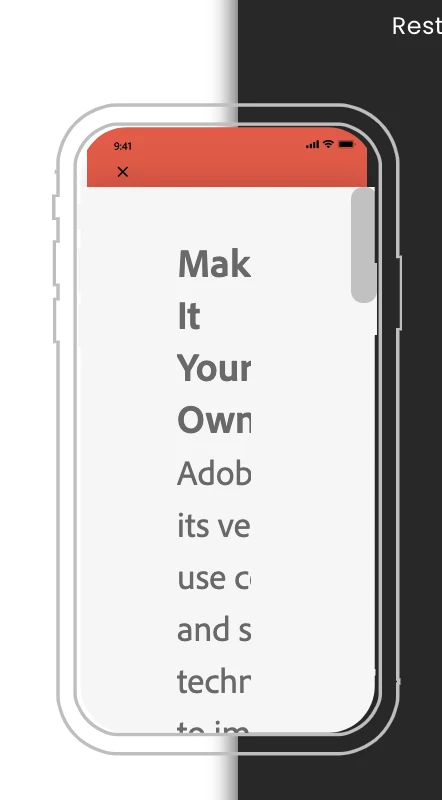
I try to show an xd file inside an iframe in my website, The iframe a little bit small like below, But as you see this cookie consent cover whole the screen and it's really confusing for someone face this screen at the first time.

Is there any way accept all cookies by default and bypass this popup or in other case send this cookie to the main site to handle it?  
{Renamed By MOD}

This topic has been closed for replies.
Correct answer Rishabh_Tiwari

Hi there,


Thanks for reaching out. I found a few similar discussions which you can refer to:


https://community.adobe.com/t5/adobe-xd/how-to-turn-off-cookies-message/m-p/11280547/thread-id/33147#M33151


https://community.adobe.com/t5/adobe-xd/adobe-xd-iframe-embeds-on-adobe-portfolio-are-not-opening-on-google-chrome/m-p/11572906#M39870


Let us know if this helps or if you need any further assistance.


Regards

Rishabh

2 replies

sjimmied69189524
Participant
March 21, 2023
Rishabh_Tiwari
Community Manager
Rishabh_TiwariCommunity ManagerCorrect answer
Community Manager
February 16, 2021

Hi there,


Thanks for reaching out. I found a few similar discussions which you can refer to:


https://community.adobe.com/t5/adobe-xd/how-to-turn-off-cookies-message/m-p/11280547/thread-id/33147#M33151


https://community.adobe.com/t5/adobe-xd/adobe-xd-iframe-embeds-on-adobe-portfolio-are-not-opening-on-google-chrome/m-p/11572906#M39870


Let us know if this helps or if you need any further assistance.


Regards

Rishabh