
Participant
November 5, 2020
Question

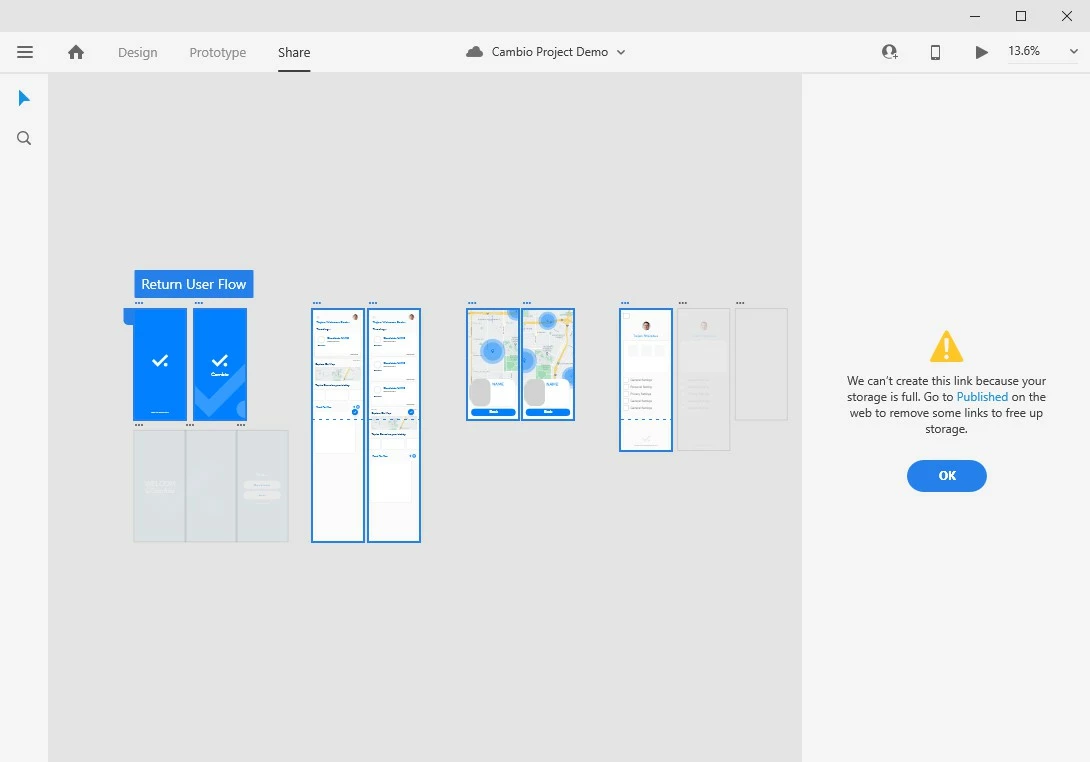
XD cannot create share link because storage is full

  • November 5, 2020
  • 2 replies
  • 1386 views

No matter which project I am working on, I cannot share my project using any type of the link. Each time I tried to create link, the window pops up saying my storage is full. However I never published any projects in my cloud storage as I checked.


 I am working on Windows 10 platform with the newest XD version 34.2.12


This topic has been closed for replies.

2 replies

Fandesign
Participant
February 21, 2023

I have some problem, but adobe can't solve it.


Rishabh_Tiwari
Community Manager
Community Manager
November 5, 2020

Hi there,


Sorry to hear about the trouble. Could you please try the suggestion shared in this similar discussion:https://community.adobe.com/t5/adobe-xd/unable-to-collaborate-cloud-xd-files-because-storage-is-full-but-it-s-not/m-p/11091622?page=1#M28348


Let us know if this helps or if you need any further assistance.


Regards

Rishabh

Jiyu QianAuthor
Participant
November 10, 2020

I tried signing out and re-sign-in, but that doesn't seem to solve the issue. I tried on a different PC with newest version of Windows 10 pro, it still doesn't work. The link creation process always stuck at 57% and failed due to full space of drive. Are there any substitue way to create link sharing?

Rishabh_Tiwari
Community Manager
Community Manager
December 1, 2020

I am so sorry for the delay in response, Jiyu. Could you please confirm if you are still facing the issue on the latest version of XD which is 35.1?