Ares Hovhannesyan
Community Expert
Community Expert
May 19, 2022
Answered

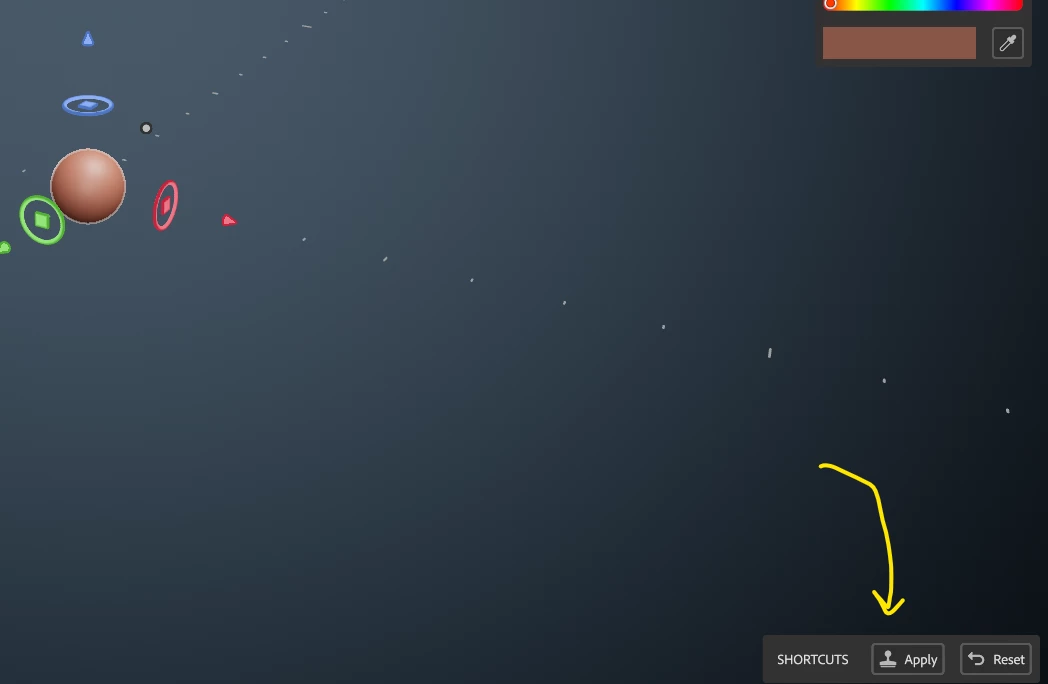
When use "Apply" and "Reset" buttons

  • May 19, 2022
  • 3 replies
  • 287 views

There no info about this buttons in documentation. What are their function?

 

This topic is closed to new replies. Start a new post to keep the conversation going.
Correct answer davescm

Until you click apply, the shape in the clay tool is just a brush and you don't yet have a model. Clicking apply creates a 'clay' i.e model object, in that position. You can then continue to move the brush and add to that model (or subtract from it using the eraser..etc.

I would recommend watching a couple of videos that explain how the tools work (try the wheel video as it does show some of the tools in action and should make things clearer).

https://substance3d.adobe.com/tutorials


Dave


3 replies

davescm
Community Expert
davescmCommunity ExpertCorrect answer
Community Expert
June 25, 2022

Until you click apply, the shape in the clay tool is just a brush and you don't yet have a model. Clicking apply creates a 'clay' i.e model object, in that position. You can then continue to move the brush and add to that model (or subtract from it using the eraser..etc.

I would recommend watching a couple of videos that explain how the tools work (try the wheel video as it does show some of the tools in action and should make things clearer).

https://substance3d.adobe.com/tutorials


Dave


Ares Hovhannesyan
Community Expert
Community Expert
June 25, 2022

Thanks for video. That is helpfull but there a lot of work to improve UI/UX of Modeler. 

davescm
Community Expert
Community Expert
June 25, 2022

I agree - but at this stage it is still a Beta so we have the chance to input to it.

Dave