



dianna the animator
Participant
April 9, 2020
Question

can't export animation with a background video

  • April 9, 2020
  • 1 reply
  • 470 views

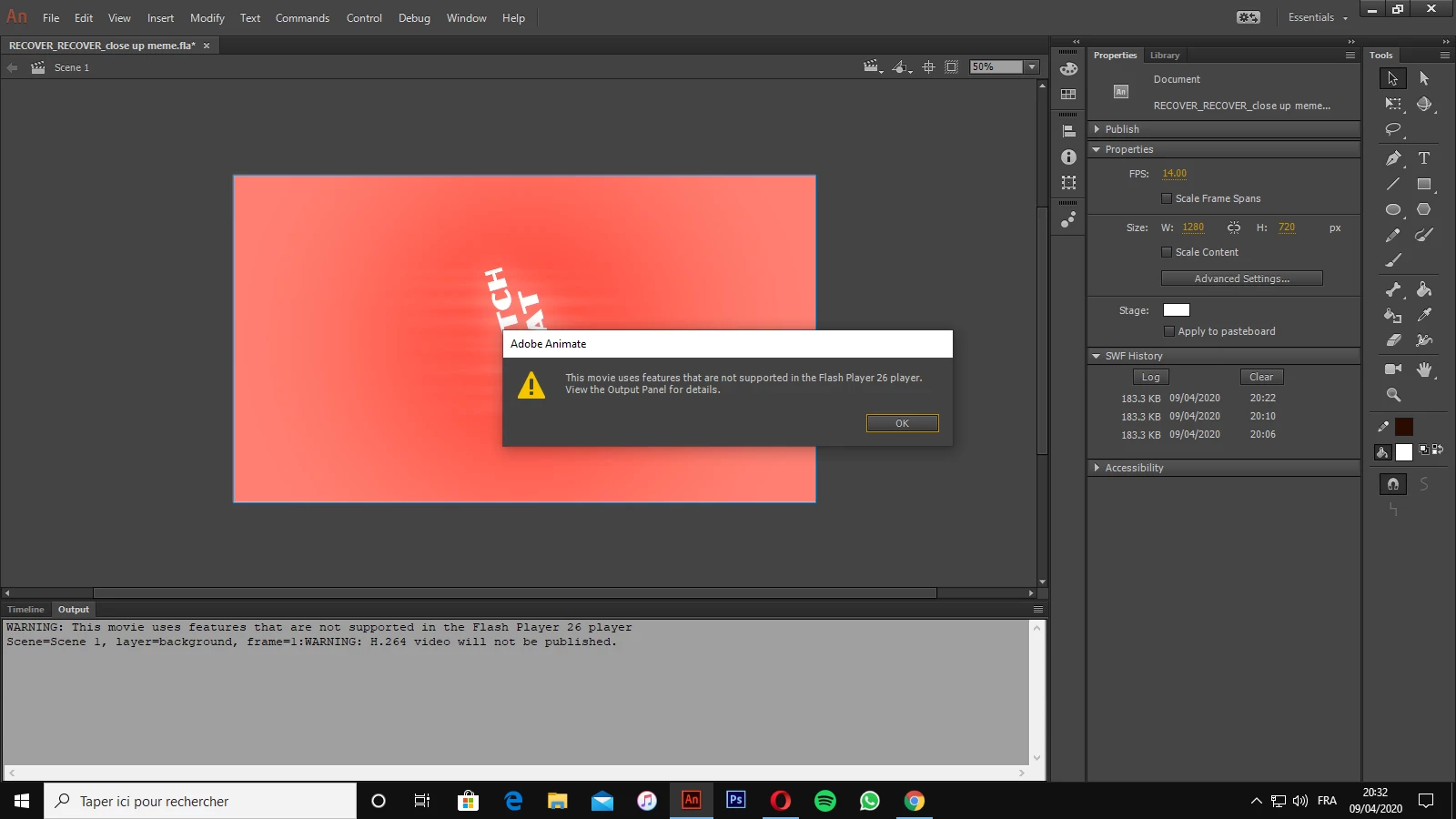
hi, im using adobe animate cc 2018. lately i've been trying to export an animation that i made with a background video, but whenever i want to test the movie or export it, it sends me that message: "this movie use features that are not supported in the flash player 26 player" and it exports the movie with a black or white background. please help 
    This topic has been closed for replies.

    1 reply

    n. tilcheff
    Legend
    April 9, 2020

    Hi Dianna,


    Try to see if you can keep the video when you render a PNG sequence. You then assemble that sequence into a video in Premiere.

    If that method works you can add the audio in Premiere by importing the half-successful video export you are getting now and removing the video track.


    A detailed guide how to do things in premiere is posted here. Make sure you read the whole thread.

     https://community.adobe.com/t5/animate/export-issue-stops-mid-export/td-p/10424361?page=1


    If this method does not work, you will have to composit in Premiere or AfterEffects adding your source video and your exported animation separately.


    Nick - Character Designer and Animator, Flash user since 1998 | Member of the Flanimate Power Tools team - extensions for character animation