
Inspiring
December 19, 2018
Answered

Canvas layer over the top of video?

  • December 19, 2018
  • 3 replies
  • 1069 views

Hey there I'm testing the capability of layered animation over the top of video using Canvas and Adobe Animate.

Is this possible because when I animate a simple circle going across the screen it seems right in Animate (ie over the top of the video)...
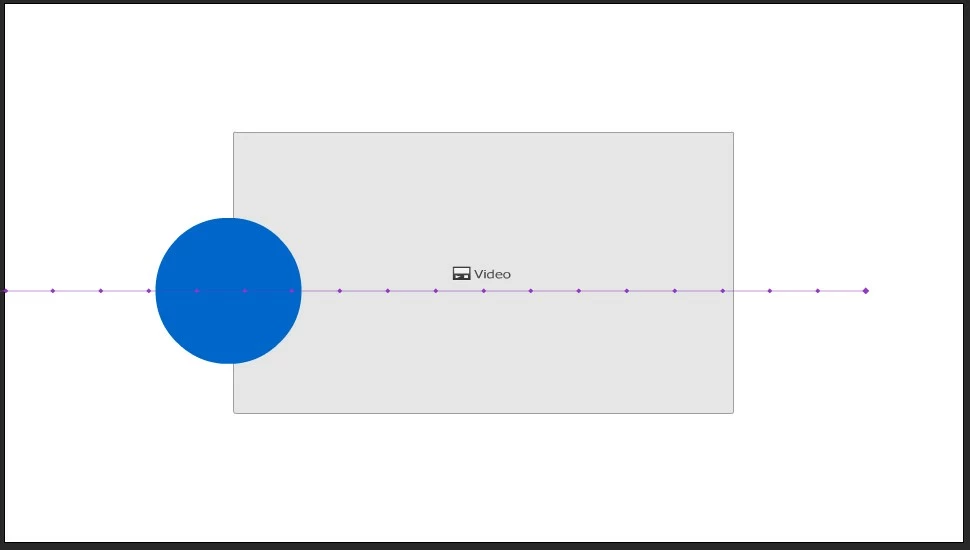
but when I export it, it ends up behind the video (like video has preference over everything else)...
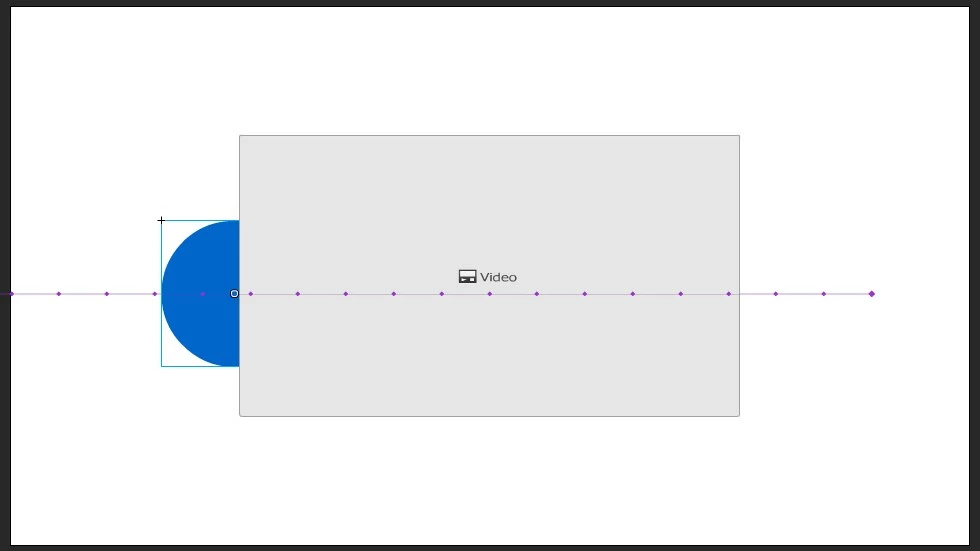
am I missing something?

Thanks in advance.

This topic has been closed for replies.
Correct answer kdmemory

That with

canvas.style.zIndex = "1";

just follow the instructions from which he supplies in his correct answer on Animation Layers over video component in Animate.

Should work, I haven't tried it so far though.

Klaus

3 replies

JoãoCésar17023019
Community Expert
Community Expert
December 20, 2018

I'm glad you two figured it out!

kdmemory​: Actually Animate CC creates a global variable called canvas that holds a reference to the default canvas element with an id of canvas.

These are a lot of canvases! Haha

Regards,

JC

kdmemory
Inspiring
December 20, 2018

True, true, true and thanks Joao. Always something to learn and improve.

Klaus

kdmemory
Inspiring
December 20, 2018

Hi Rossfranks

that's right. Yours is a canvas HTML5 document as you say. You are probably using the video component. When you export and watch it in a browser the video tag sits in a <div> inside the <div id="dom_overlay_container">. And this one is above the <canvas> where your simple circle is. You can see that when you check the DOM in the Inspector (Web developer tools).

Inspiring
December 20, 2018

Ok thanks kdmemory

so there's no way to have the circle on top?

If so can you show me how (sorry I'm not a programmer).

kdmemory
Inspiring
December 20, 2018

Although having said my last bit, when I think about it: When Joao says

You can put these codes in the first frame of the main timeline or somewhere else

then it should actually go like this:

document.getElementById("canvas").style.zIndex = 1;

and

document.getElementById("canvas").style.pointerEvents = "none";

hu hu, it's late at night, don't blame me when I'm wrong

Klaus

Inspiring
December 19, 2018

I've seen this answer Animation Layers over video component in Animate

but where do I place that

  1. canvas.style.zIndex = "1"

code?

ie is it in the Global Script of the Actions window because I tried that and it didn't work.

kdmemory
kdmemoryCorrect answer
Inspiring
December 20, 2018

That with

canvas.style.zIndex = "1";

just follow the instructions from which he supplies in his correct answer on Animation Layers over video component in Animate.

Should work, I haven't tried it so far though.

Klaus

Inspiring
December 20, 2018

Thanks I did type that in the Global Script of the Actions window.

But is that the correct place to type that ?

Because it didn't work.