
deadnoodle
Participant
January 13, 2023
Answered

Fluid Brush style options not showing in UI, double click in brush library does nothing.

  • January 13, 2023
  • 2 replies
  • 563 views

Not sure if this is an error or a limitation of the free trial.
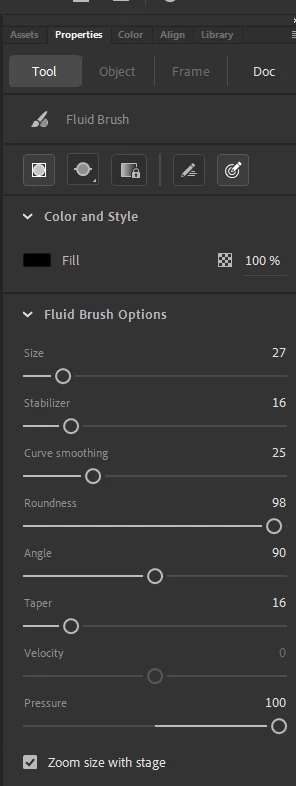
I've downloaded the free trial of Adobe Animate and was especially looking forward to the fluid brush styles which imitate real world pen and crayon textures and such, but the brush style option isn't displaying on my UI at all. Under Color and Style only color shows. When I go to the brush library I'm told to double click art brushes to add them to the project. This does nothing.
My computer is only a year old and has decent specs (I'm still on windows 10 however), so I don't think that's the issue. I'm wondering if it's because it's the free trial and some options are limited? This has made a very bad impression, if that's the case.
 

This topic has been closed for replies.
Correct answer deadnoodle

HA! Sorted it myself. Didn't realize the fluid brush tool and paint brush tool were different and for some reason the program doesn't have the paint brush tool ready right next to the others. Why would anyone want that hidden? lol

2 replies

Participating Frequently
January 13, 2023

Try login-out then login-in to to your account. 

Ged_Traynor
Community Expert
Community Expert
January 13, 2023

Moved to the Animate forum from Using the Community


deadnoodle
deadnoodleAuthorCorrect answer
Participant
January 13, 2023

HA! Sorted it myself. Didn't realize the fluid brush tool and paint brush tool were different and for some reason the program doesn't have the paint brush tool ready right next to the others. Why would anyone want that hidden? lol

Community Expert
January 13, 2023

I Dont know why they do that. They should just put all the tools in the tool bar and then if people Dont want them they can minus them. I am still prefer the classic paint brush. It was really good back in the day when it was like flash cs6 then something changed. But glad you figured it out.