
chenjil43641795
Legend
August 12, 2018
Question

JSFL Perfecting the merge layer functionality,Ask for help.

  • August 12, 2018
  • 1 reply
  • 1105 views

At present, the function has met my needs.

But it's not humanized.

Select layer must keep shist selection from bottom.

Because the new layer is on the 1 floor of the active layer.

If I choose from the top down, the active layer is the bottom and the new layer is in the middle of the layer.

However, copy and paste will be pasted to the top,@@

So the layers are messed up.

I hope to improve this function.

1,I want the new layer to be at the top of all selected layers.or the bottom

2,Copy and paste, you can find the merge layer and paste it inside, instead of pasting it into a fixed layer.

These are the problems I need to solve.

Hope to help me perfect this JSFL.

It's a great help for animation.

Perfect function, others can also use, in the production of animation, especially traditional animation will help a lot of people.

var doc = fl.getDocumentDOM();
var tl = fl.getDocumentDOM().getTimeline();
var selFrames = tl.getSelectedFrames();
var frameLength = selFrames[2] - selFrames [1];

fl.getDocumentDOM().getTimeline().addNewLayer("Merging");
tl.currentFrame = selFrames[2]-1;
for (i=0; i<frameLength; i++)
{  
for (n=0; n<selFrames.length; n+=3)
{
  layerNum = selFrames;
  curFrame = tl.currentFrame;
  tl.setSelectedLayers(layerNum, false);
  if(tl.currentFrame == tl.layers[layerNum].frames[curFrame].startFrame)
  {
   tl.setSelectedFrames(selFrames);
   tl.currentFrame = curFrame;
   tl.insertKeyframe();
   doc.selectAll();
   doc.clipCopy();
   tl.setSelectedLayers(selFrames[0], true);
   doc.clipPaste(true);
   n = selFrames.length
  }
}
tl.currentFrame --;
}

JoãoCésar

rayek.elfin

Preran

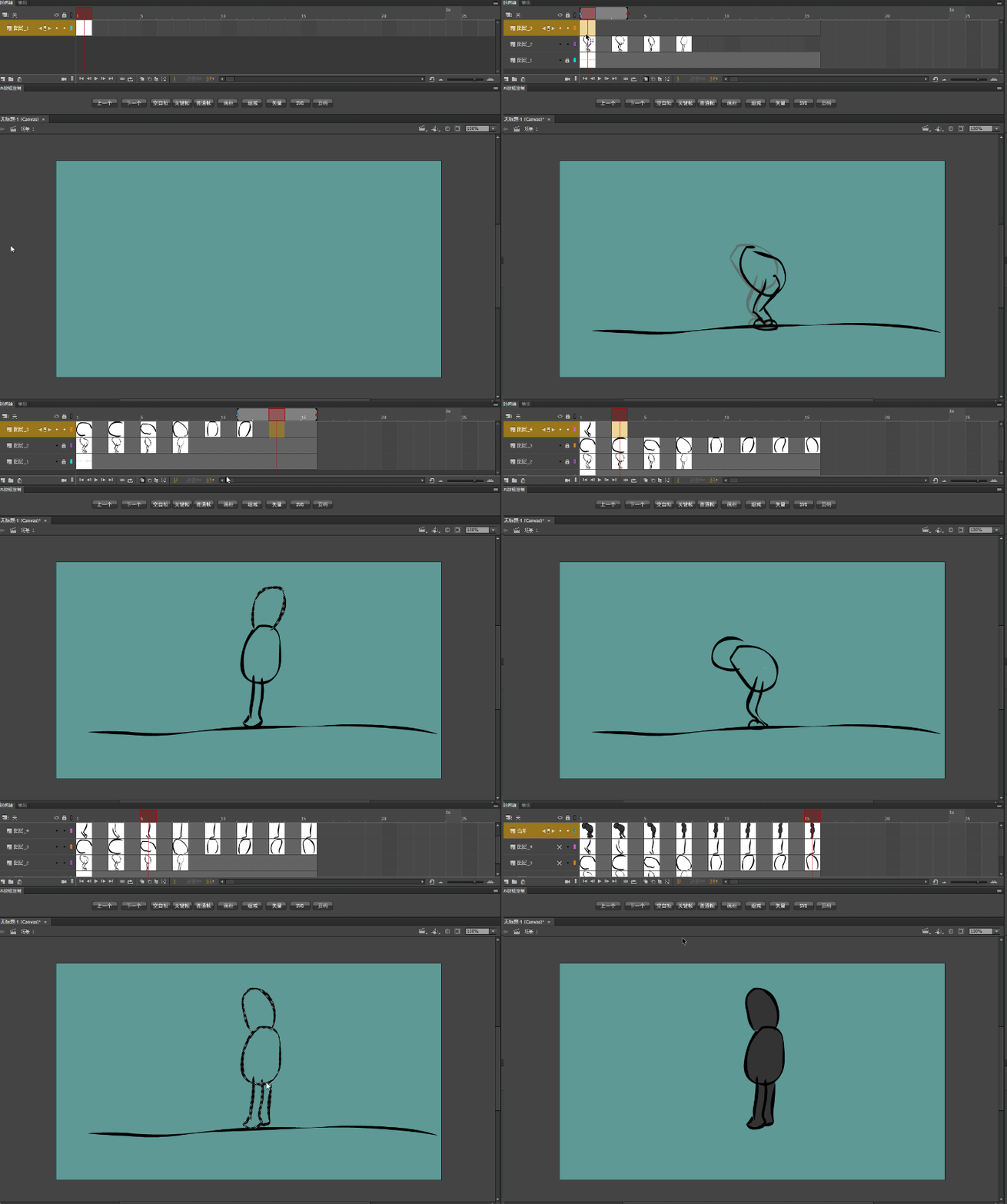
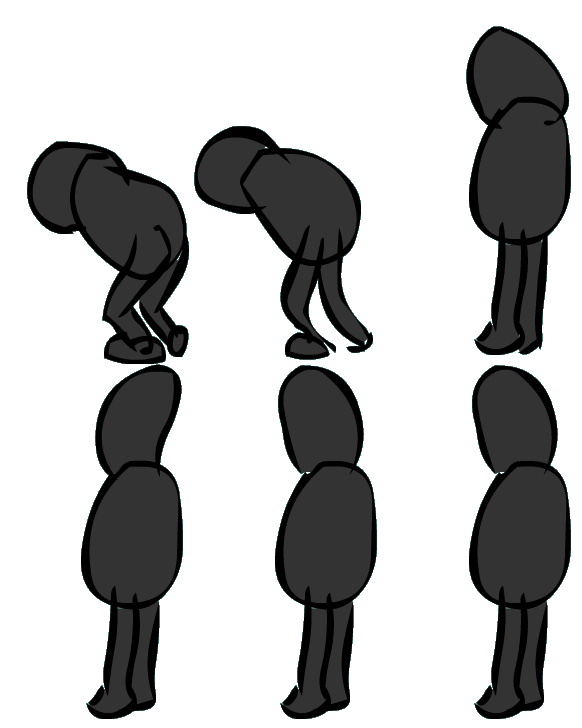
Demo why need.

If you don't have a merged layer, it means that I need to copy each frame to the new layer, and if it's a lot of frames, it's a huge amount of work.

Of course I'm just a simple demo.If it is a standard animation, the work is more, cumbersome copy frame modify frame, make the production become painful
    This topic has been closed for replies.

    1 reply

    chenjil43641795
    Legend
    August 12, 2018

    I found the code to find the layer name.

    Now, whatever the order of choice,

    can be pasted into the merge layer.

    There is only one problem to be solved now.

    How to get it to "merge" layers,

    Display at the top or bottom of all selected layers

    timeline.reorderLayer(layerToMove, layerToPutItBy [, bAddBefore])

    This code can adjust the order, but you need to specify the layer.

    How to deal with this, because the choice of the layer has a lot.

    var doc = fl.getDocumentDOM();
    var tl = fl.getDocumentDOM().getTimeline();
    var selFrames = tl.getSelectedFrames();
    var frameLength = selFrames[2] - selFrames [1];

    fl.getDocumentDOM().getTimeline().addNewLayer("merging");

    tl.currentFrame = selFrames[2]-1;
    for (i=0; i<frameLength; i++)
    {  
    for (n=0; n<selFrames.length; n+=3)
    {
      layerNum = selFrames;
      curFrame = tl.currentFrame;
      tl.setSelectedLayers(layerNum, false);
      if(tl.currentFrame == tl.layers[layerNum].frames[curFrame].startFrame)
      {
       tl.setSelectedFrames(selFrames);
       tl.currentFrame = curFrame;
       tl.insertKeyframe();
       doc.selectAll();
       doc.clipCopy();
       tl.setSelectedLayers(selFrames[0], true);
       var layerIndex = fl.getDocumentDOM().getTimeline().findLayerIndex("merging");
                fl.getDocumentDOM().getTimeline().setSelectedLayers(layerIndex[0], true);
       doc.clipPaste(true);
       n = selFrames.length
      }
    }
    tl.currentFrame --;
    }

    JoãoCésar17023019
    Community Expert
    Community Expert
    August 13, 2018

    Hi.

    I'm kinda lost here.

    Do you need to get the shapes from all layers in each frame and move them to one single layer? Like when we cut all and them paste all in the same layer?

    chenjil43641795
    Legend
    August 13, 2018

    Now I have a problem where my code can be used, but usually the first use will miss several keyframes.

    After several errors, the layers are merged properly.

    I don't know where the problem is.

    The sort required

    The merge layer will be in the middle when selecting from the top.

    It's the right choice at the bottom.

    I want the merge layer to be at the top of the selection layer, not the middle

    Manual operation

    If there's no JSFL, that's how I operate.

    Not only operational trouble.

    Errors are also prone to occur.

    If it's a hundreds of-frame animation, it's a lot of work.