
james ca60449927
Known Participant
April 17, 2017
Question

192kHz recording--with an ADC, not an interface

  • April 17, 2017
  • 1 reply
  • 882 views

It took me a while to figure out how to record at 192kHz with a computer audio interface; I learned that you have to specify the interface as both input and output. I see no sense in that, but OK. Unfortunately, then I realized that my interface is too noisy at high frequencies to allow me to do what I want to do, so I'd like to use instead a high-quality ADC, which when set up to record music doesn't accept output from my computer; it's a one-way device. I tried setting up Audition with the ADC as input device and an audio interface as the output device--but Audition keeps telling me that the audio hardware has changed, and asking if I want to go to hardware setup.
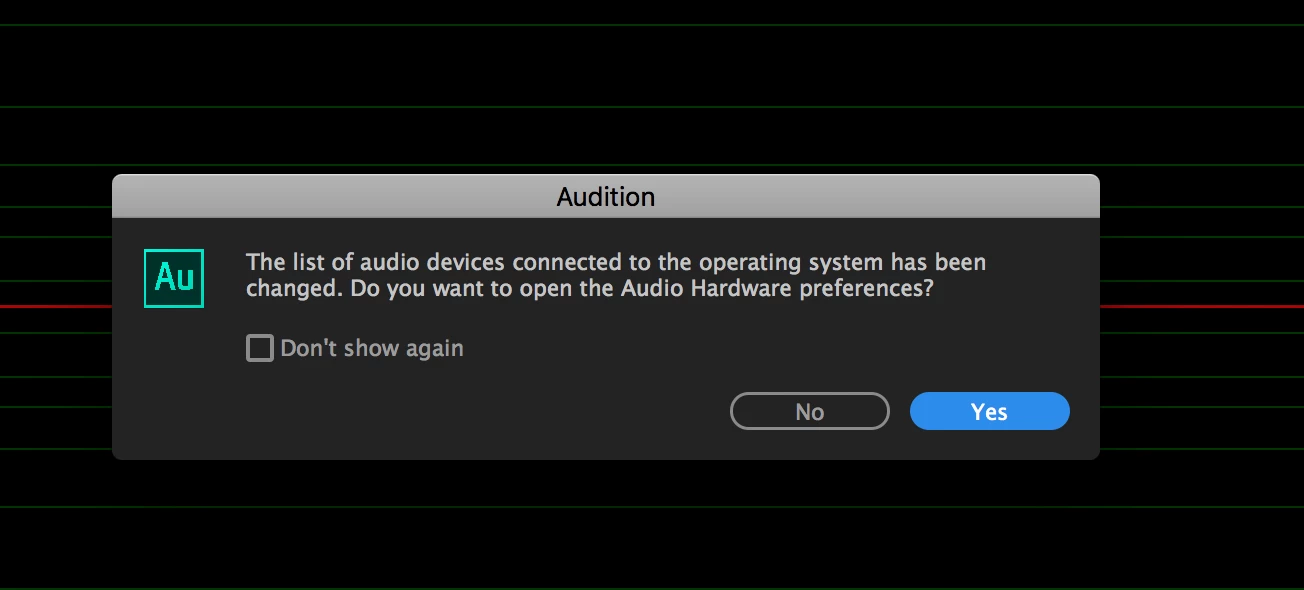
I go, but it looks the same as before; the choices are correct. So then I click OK and try to record again, and the same thing happens. I can't record.

An audio interface is a very fine thing, but much professional recording is done with an ADC. I find it hard to believe that AA, which is something of an industry standard, can't record at 192 with a stand-alone ADC. Is that really the case, or is there a way to fix this?

Please don't tell me I don't need 192kHz. I promise you I do, for my application.

Thanks.

This topic has been closed for replies.

1 reply

ryclark
Participating Frequently
April 17, 2017

What audio device drivers are you using with your ADC and how is it connected to your PC? In Audition's Audio Hardware preferences what Device Class do you have selected?

There is a good reason why Audition expects to see an audio interface with outputs as well as inputs. That is that when Audition plays back audio it has to have a precise sample rate wordclock to synchronise to. This wordclock also has to be applied to the digitising ADC. So for all this to work both the ADC and DAC have to have the same clock signal. ususally the easiest way to do this is to have both converters in the same box as full audio interface.

james ca60449927
Known Participant
April 17, 2017

USB connection. I should probably have mentioned that I'm using the OS X version of Audition CC. Typically one doesn't use special drivers. Device Class is Core Audio, the only choice.

Is it unusual then to use Audition with an ADC instead of an audio interface? I'm surprised I've not found any information about this online.

Thanks miuch.

ryclark
Participating Frequently
April 18, 2017

Yes it is rather unusual to use Audition with only an ADC. Possibly some people might use it with only a DAC for monitoring when editing audio recorded by other means eg. from a video recording. But generally it will be used in a studio environment of some sort where an audio interface will be used for both recording and monitoring so that sample rate wordclocks are automatically synched. Some large studios might use independent ADCs and DACs but they would be high end ones that allow external wordclock synch from the studio master synch generator.

However in your case since you are using a Mac it might be possible to make your setup work if you can create an Aggregate device in the Mac's  AudioMIDI setup.