

Community Manager
May 11, 2021
Question

Adobe Audition 14.2 is now available!
  • May 11, 2021
  • 6 replies
  • 3778 views

Audition 14.2 is now available for download from the Creative Cloud desktop application. This update includes native support for Apple M1, multiple new features, bug fixes & performance improvements like faster processing of audio effects. 
This update is recommended for all users.


Audition on Apple M1

Audition now runs natively on Apple M1 systems providing improved performance for recording and mixing high-quality audio content.
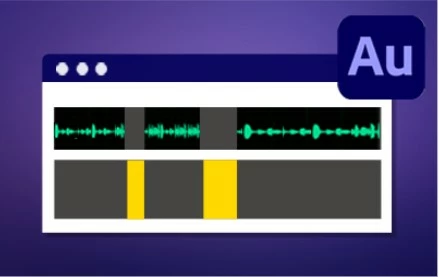


Strip Silence

Use new Strip Silence to automatically identify and remove silent or inactive regions in recorded clips, without losing synchronization in multitrack audio.
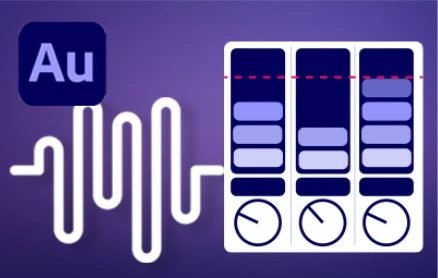


New Loudness Meter

The new Loudness Meter provides industry-standard ITU-based loudness monitoring for broadcast, podcast, and streaming media content.


What's New

Fixed issues 

User Guide 

This topic has been closed for replies.

6 replies

Participant
July 6, 2021

This must have effed with my settings. I last used Audition to record on June 2 and had no playback issues. Now, I'm getting popping/crackling noises while I record and then again with an altered voice during playback. This is frustrating since I use this for my job, sooooo....is there something I am missing here?

Animachristi
Known Participant
May 29, 2021

The latest download of this still reports "Unable to load library" or some gobble. The Audition Beta now says it can't find my burner, a new wrinkle. Anyone on Windows find a fix for both of these?

Nevenko
Known Participant
May 19, 2021

How to run Audition 14.2 in roseta (intel) emulation on M1. There is no option to select open in roseta mode if you right click on app - get info. For Photoshop i cann select in get info - open on roseta mode and on Audition this option is missing.

Participant
May 15, 2021

I'm still using version 13.0.13.46 because the latest version won't work with my Mackie Control Universal. It's listed under supported control surfaces but when I set it up and assign the appropriate MIDI in/outs, it won't work. And my earlier version is configured EXACTLY the same way.

Participant
May 12, 2021

Mac Mini Intel i7 - 64GB

macOS 10.15.7


The Clean Up Podcast Interview and Reduce Microphone Bleed presets are not listed under Effects > Diagnostics > Delete Silence > Presets.


Any ideas as to why?

Participant
May 14, 2021

Clean Up Podcast Interview and Reduce Microphone Bleed presets were not showing up in 14.2 due to the checkbox "Import Preferences" was ticked. So instead of merging the presets of the two versions, it replaced the new one with old. 


I was able to gain all of the correct effects (the 4 old ones along with the two new ones noted above) by uninstalling and reinstalling 14.2.


May 11, 2021

Does 14.2 support VST/VST3 on M1? Doesn't appear to be working for me.

erichurst76
Participant
June 2, 2021

Same question. Would be great if Adobe would chime in on this.