
Adobe Audition cs6 has stopped working
When I open adobe audition cs6 it crashes with the message Adobe Audition cs6 has stopped working
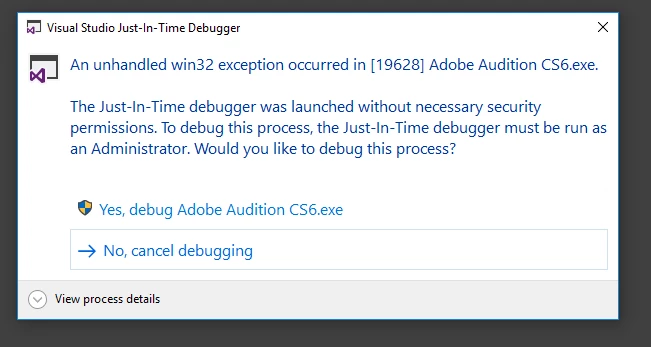
when I debug I get this message
An unhandled win32 exception occurred in [5680] Adobe Audition CS6.exe
debug message
Unhandled exception at 0x1618D055 (ig9icd32.dll) in Adobe Audition CS6.exe: 0xC0000005: Access violation reading location 0x00000000
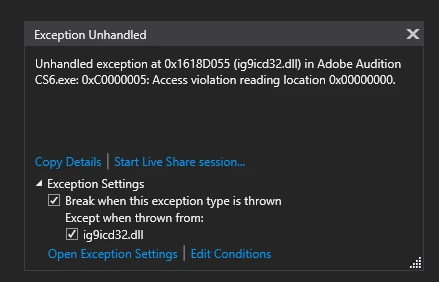
or sometimes it shows
'Adobe Audition CS6.exe' (Win32): Loaded 'C:\Windows\System32\DriverStore\FileRepository\ki130471.inf_amd64_26ad6921447aa568\igdgmm32.dll'.
The thread 0x2978 has exited with code 0 (0x0).
The thread 0x2b08 has exited with code 0 (0x0).
Unhandled exception at 0x1618D055 (ig9icd32.dll) in Adobe Audition CS6.exe: 0xC0000005: Access violation reading location 0x00000000.
The program '[5680] Adobe Audition CS6.exe' has exited with code 0 (0x0).
I have updated the suite with Adobe Application Manager. I have updated my system with Dell Update, Windows 10 is up to date. well as much as my enterprise allows it to be.
OS Name Microsoft Windows 10 Enterprise 2016 LTSB
Version 10.0.14393 Build 14393
Processor Intel(R) Core(TM) i7-6820HQ CPU @ 2.70GHz, 2701 Mhz, 4 Core(s), 8 Logical Processor(s)
BIOS Version/Date Dell Inc. 1.29.4, 21 Dec 2021
using AMD drivers 21.Q1.2(5 APril 2021)
I have uninstalled the Adobe CS6 Production Premium and reinstalled and then update it again.
Any ideas how to get this working again?


 AdChoices