


Participant
Feb 14, 2023 6:07 PM UTC
Question

Adobe Audition stuck

I use an Apple Mac Studio system and I'm having an issue with Adobe Audition. When I first installed Adobe Audition, it worked perfectly and opened very quickly. However, for the past few days, I have to wait a few minutes for the program to open and be operational. I will attach a screenshot below to show where it gets stuck when launching the application. After a few minutes of waiting, the program starts, but I have to wait a long time. Do you have any idea what the problem might be? Have you encountered this issue before?

I would like to mention that the program was opened without opening a project or dynamic link to verify if the program would open easily without accessing a project.
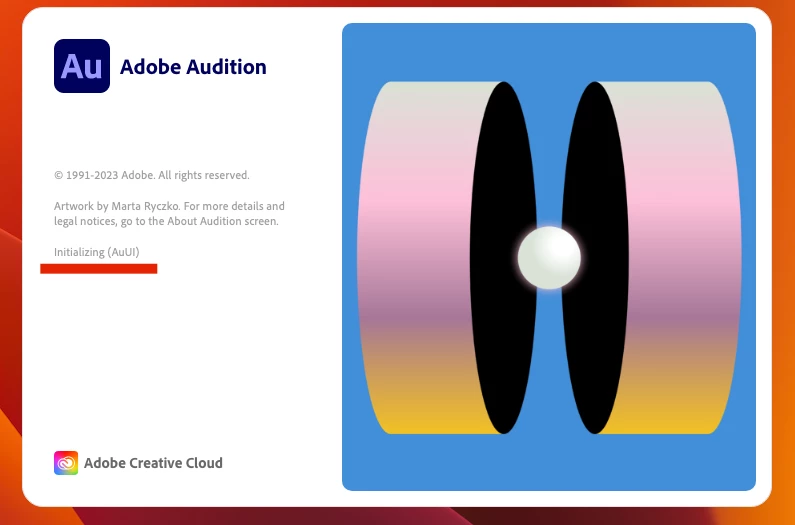
This topic is closed to new replies. Start a new post to keep the conversation going.

4 replies

SteveG_AudioMasters_
Community Expert
Community Expert
Feb 14, 2023 8:01 PM UTC

The only way we migh be able to tell where the delay is is if you can copy and paste into this thread thread the startup log. This has a tick indicator which should reveal where your machine is causing it, at least.

Translate
Anca5F91Author
Participant
Feb 15, 2023 10:04 AM UTC

Is a gap around 5 minutes between the following 2 lines:


Ticks = 616 <390199> <AuLog.Startup> <5> Initializing AuUI
Ticks = 300672 <390199> <AuLog.Startup> <5> Setting up temp directories\


I attached the full log file

Translate
SuiteSpot
Inspiring
Feb 15, 2023 11:50 AM UTC

Where are your temp directories located?
Are they on a local drive, network drive or some cloud based location?

Translate