



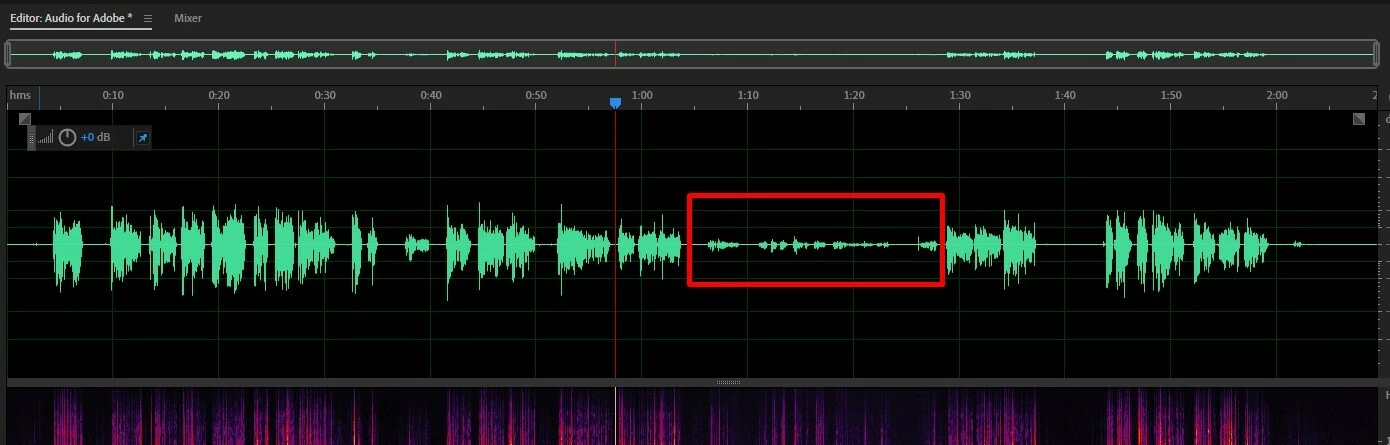
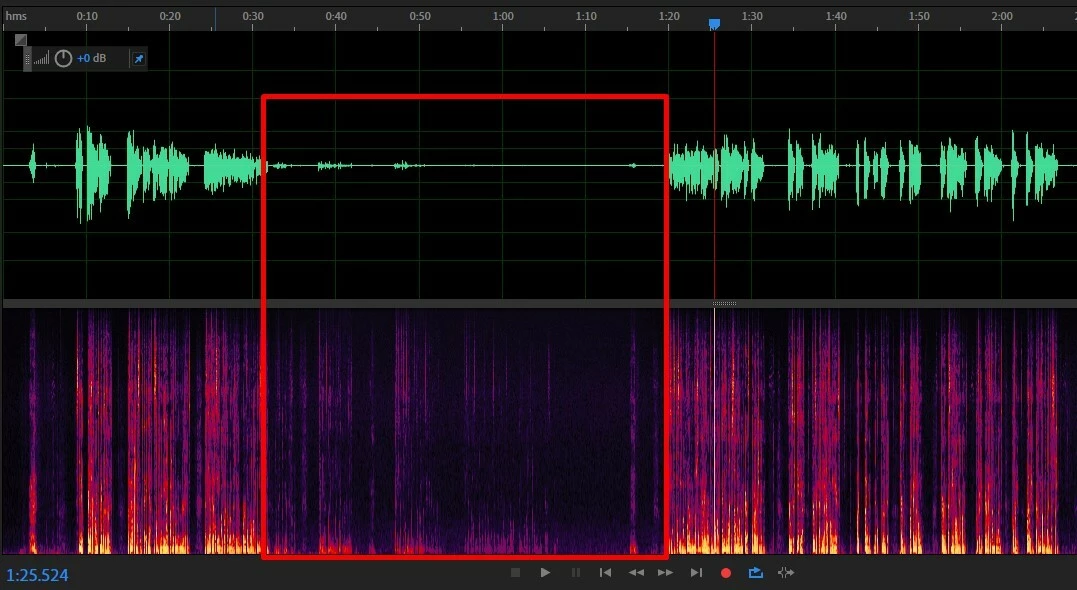
Adobe is randomly gradually fading up and down while I record. I listen to the playback and I hear it fading down to the point where it's unusable.
I record audio from my mic to an audio interface into my computer and to the DAW (Adobe Audition). I can’t figure out why it’s doing this but I’ll record and then when I step back to playback the recording there are places where the audio will fade out and back in (Also shows on the waveform). You can see in the images shared that the audio goes down considerably, I maintained my mic distance and placement, and maintained my speaking volume throughout both of these. The second screenshot is where it is the worst, but since it is a private audition I can’t share the audio file. The first one I just went to NESCAFE’s website and read coffee facts for the sample. I’ll upload that one as an mp3 as well. Any ideas on what could be causing this issue?
I have tried switching the buffering size from 512 up to 1024, which seemed to have no affect. I have it set to ASIO (I’m on Windows). and the sample rate is 48kHz, which matches the system settings.
My recording setup is as follows:
Mic: Neumann TLM 103
Audio Interface: Universal Audio - Apollo Twin USB
If anything else is needed to help figure this out, please let me know.
Thanks in advance
 AdChoices