
Participant
April 21, 2022
Answered

All the different microphones and tracks are placed on one single track

  • April 21, 2022
  • 1 reply
  • 169 views

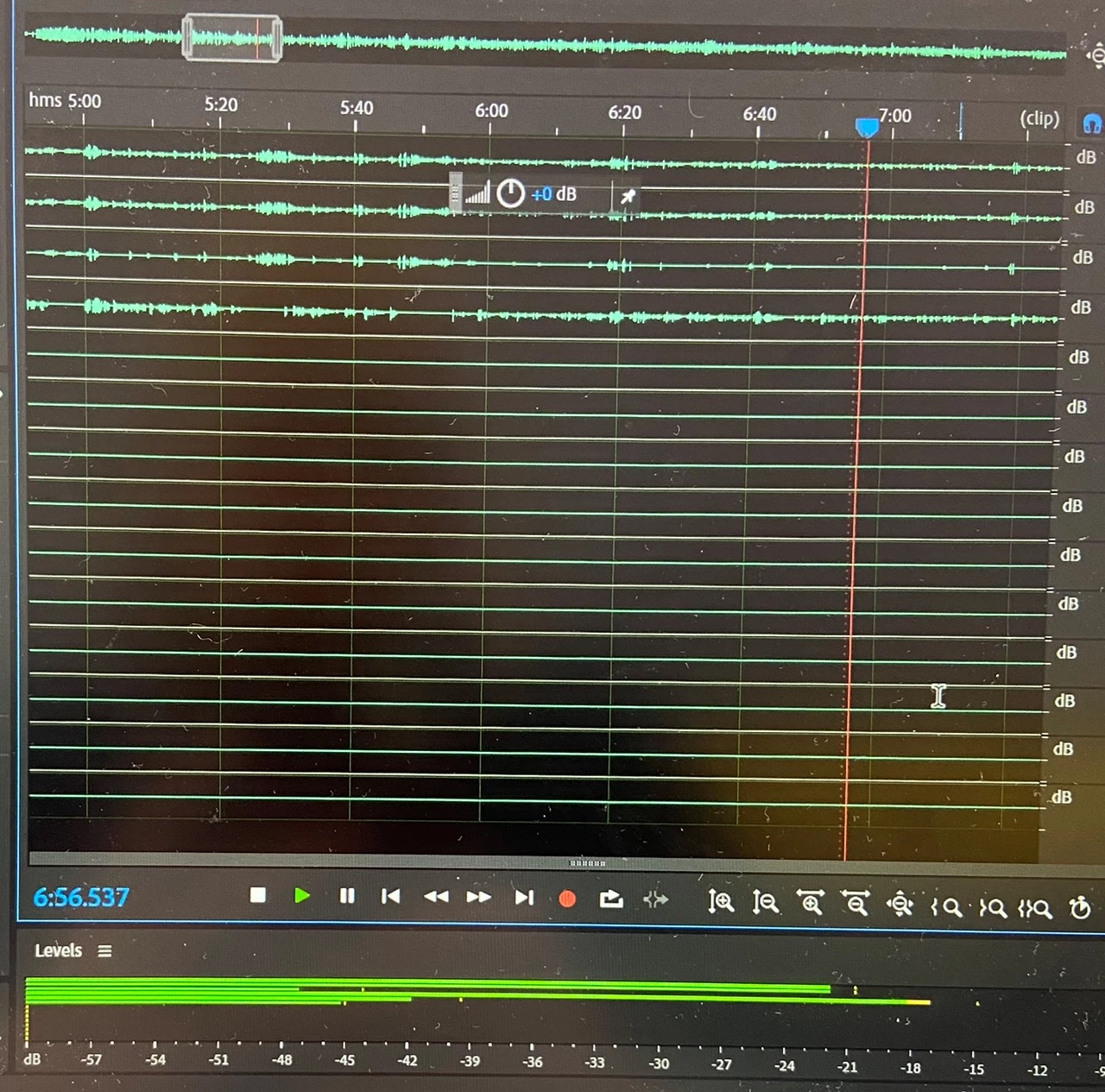
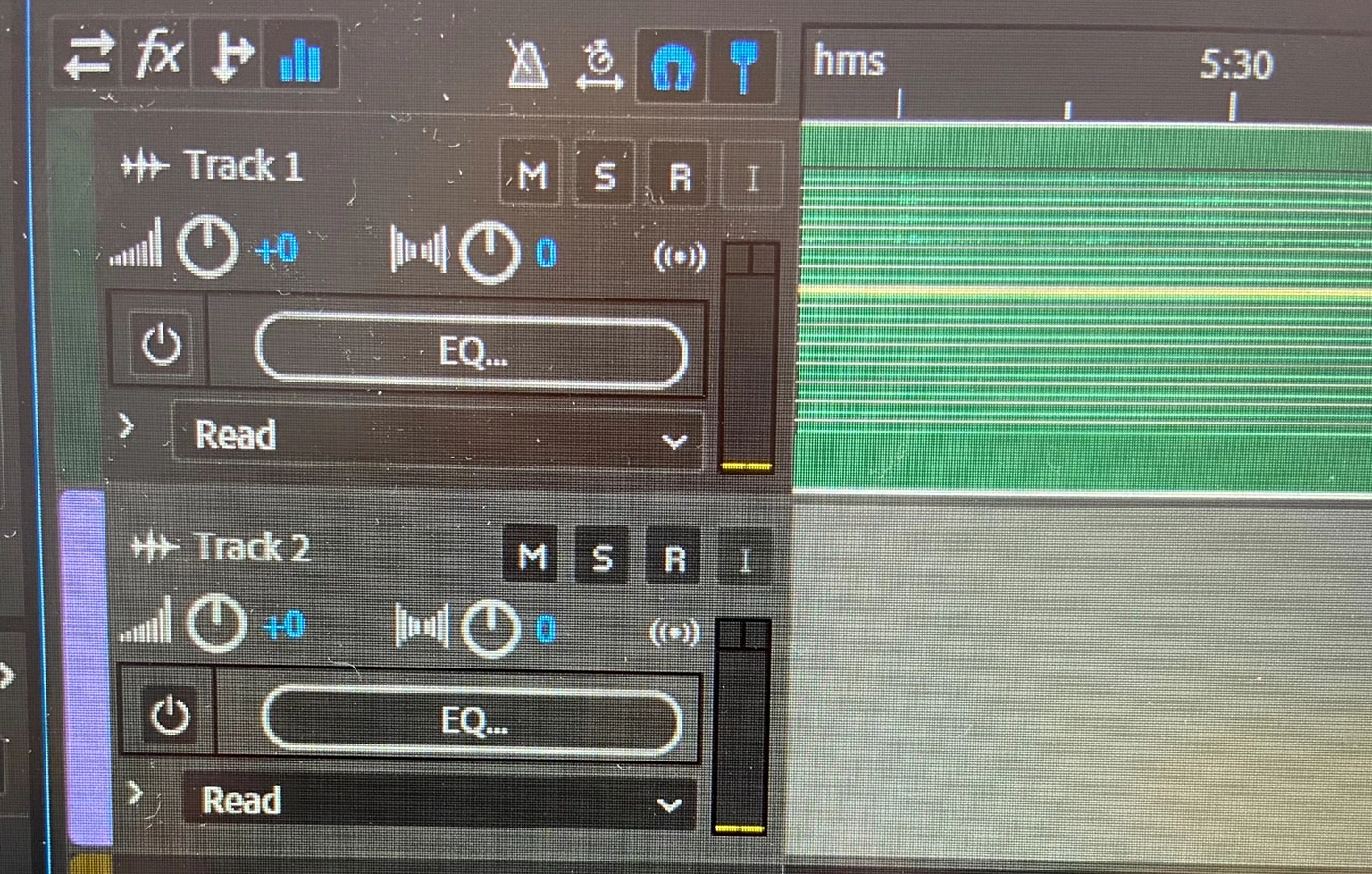
Hi there! I was wondering if anyone can help me! I recently had podcast recordings in a studio (I expect this was recorded with a Rodecaster) and got the files sent to me. To my surprise I found out that all the different microphones and tracks are placed on one single audiotrack. Which makes it impossible for me to edit it. Does anyone know how I can separate these recordings from each other? And is this even possible?I hope someone can help me, Thankyou so much!
 

This topic has been closed for replies.
Correct answer SteveG_AudioMasters_

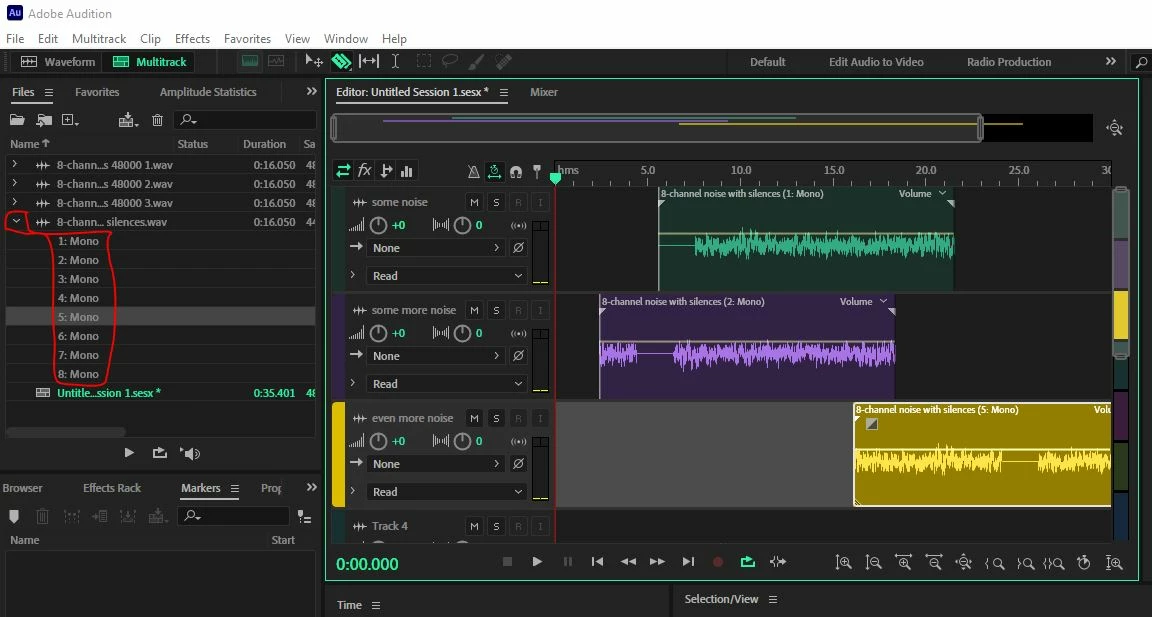
What you have there is a multichannel file, and actually, they've made it rather easier to edit than you might realise. If you import the file into your multitrack session, and don't drag it to a track, but instead use the twirl-down on the left of the file name, you'll see the individual channels displayed - probably all saying 'mono', but that doesn't matter, as you can rename the individual channel mixer names if you need to. What you can do with these is simply drag each one to a different track, and put it anywhere you want. Just to give you the idea, I created a session with some 8-channel noise in a single file, which shows you how it works. You can also edit the individual clips, so there's nothing you can't do in terms of manipulation:

If that's too convenient, then the alternative is to open the file in Waveform view, and go to Edit>Extract channels to mono files. This will give you individual files to insert into Multitrack, but the whole operation will take up twice as much room on your hard drive, with no real advantage.


1 reply

SteveG_AudioMasters_
Community Expert
SteveG_AudioMasters_Community ExpertCorrect answer
Community Expert
April 21, 2022

What you have there is a multichannel file, and actually, they've made it rather easier to edit than you might realise. If you import the file into your multitrack session, and don't drag it to a track, but instead use the twirl-down on the left of the file name, you'll see the individual channels displayed - probably all saying 'mono', but that doesn't matter, as you can rename the individual channel mixer names if you need to. What you can do with these is simply drag each one to a different track, and put it anywhere you want. Just to give you the idea, I created a session with some 8-channel noise in a single file, which shows you how it works. You can also edit the individual clips, so there's nothing you can't do in terms of manipulation:

If that's too convenient, then the alternative is to open the file in Waveform view, and go to Edit>Extract channels to mono files. This will give you individual files to insert into Multitrack, but the whole operation will take up twice as much room on your hard drive, with no real advantage.


Participant
April 22, 2022

You've made my day! It worked, amazing! Thankyou so much for taking the time to help me and that you took the time to answer so comprehensively! Thankyou.