Pariah Burke
Community Expert
Community Expert
Jun 11, 2018 8:18 PM UTC
Answered

Always Missing 8 Seconds

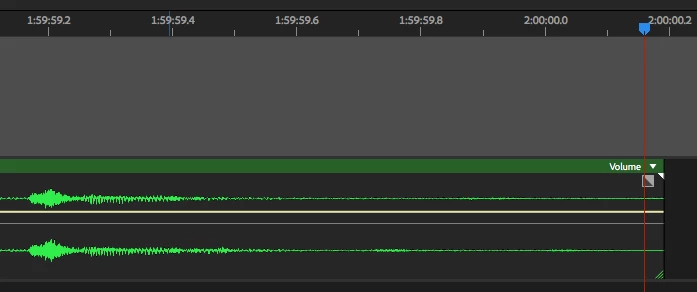
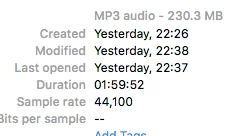
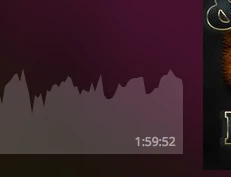
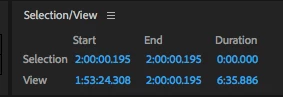
Can someone please tell me what I'm doing wrong? I produce a weekly multi-track project (from a template), which LOOKS like exactly 2:00:00 in Audition, but exports (directly or via Media Encoder) to 1:59:52 consistently. See the below screenshots.
    This topic is closed to new replies. Start a new post to keep the conversation going.
    SteveG_AudioMasters_
    SteveG_AudioMasters_Correct answer
    Community Expert
    Jun 11, 2018 8:42 PM UTC

    That's actually pretty good for an MP3. Because of the 'lossy' coding method, and the fact that to measure the duration it has to be decoded again, estimation errors are inevitable, especially if you are using VBR MP3 coding. If you are, try using CBR instead - the estimation tends to be more accurate.

    4 replies

    Pariah Burke
    Community Expert
    Community Expert
    Jun 18, 2018 11:23 PM UTC

    Ah. Thanks. That did it.

    Translate
    SteveG_AudioMasters_
    Community Expert
    SteveG_AudioMasters_Community ExpertCorrect answer
    Community Expert
    Jun 11, 2018 8:42 PM UTC

    That's actually pretty good for an MP3. Because of the 'lossy' coding method, and the fact that to measure the duration it has to be decoded again, estimation errors are inevitable, especially if you are using VBR MP3 coding. If you are, try using CBR instead - the estimation tends to be more accurate.

    Translate
    Pariah Burke
    Community Expert
    Community Expert
    Jun 18, 2018 7:14 PM UTC

    Thanks, Steve. How do I change to CBR instead of VBR in Media Encoder?

    Translate
    SteveG_AudioMasters_
    Community Expert
    Community Expert
    Jun 18, 2018 8:18 PM UTC

    I have no idea - I don't use Media Encoder. It's relatively easy in Audition - it's an option at the top of the bit rate selection box when you select MP3 as the format to save to.

    *update* I discovered that for some strange reason, Media Encoder is currently sitting on my laptop, so I had a look at the MP3 options. As far as I can tell, there's no option to alter the default, and neither does it tell you what it is (cbr or vbr). The options you get appear to be either fast, or high quality - neither are adequate labels as far as I'm concerned. I'd definitely stick with Audition for this task!

    Translate