
Amplitude Statistics mirroring Channel 1's information to all channels
At my office we are using two different versions of Audition across several computers, some newer machines have 11.0.1.49 and others have 10.1.1.11. On the newer 11.0 versions we are running in to an error when checking the statistics using Amplitude Statistics where it is essentially reading Channel 1 correctly (verified with other, older versions of the program) but instead of supplying unique statistics for all other channels the statistics page shows the Channel 1 statistics across the board. We have verified all settings and preferences are identical but running in to the same problem on every computer with the newer version.
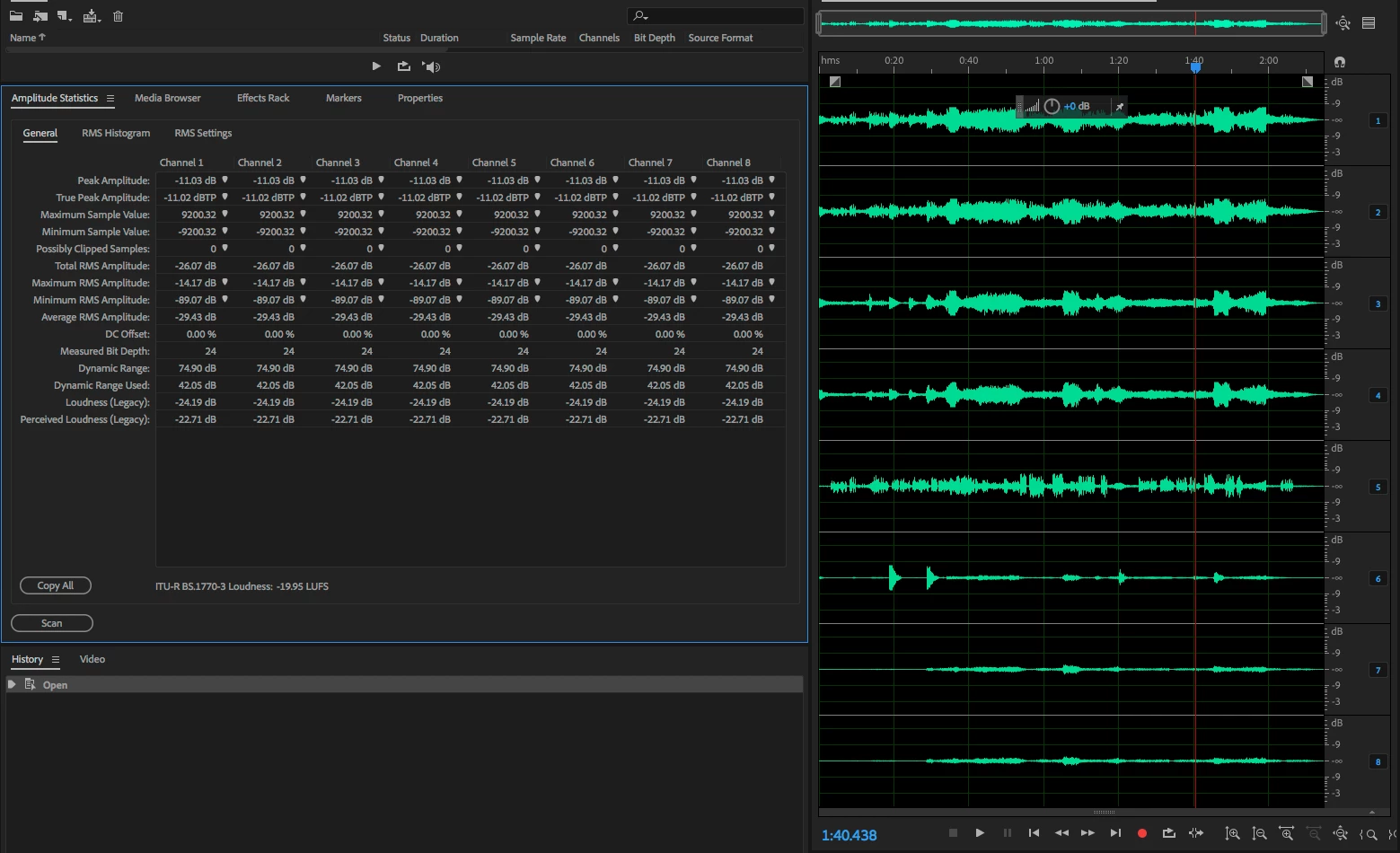
Here is an example of a file with a Full Mix on 1/2 and a 5.1 package on channels 3-8, but as you can see from the statistics they are all measuring the same; the first channel's statistics.
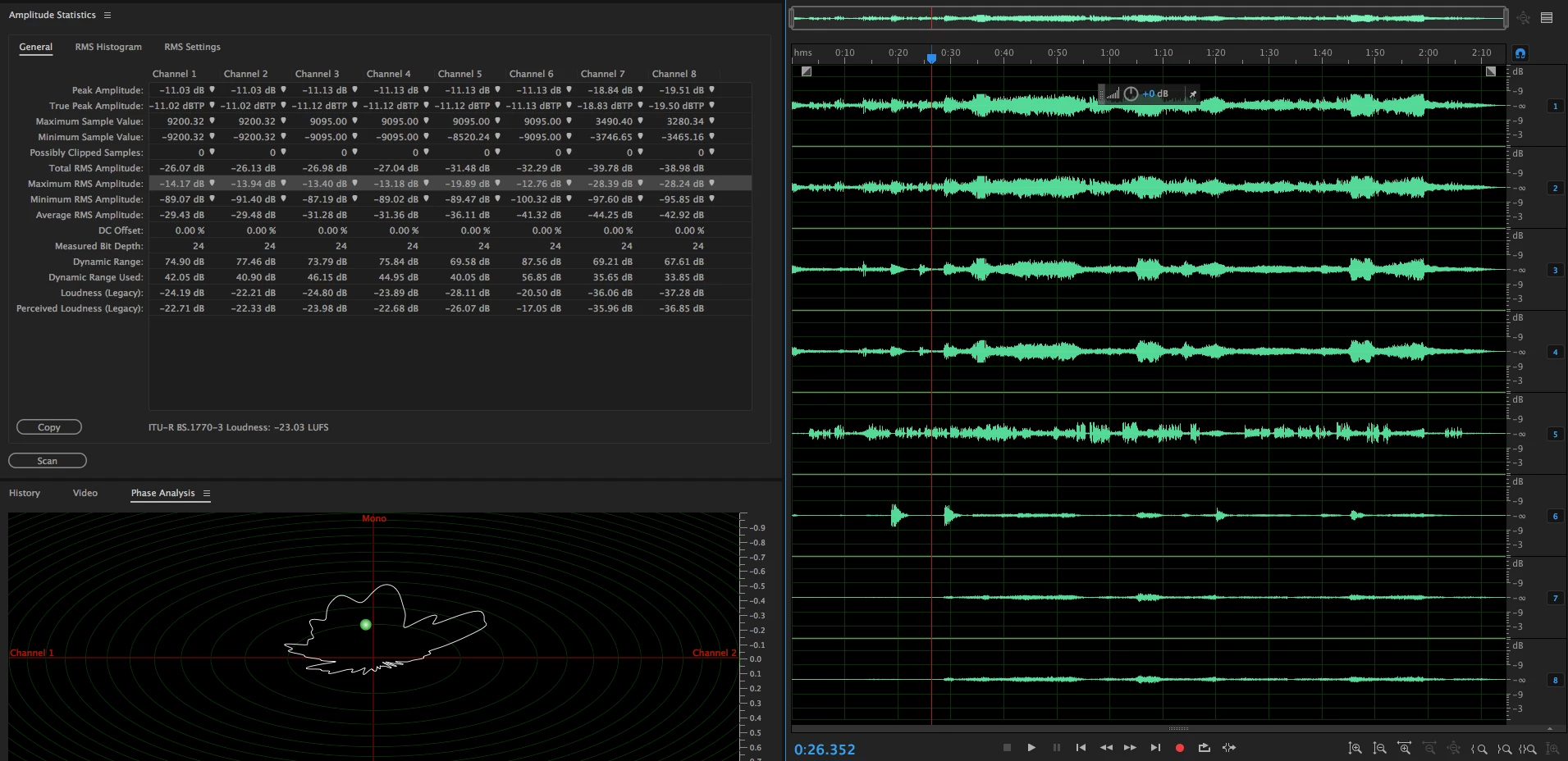
This is the same file read on the older 10.1 version. As you can see the Channel 1 measurements are the same, but 2-8 are read properly and separately.
Is this a known issue with this version of audition or possible some setting that for whatever reason we haven't been able to track down? Thanks


 AdChoices