Answered
Apply favourite/action on selection only!
How to apply favourite action on a selection
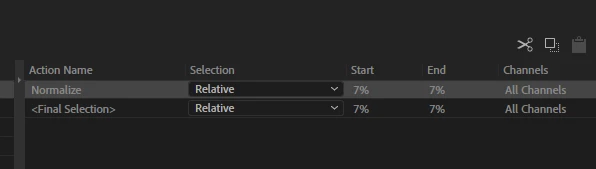
Yes, we can record an action and use it as a favourite, but how do I apply it to a selection?
It only allows relative or aboslutie select.

How to apply favourite action on a selection
Yes, we can record an action and use it as a favourite, but how do I apply it to a selection?
It only allows relative or aboslutie select.
When you record your favorite, make sure that you select the entire track you are using, even if you think you'll only want to apply it to a small selection. That way, the start and end points will say 0% and 100% respectively. If you do that, when you use the favorite with a small selection it will start at 0% of your selection and end at 100% of it.
Already have an account? Login
No account yet? Create an account
Enter your E-mail address. We'll send you an e-mail with instructions to reset your password.


 AdChoices