
Participant
August 30, 2018
Question

Audio Connected Devices randomly not working

  • August 30, 2018
  • 4 replies
  • 3769 views

"The list of audio devices connected to the operating system has been changed..."

This message will randomly appear while recording, however, it will also appear when Audition is just sitting idle in the background of my laptop.

Not only will it interrupt my recording sessions, but it will also stop all audio on my laptop when this message appears. PLEASE HELP ME!

I am using audition for work and I can't have the program randomly drop out every couple of minutes.
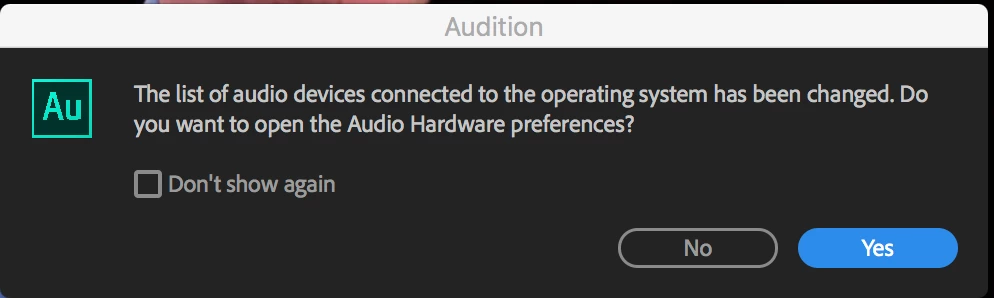
If anyone has had a similar problem or has any idea why this keeps happening please let me know,

This topic has been closed for replies.

4 replies

mardus
Known Participant
November 20, 2022

I now get this on Audition 2023, mbp M1 11.7.1 CONSTANTLY. And when I open the settings, nothing has changed.

SteveG_AudioMasters_
Community Expert
Community Expert
November 20, 2022

One of the major problems with this is that the 'detection' happens at the hardware level, is picked up by the audio driver, and there appears to be no sensible (or otherwise) method of getting the OS to ignore it at a registry level, which would work best. I put a bit more information about it earlier in the thread.

mardus
Known Participant
November 20, 2022

Well, firstly it's Core Audio, connected to external monitor through thunderbolt. No, the picture stays on perfectly all the time, it's just Audition "losing" something... It's set to use "system default" – this doesn't change.
Secondly, no other DAW does this – Digital Performer doesnt, Live doesn't.
Maybe CONSTANTLY was a little bit of a stretch, frequently would be more appropriate.

rickf779
Known Participant
October 16, 2020

Here we are three years later and I'm now having the problem,  This is an MSI brand computer. Bought it around 6 months ago.  Windows 10 Pro, i7-9700K CPU @ 3.6Ghz, 64 GB Ram.  The audio interface I'm most concerned with it a new Focusrite Scarlett 2i2 3rd Generation.  It can happen ocasionally or in rapid succession (click "no" or "yes" and it will error again before you can bring the Audition screen to focus.  

Extremely annoying when trying to edit but more so when it happens while recording a VO session.  My voice booth does not have a clear view of the computer screen and the error will often cut the audio input while leaving the transport rolling.  

It has a sound panel from "Nahimic" (I guess for gaming purposes), a MSI branded Realtec panel, NVIDIA (which I do not see a control panel for audio) and the Windows panel.  I enabled the multi-streaming ain the Windows sound panel and it's still sending the error.

Any further suggestions or experiences.  Windows driver and Focusrite driver are the latest.  Same with the others as far as I can tell.


Jaytat77
Participant
November 20, 2020

Hi Rickf779, did you ever get a resolution to this problem as I am also having the same issue? 


Support has been on and saw the issue but could not fix at the time. 

Legend
October 31, 2018

Just to add my experience with that "error message":

The audio interface I use is a MOTU 8Pre on a firewire connection.  If, whilst Audition is running, I need to use my printer, which is connected via USB, turning it on results in that message appearing!

I simply ignore it.

SteveG_AudioMasters_
Community Expert
Community Expert
October 31, 2018

The OS appears to be 'blind' when it comes to this message...

SteveG_AudioMasters_
Community Expert
Community Expert
August 31, 2018

Active Socket Sensing. It's actually something the audio driver does. If it's a laptop, then the chances are that it's the Realtek driver causing this. If you can locate the control panel for it, then enabling multi-streaming will effectively disable this - but unfortunately it's also likely to stop the socket from changing from the setting it's on - so plugging in a pair of headphones, which would normally trigger a 'change of connection' won't be flagged - and the socket won't switch over and remains stuck on speakers. Yes it's really annoying. What you're looking for, to experiment with this is something like this:

It's the setting I've ringed - by default it's disabled. A lot of people think it's the operating system that causes this to happen, and whilst normally I'd be delighted to blame M$, this time it isn't actually them. Except, that is, that they've enabled an easy means to report any hardware changes to the audio driver, and this may be controllable by editing the registry. Unfortunately I'm only aware of some settings that work in the case of non-Realtek devices, or that work on older OS's like Windows 7, and not any current version.

What actually happens is that if you enable this setting, you still get the message in Audition, but a) it won't stop anything playing and b) if you dismiss it with the 'don''t show this again' box checked, playback will be normal, without interruptions. And no headphones available...

unauthorizedrob
Inspiring
October 30, 2018

I am getting this alert every time I start a session.  I have my audio routed through a PreSonus Audiobox USB  96 -- the computer (iMac) is set to that as both in and out, which it is.  I am monitoring via the headphone out, and there are two mic channel inputs.  Nothing is changing -- why does it think something is?

More of an irritant.  It does not seem to affect anything.

SteveG(AudioMasters)

SteveG_AudioMasters_
Community Expert
Community Expert
October 30, 2018

If this has only happened recently, have you 'upgraded' your OS to Mojave? Apparently they've freaked out about security and forced apps to make you positively connect a device to them - at least that's what it seems (I don't have a mac). You can read more about it here: https://www.idownloadblog.com/2018/08/16/howto-mac-camera-microphone-permission/

If I'm reading it correctly, it tries to do this every time you open an app - which means that if you close Audition and reopen it, this message will pop up unless you dismiss it. What's slightly confusing though is that everything appears to be working normally for you. But however you look at it, they've changed something, and it appears to be irritating a lot of users...