



Question
Audio Speed Ignored on Import from Premiere
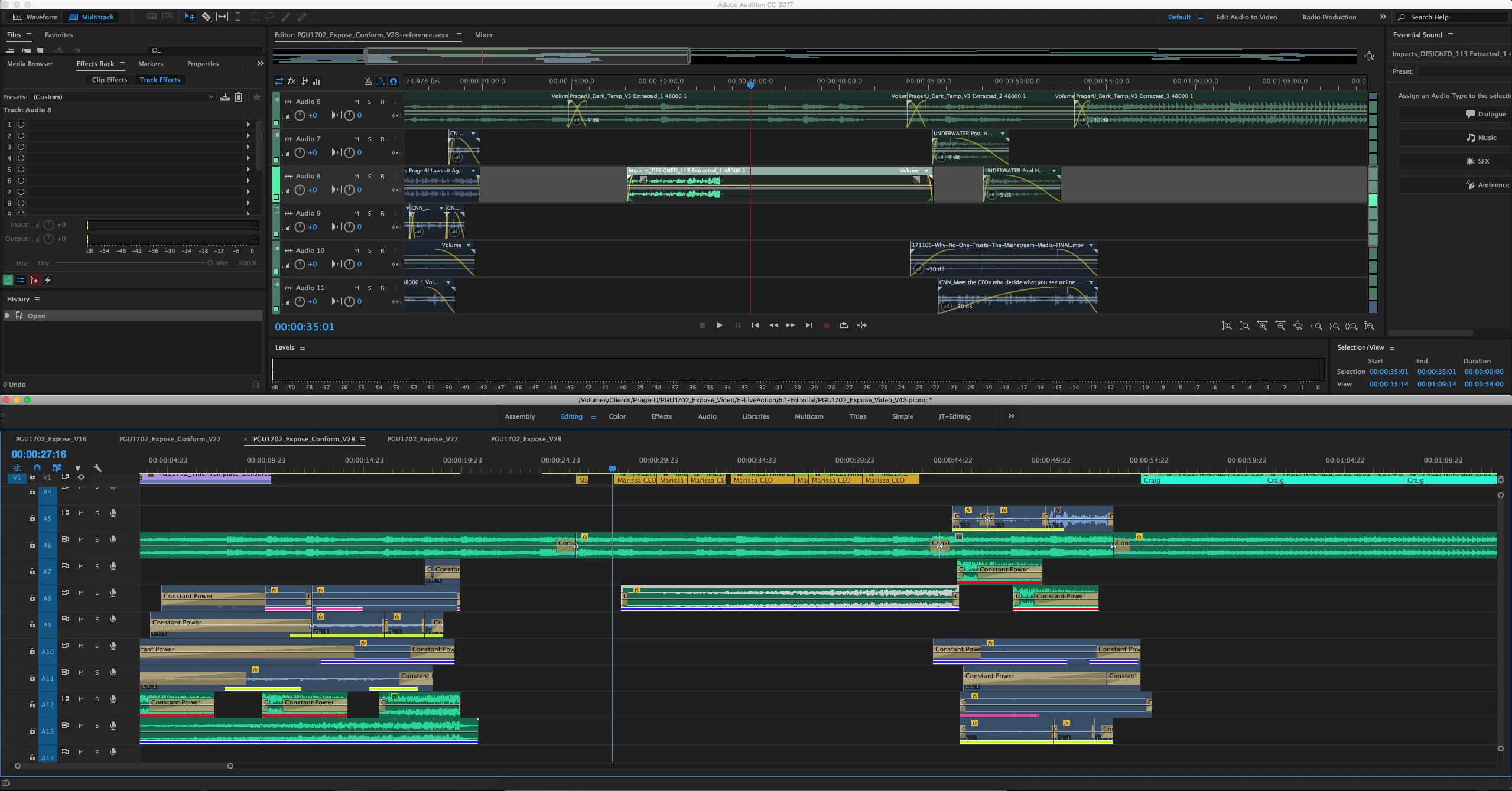
So when I export a sequence from Premiere to Audition, the Speed/Rate of audio clips gets ignored (see above how the audio clip selected is the proper length in Audition, but the sound waves aren't stretched as they are in Premiere below). Only workaround I've found is to Render and Replace all stretched audio in Premiere before exporting. Has anyone else run into this issue or found any workarounds? I'm used to exporting audio with handles for my audio tech which is why I'm asking. Thanks!
 AdChoices