
Audition and the Rode NT-1 (inc AL-1) - freezes when Rode is selected at both input and output
Hi All
I have a really annoying problem with my Adobe / Rode combination. When I select this combination of Input and Output, Adobe doesnt work - its as though the mic isnt connected.
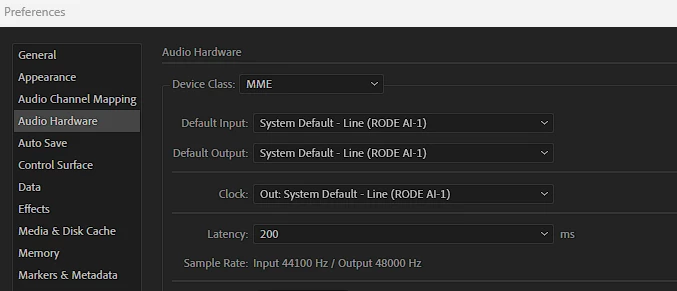
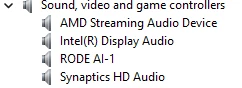
As you can see, the input and output is selected to the Rode AL-1 and device manager is showing that both the input and output drivers are installed correctly. Also, there are no problems with the IRQ's.
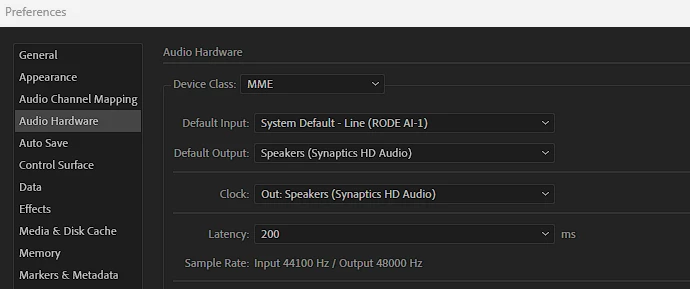
But when I select this combination, it works fine but I dont get anything coming through the headphones (which are plugged into the AL-1).
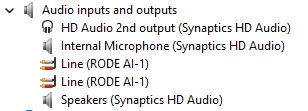
The Rode AL-1 is using the USB AUDIO DEVICE DRIVER for Sound and the AL-1 is using the AUDIO ENDPOINT DRIVER (two enteries in device manager) for the mic input.
I have now come to a dead end. So has anyone got any ideas?
Thanks


 AdChoices