

Audition audio level drops after being sent back to Premiere.
Hi there,
So I've been having a little bit of trouble sending audio back from Audition to Premiere and having the changes match.
•Just as a test I sent a dialogue clip to audition, normalised to -0.1dB.
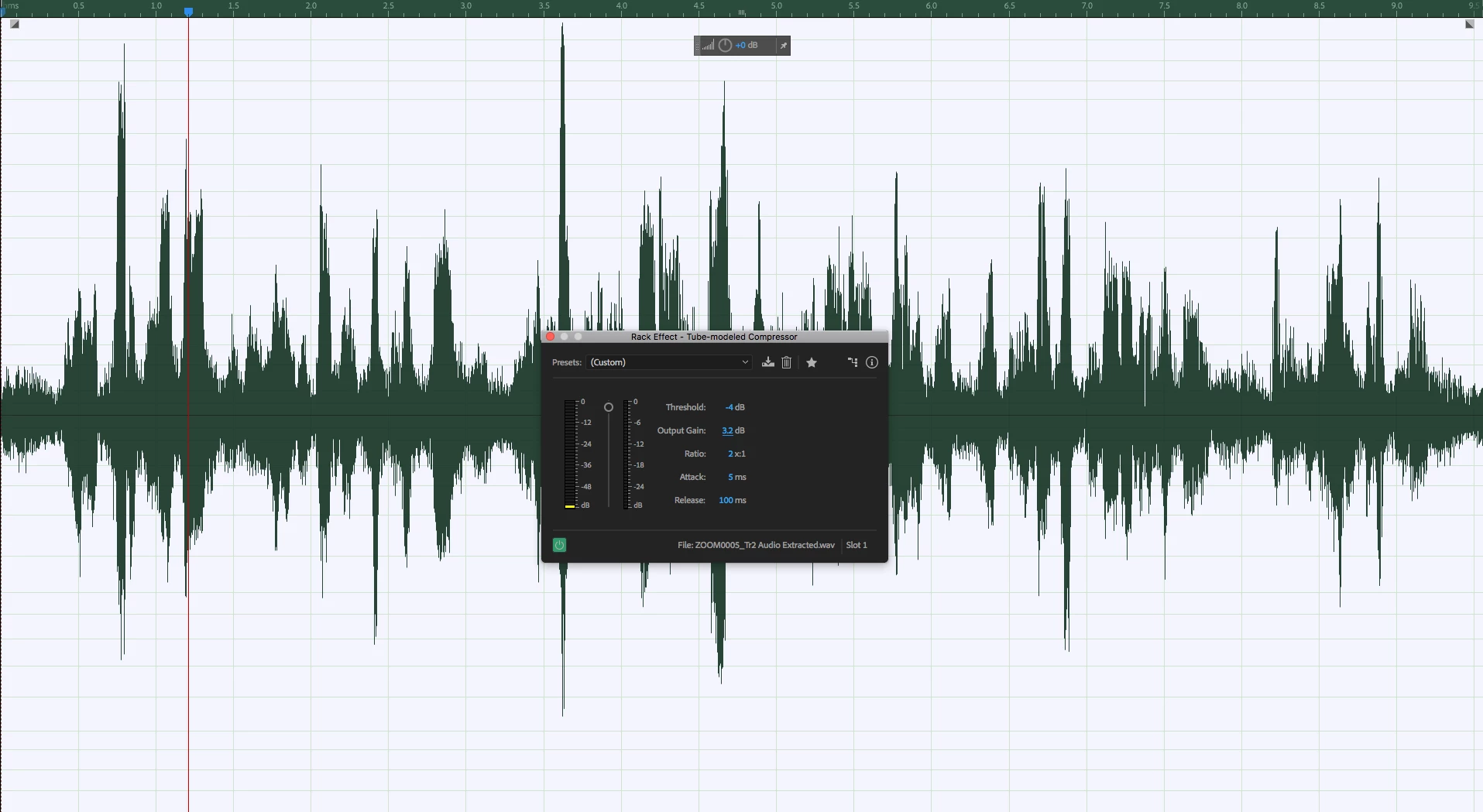
•In the effects rack I used a Tube Compressor to boost the low points and lower some of the top end volume as seen in the screen shot.
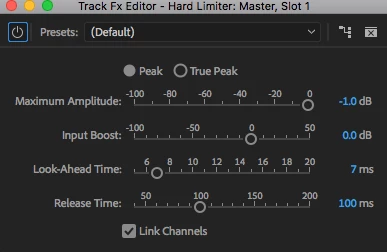
•I also have a Hard Limiter to cut off anything above -1dB
•After I get the volume to a nice area from -3 to -1 dB I save and go back to Premiere
•At this point the clip in Premiere renders the changes and has been improved however it does not match the output being shown and heard in Audition; Audition it's as I said -3 to -1db but in Premiere the clip sits between -5dB and -3dB.
•I have made no changes to the audio clip within Premiere and there is nothing in the way of audio track effects besides a Hard Limiter on the Master set to -1dB
Is there a reason why the Audition output doesn't translate to Premiere?
I'm running the following setup: 2013 Mac Pro, Quad Core, 64GB Ram, Dual D700's, macOS Sierra 10.12.6, Premiere Pro and Audition are the latest versions from the creative cloud.


 AdChoices