
meghana60032992
Participant
Jul 22, 2018 8:29 PM UTC
Question

Audition CC 2018 won't start

I've seen this question asked about older versions of Audition, but not Audition CC 2018.

I just installed it through the Creative Cloud app. I have a full CC subscription and am running several of the apps.

When I try to launch Audition, the startup screen appears and it starts showing which files are being initialized. It gets to "Initializing (AuBackend)" and then stops. It won't go any further.
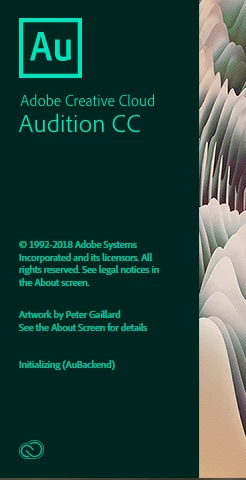
I have tried logging out/closing/restarting/logging into my CC app, as suggested by the Adobe site. I have warm/cold booted multiple times. Nothing seems to work.

I'm running Windows 10 Pro on a Dell laptop with an i5 processor and 16GB of RAM. Like I said, all of my other apps run fine, but Audition won't even start.

Does anyone have any suggestions?

Thanks!

Tim Huddleston

Charlotte, NC

This topic is closed to new replies. Start a new post to keep the conversation going.

7 replies

Bombelkie
Participating Frequently
Feb 28, 2019 9:25 AM UTC

Please, I have the same problem and no fixes.

Translate
ryclark
Participating Frequently
Feb 28, 2019 4:30 PM UTC

What exactly happens when you try to start Audition? Do you get any error messages or the startup screen as above?

Translate
SteveG_AudioMasters_
Community Expert
Community Expert
Feb 28, 2019 6:48 PM UTC

'Won't start' constitutes a crash - and it will certainly have generated a log file. So what you need to do is what it says in this thread: Audition Crashed. Now what?

Translate
ryclark
Participating Frequently
Jul 22, 2018 9:20 PM UTC

Have you tried to uninstall Audition and then reinstall it?

Translate