Inspiring
September 28, 2021
Question

Audition destructively deleting entire sections of audio files

  • September 28, 2021
  • 1 reply
  • 1859 views

I have the weirdest problem, and it's happened on three separate computers, once every few weeks. 


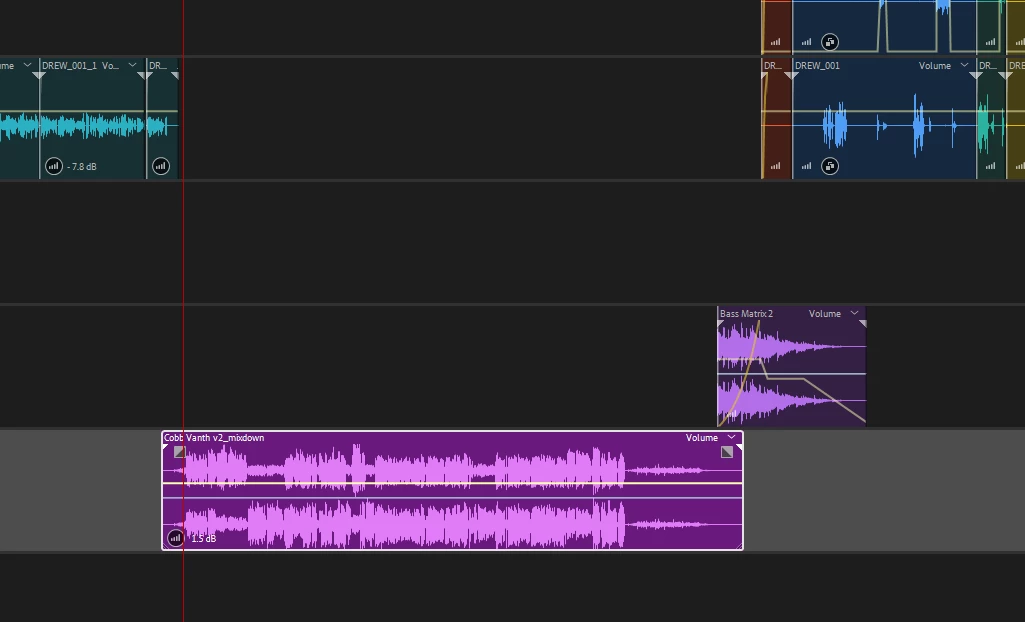
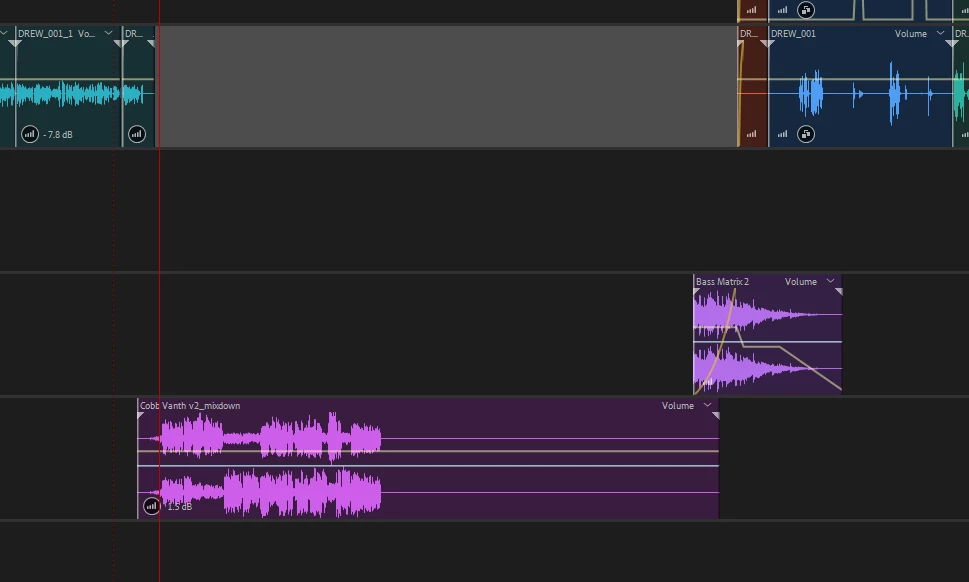
I edit a podcast: 5 dialogue tracks through a dialogue bus, two SFX tracks, and two music tracks. Each epsiode is about an hour long. Sometimes when I reopen a file, I'll notice that some clips are missing their waveform (sometimes just half their waveform). On checking the clip in the waveform editor, the original file is still in it's place, and I can view it in the waveform editor, but the clip will be essentially cut in half. The second half of the clip is missing entirely, so when the clip in the multitrack editor tries to reference it, there's nothing there.


If I open the referenced audio file in File Explorer and compare it to my backup, the filesize is much smaller. And if I open it in an external media player, only half of the content is there. Somehow, Audition is completely deleting entire sections of my recorded audio. 


Of course I can then just re-copy the original files from my backups and relink to the new copy and everything is fine. But this is a very frustrating issue which could easily lead to lost files. Any idea what's going on here? 
 

This topic has been closed for replies.

1 reply

SteveG_AudioMasters_
Community Expert
Community Expert
September 28, 2021

Not sure what's going on, but Audition on its own doesn't delete files, or parts of them - that's the job of the OS. If we look at your 'mixdown' file where half is missing, it looks more like the output at some point has been muted rather than cut; if the file was cut then the display wouldn't look like that - it would just show as a shortened file as far as it went, without a long extension with no audio in it. So on the face of it, we'd need to know more about where that file came from, and exactly the processes that have ocurred to it on the way, at least for starters.

Inspiring
October 5, 2021

It looks muted because the clip was added there before, before the audio file was destroyed. But it's not muted -- the end of the file is missing completely, so when the clip in the multitrack editor tries to reference it, there's nothing there. If I double click on the clip to view it in the waveform monitor, it opens what's left of the waveform, which is only the firt half or so of the file. If I shorten the file down to where the waveform ends, I cannot re-extend it, because there is no audio there. If I open the file in VLC or another media player, only the first half or so is there. If I compare the file sizes, it's a much smaller file. Something is altering the files somewhere along the way. 


This happens on multiple computers of mine, two different desktops and a laptop, all running Windows 10. I've never had any similar issue with other files before using Ableton, Premiere, etc. 


This has happened between colosing the project and immediately re-opening it, so I suspect something is happening in that process?