


Question
Audition File Manager not showing file name
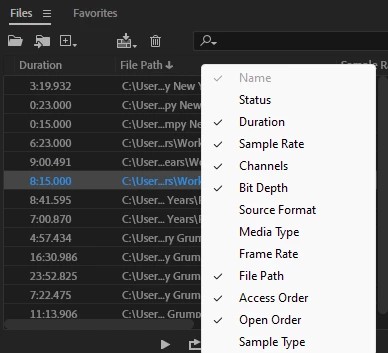
Hello, I seem to have glitched out my audition application. The file manager no longer display's the file name on the top left, and when I right click to view the enabled columns, the one for "Name" is checked, but grayed out. I've updated and restarted the program a few times, but have been unable to resolve. Any advice on how to fix this would be greatly appreciated!
Tech specs if needed:
Version 25.0
Windows 11
 AdChoices