
Audition Files suddenly reading as "Offline" upon saving
Hi there,
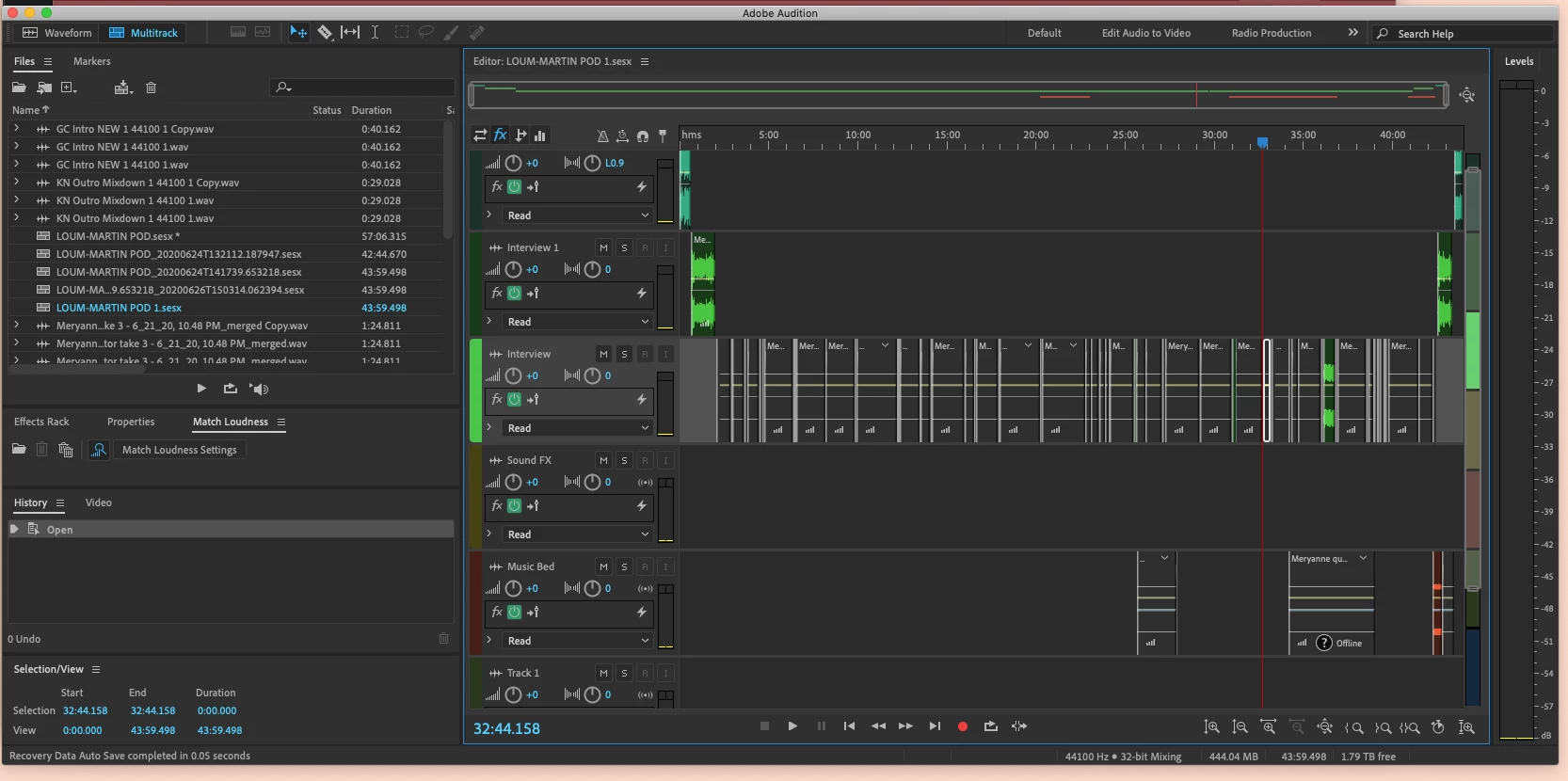
I have been editing a podcast and have produced several episodes with no issues so far, however today when I saved my session, suddenly all of my files are showing up as "Offline" and the wave points are gone, I cannot playback or edit my session.
I googled and it seems like it could be something to do with storage space? But I am saving to an external hard-drive that is 2TB, and it's telling me I have 1.97TB of space left, so I'm not sure what's happening?
You can see that I have cut and worked on this quite a bit and I'm trying to avoid having to start completely over in a new session. Is there a way to recover these files so that I can keep editing on the same track? I'm not sure what happened here! Any help appreciated, thank you!!


 AdChoices