


Audition has encountered an error and needs to close (reference code 205)
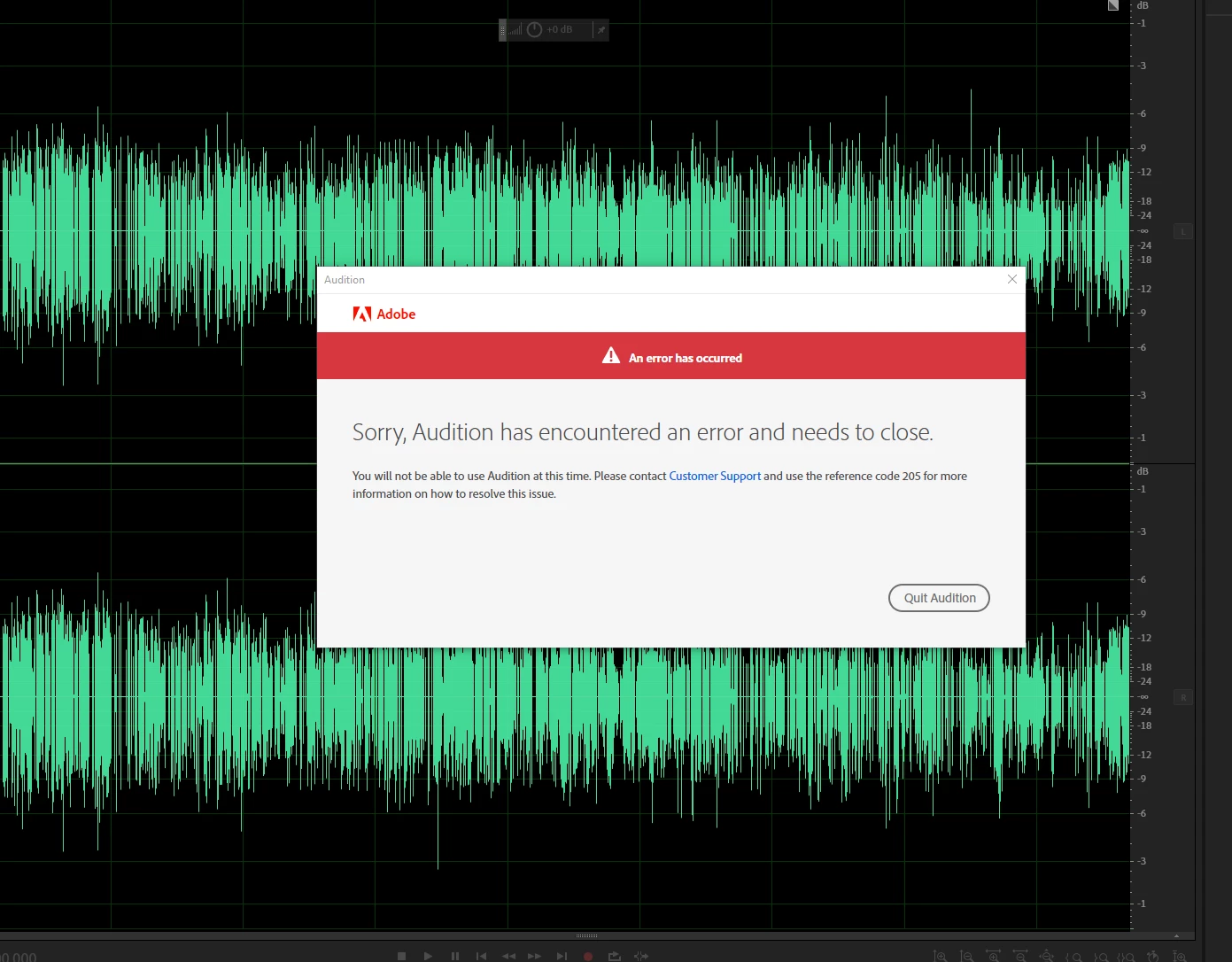
First the limiters stop working in premeir pro and now this. Adobe does not want me to edit audio.
CPU - Ryzen 9 5950x
GPU - EVGA Nvidia RTX 3070 8GB
GPU driver (PC) - Nvidia Studio Driver Version: 572.16
RAM - 32gb DDR4 3200Mhz (x2 8gb + x1 16gb)
Operating system - Windows 10 pro 22H2 19045.5487
Program version - Audition 25.0 Premier pro 25.1
Hard Drive - 2tb Lexar SSD (internal sata)
Video format - Fragmented MP4 (.mp4) and/or H264 mp4, Proxies are Pro res Quicktime Proxy
Workflow details: Project has 2 audio tracks, one for voice and one for game audio, recorded in OBS. this exact set up used to work and ive been using it for almost a year now.
Steps to reproduce 1.create project in Premier pro 2.import clip 3. highlight clips and unlink (still happens without doing this). 4.right click on audio clip and select "edit clip in adobe audition
Expected result - Clip should open in audition
Actual result - audition opens and instantly shows me the window in the photo above, it will render the waveform then promply crash without input
 AdChoices