

Audition is not applying effects correctly
Hi all, I'm having a slight annoyance with the effects in Audition.
- When applying the effects it sometimes missis the beginning of the track. I am not using an effect that requires a per-render and there are a lot of times it will work correctly. here is an example
This is the track before applying the effects
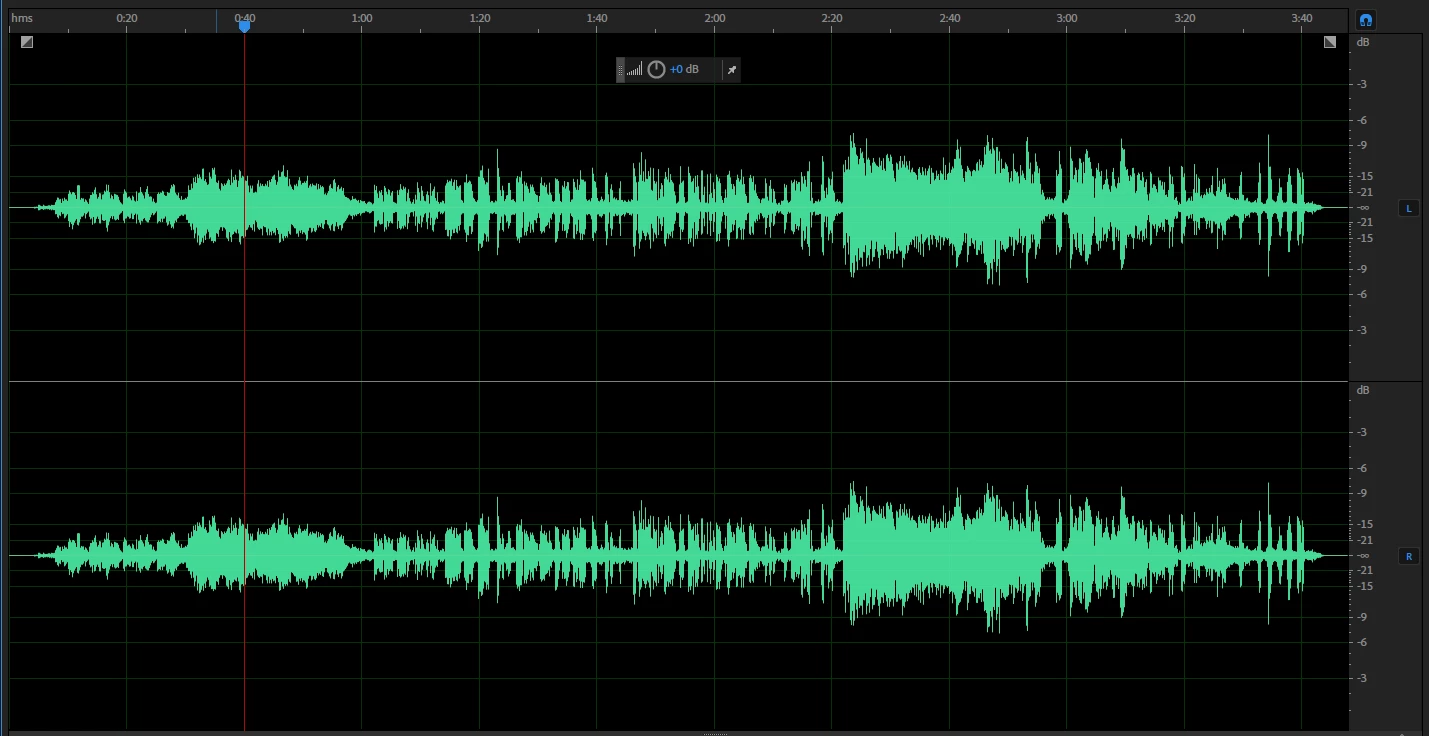
Here is the track after applying the effects on my first render
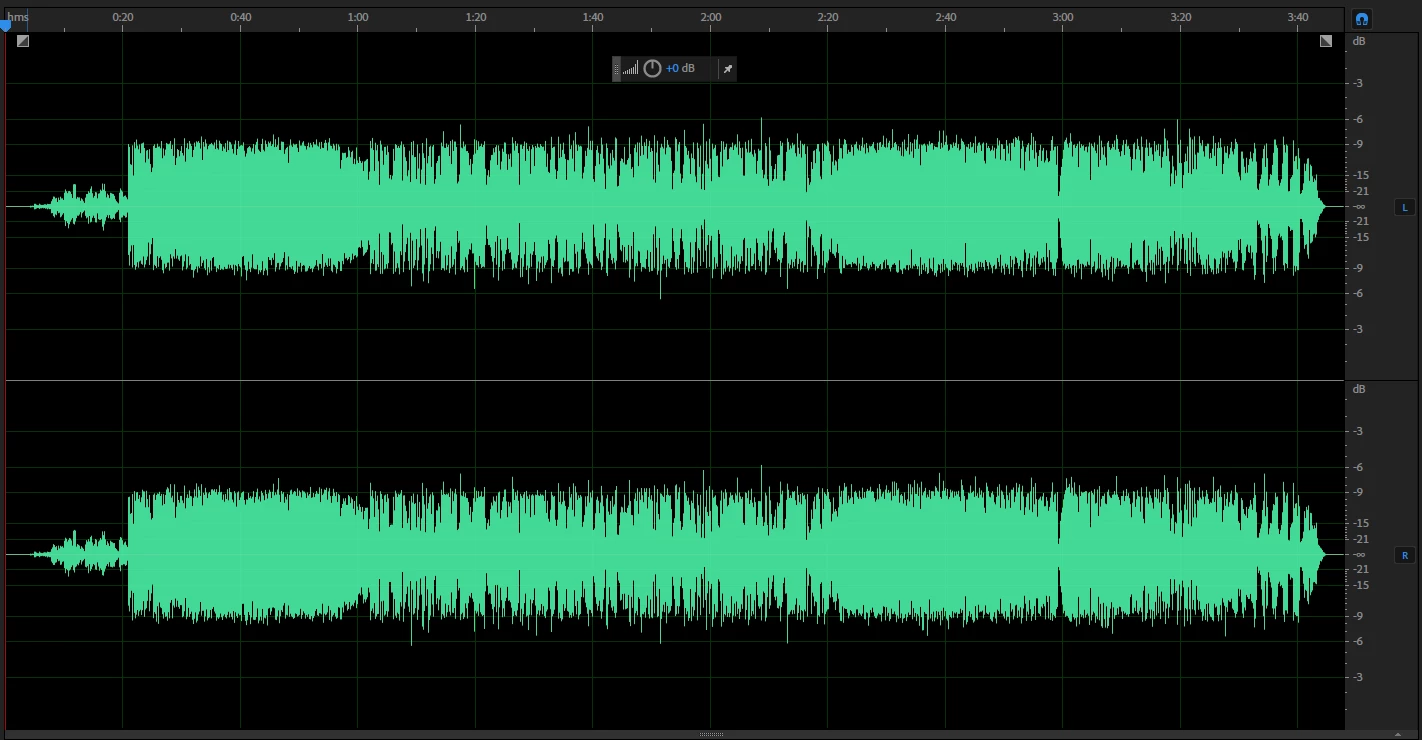
you can see the effects only kicked in after 20 sec. I undone the apply and went again only to get this
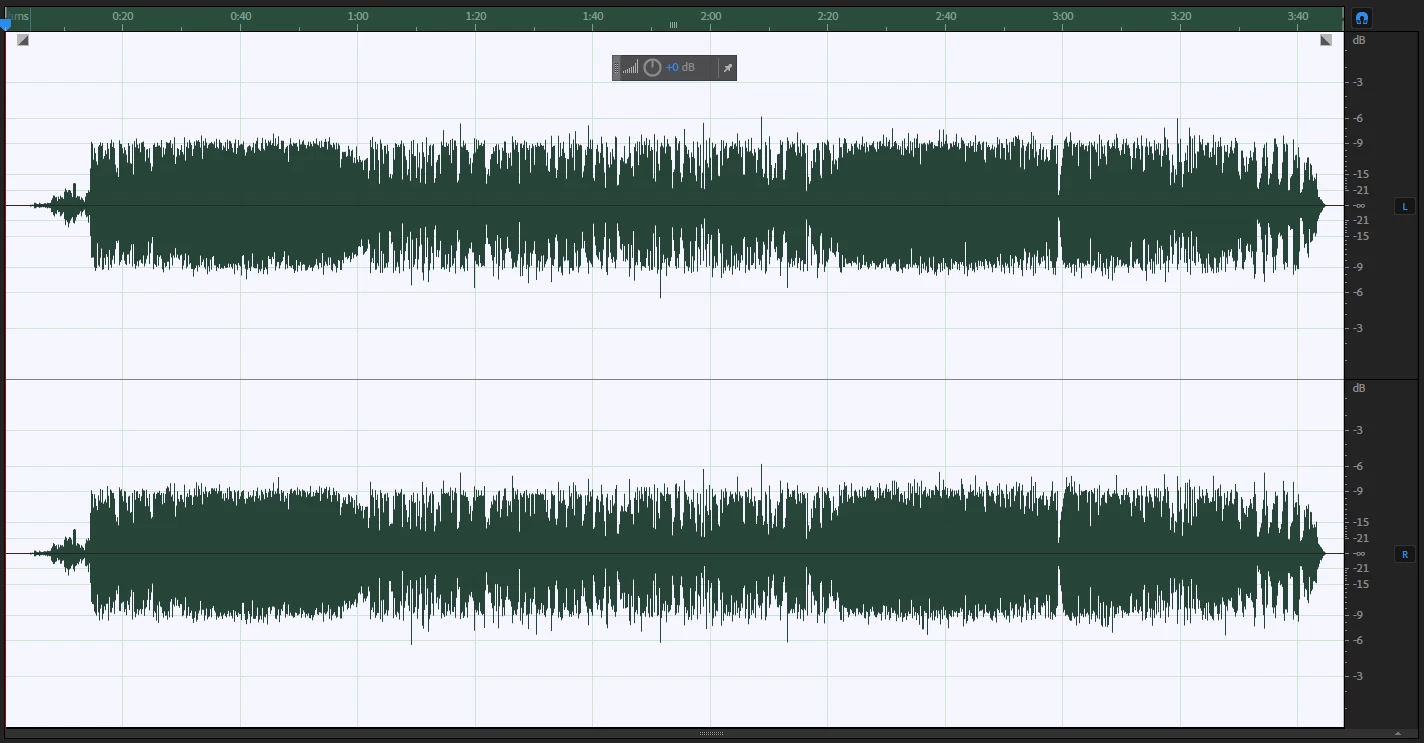
This time the effects kicked in after the 13 sec mark. I am applying effects to the entire track and and it's got nothing to do with the audio length as I do a weekly podcast that lasts an hour and have found sometimes the effects don't apply until the 10-30 sec mark.
At first I thought it was because I had the effects on the multi-track track so I got into the habit of cleaning up the individual tracks separately and only cutting the audio in the multi-track edit, this has bypassed the issue as we record 5 min worth of tests to begin with so missing the first part is no longer an issue. Today however I have been given some music for a dance recital and have no audio to play with.
- The second issue is after rendering I get these sudden peaks where it's like the effects distort for a brief milisecond then everything goes right again
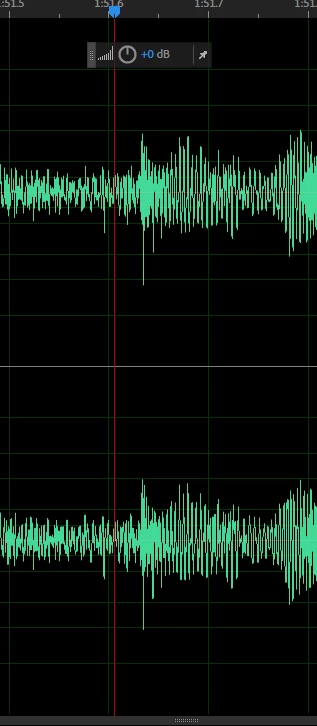
At first I thought it was the compressor not kicking in fast enough but it will do it randomly and sometimes during quiet parts where no compressor should be running. If it were video I'd describe it as a frame of tape dropout.
I am using the latest version off Audition (the issue was on the old version as well) and here are a list of plugins I'm using:
- Red 2 EQ
- Red 3 Compressor
- Graphic Phase Shifter
- Drawmer S73 Processor
The PC is an MSI Apache Pro laptop with the audio running through a ASIO Focusrite Scarlett 2i2 128Buffer and 48000Hz
Thanks
Paul Shaw
Hippo Entertainment


 AdChoices