


Participating Frequently
July 19, 2020
Question

Audition is skipping when I record

  • July 19, 2020
  • 1 reply
  • 3803 views

For some reason, Audition started skipping when I record. The recording is also scratchy. The software is up-to-date - I uninstalled and then reinstalled it. I ave no idea why this is happening or how to fix it. Help!


This my hardware setup:
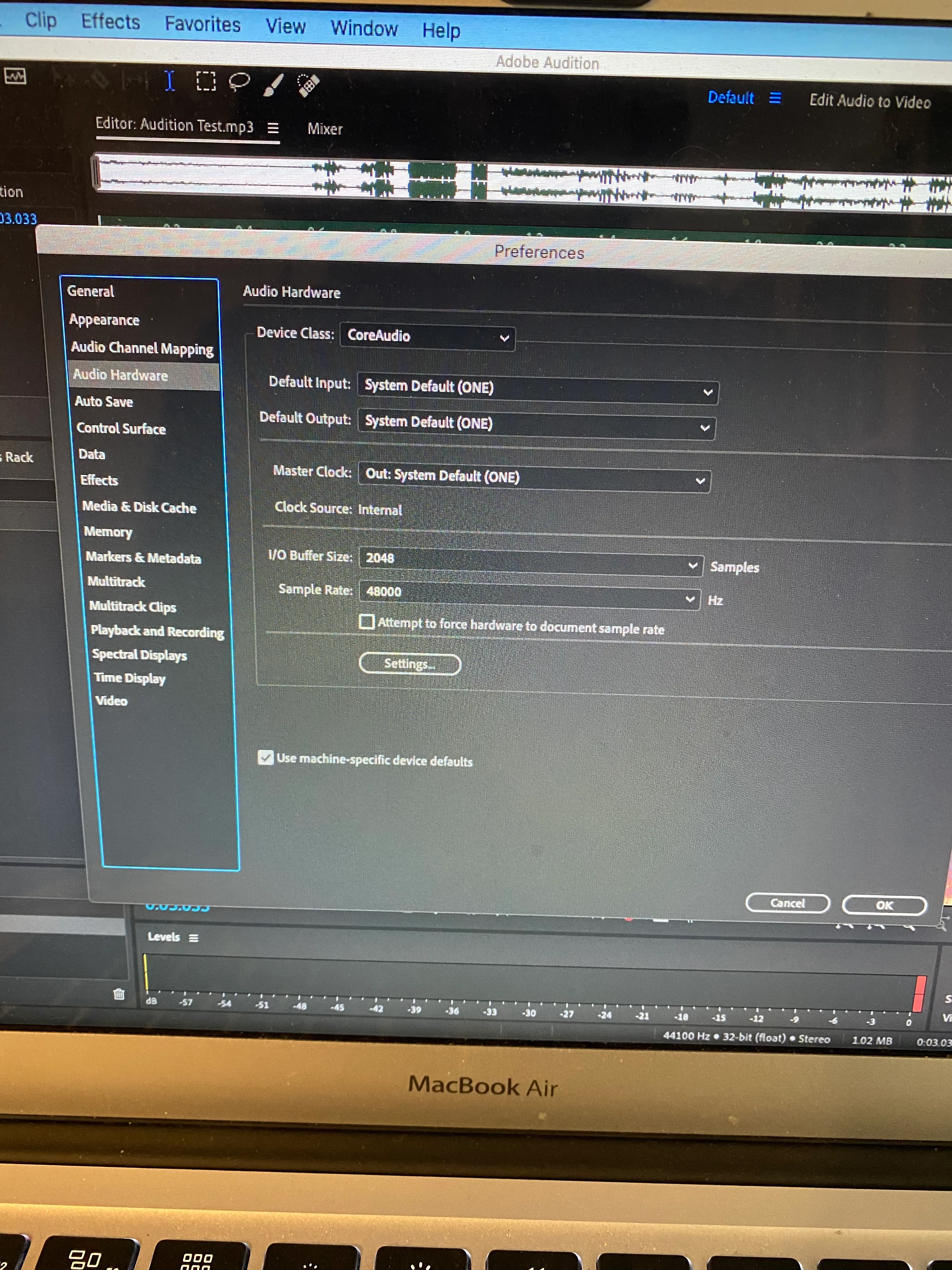


This topic has been closed for replies.

1 reply

SuiteSpot
Inspiring
July 19, 2020

It looks to me like your session is set to a sample rate of 44.1k and your audio interface is set to 48k which means that Audition has to resample on the fly when recording.
Change your interface to match your session or vice versa - you can try and force this in settings

Participating Frequently
July 19, 2020
Hi,

Thanks for the suggestion. I tried changing the settings to match and then
restarted my computer but I'm still having the same problem, It's
perplexing because two days ago, all of my recording all of sudden had all
this static and crackling on them. I updated Audition and that seemed to do
the trick. I updated Audition again when this started happening yesterday
but nothing I've done has fixed it. I do know it's Audition-specific
because when I tried to record in Audacity, there was no static or
skipping.

--
Michael Corcoran
70 Orchard St, 9
New York, NY 10002
917-783-0856
SuiteSpot
Inspiring
July 19, 2020

It looks like you are using an internal sound interface on a Mac?
The only Macs I deal with come with a coke and fries so my help will be limited but try making sure any system sounds are turned off and nothing else is trying to use the audio interface