
Question
Audition not doing what it's told. Audio from one channel exports to multiple channels.
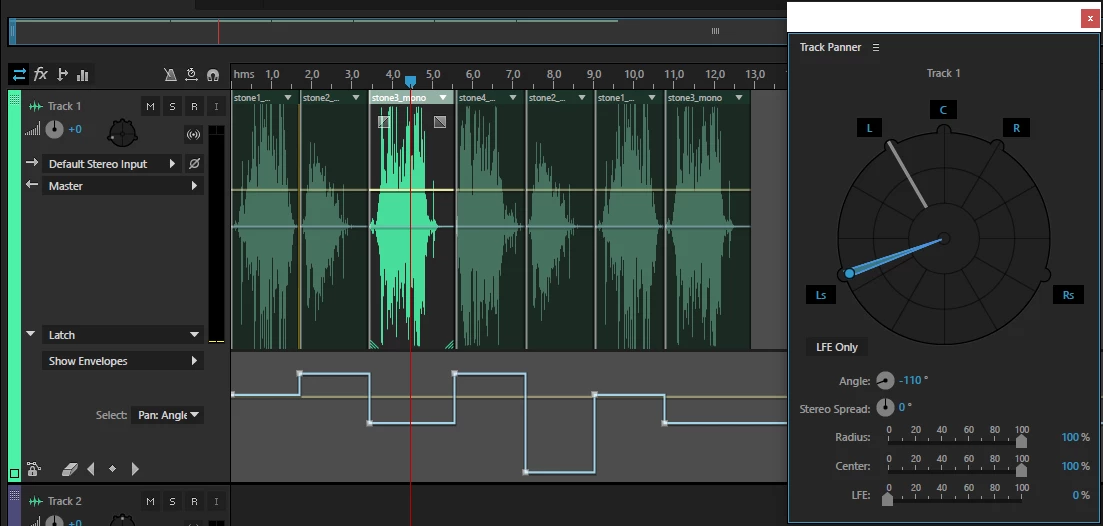
I have a simple 5.1 project. 7 audio clips, each clip is supposed to from one and only one speaker. I keyframed it accordingly but Audition exports it weirdly. The audio clips that are supposed to play from the rear speakers also play on the front speakers.
View in the project:
View of the exported audio channels:
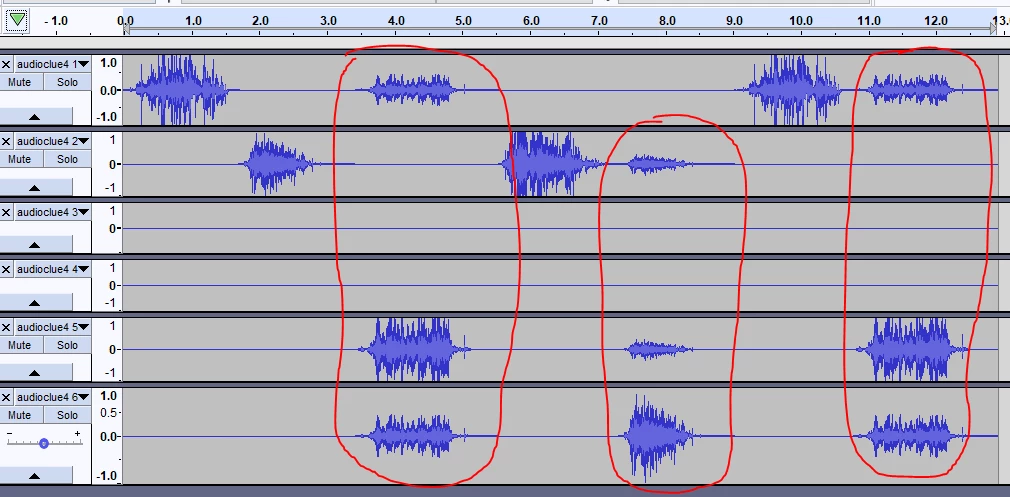
One, and only one channel is supposed to play sound at any given time.
(Also, what is wrong with audition keyframing? Keyframes only apply if I also change some other value. i.e after creating all panning keyframes they are not applying until I slightly modify LFE, or radius, or center on the Track Panner. Perhaps a bug as I'm using an older version)


 AdChoices