Inspiring
September 7, 2022
Question

Audition not recording system sound (but will recognize mic)

  • September 7, 2022
  • 2 replies
  • 2352 views

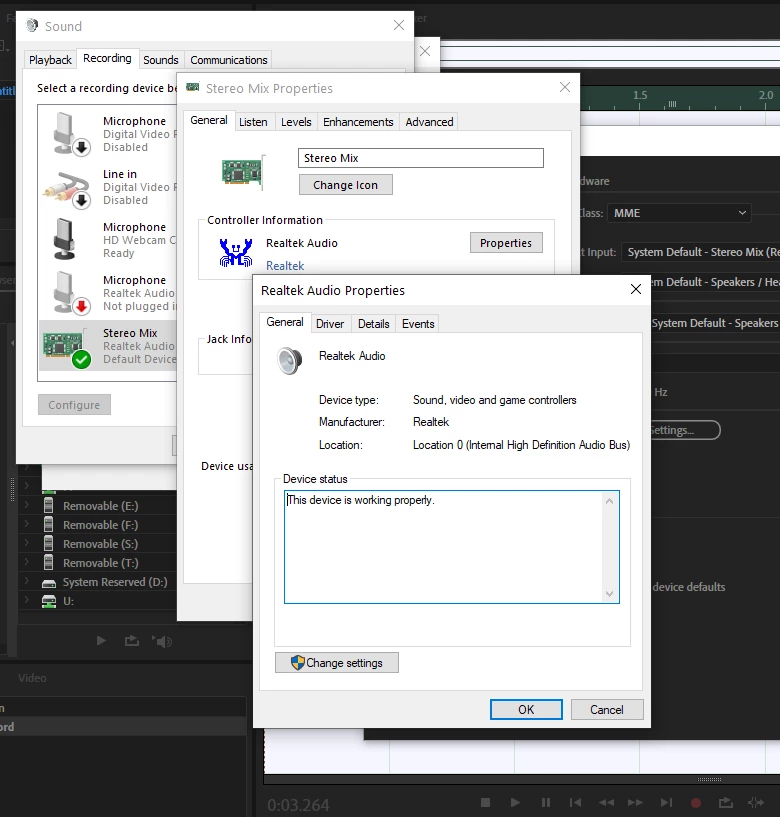
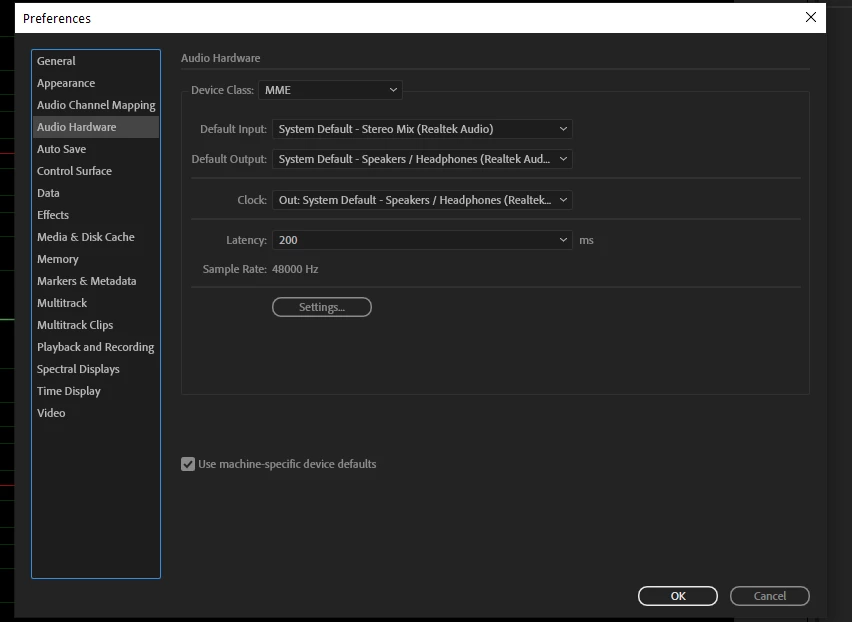
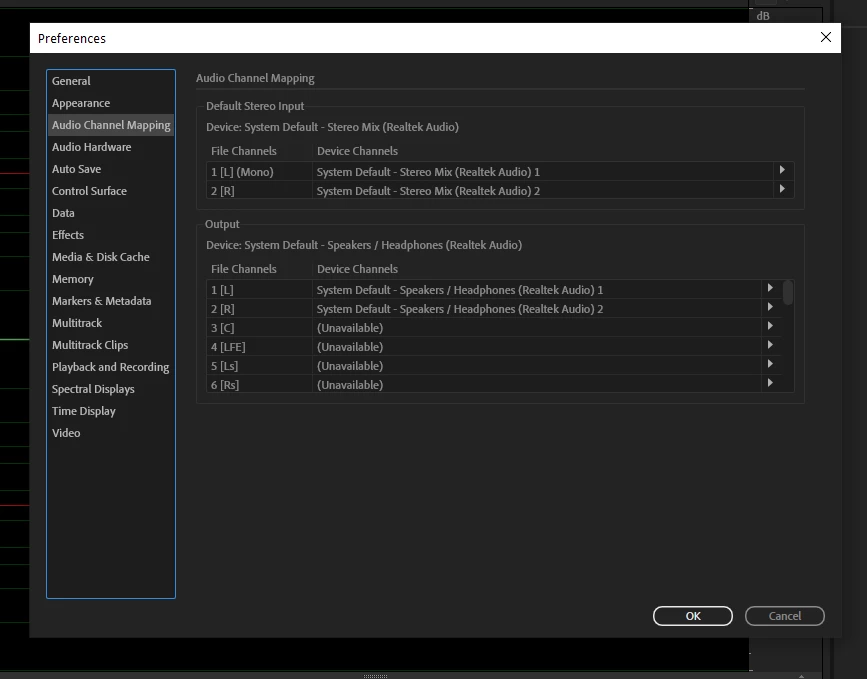
I changed the settings in Edit - Preferences - Audio Hardware, and in Edit - Preferences - Audio Channel Mapping to ensure that System Default - Sterio Mix (Realtek Audio) is the default input, and that it is the default input in Audio Channel Mapping. Yet, when I try to record system sound, nothing appears on the timeline. By contrast, when I change the settings to my mic, I am able to record my voice.


I've watched the tutorials bu haven't yet found my exact situation. Here's what I tried:

  • Restarted Windows 10 PC
  • Opened Audition while holding Shift key to reset preferences
  • Swore a lot


This topic has been closed for replies.

2 replies

Participant
September 13, 2022

Hi ! 

I'm having the same issues. I'm using Elgato products so it's an halfway resolution of my problems since I using ASIO driver but maybe with this driver you'll have better results than me.


Good luck !

SteveG_AudioMasters_
Community Expert
Community Expert
September 7, 2022

It is possible (it has happened before) that the manufacturer of your computer has inhibited recording from stereo mix/what you hear. It's ridiculous. The RIAA years ago threatened PC manufacturers with all sorts of retribution if they allowed it - they said it was illegal (which actually it wasn't and indeed isn't). Their claim was that you could download streaming music, play it and then not pay any royalties for it. It's not Audition - you've already demonstrated to yourself that it records fine - it's just a 'security' limitation on that source - or you've got the volume on it set to zero. And that seems unlikely from what you describe.


There are a number of apps around that get around this problem completely - indeed if I want to record anything coming into this laptop I use SoundTap - it sets itself up, finds your stream and just records it. Doesn't cost much, works fine for me. Other apps are available.

Inspiring
September 7, 2022

Thanks for the SoundTap suggestion. I tried it and it works.